
miegdcmhfnpofmbiagbonbbebkojaged
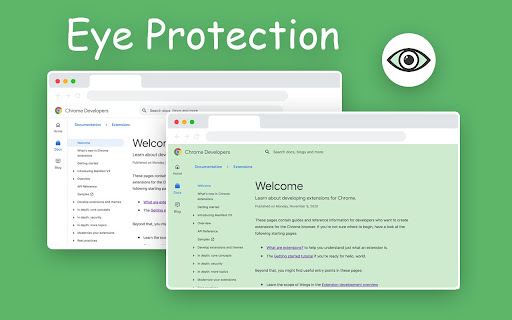
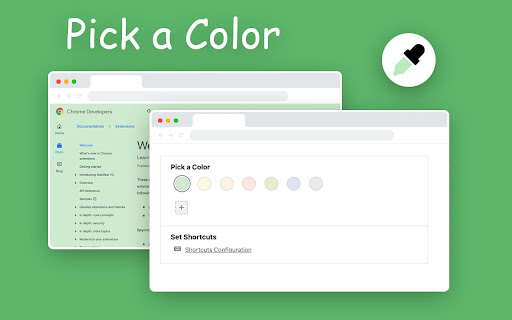
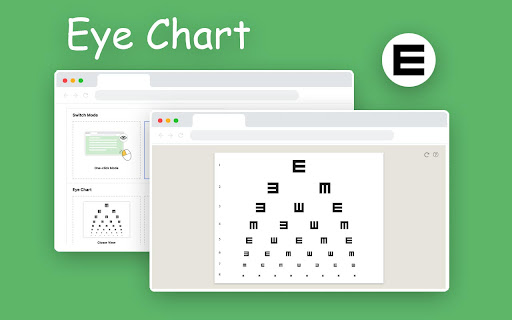
Care your eyes. 👀 Eye Protection is a very small and powerful extension. 👀 It colors the whole web page with eye-protection color with only one click. 👀 You can pick a custom eye-protection background color. 👀 Choose popup mode or one-click mode for the action button. 👀 Eye charts give you the best eye care, you can take a vision test here.

Screen Dimmer
Screen Dimmer, light filters & break timer for eye protection. Reduces eye strain, encourages breaks, relax your vision. Eye Guardian: Screen Dimmer & Blue Light Filter by Eyeletic Eye Guardian is a lightweight screen dimmer and blue light filter Chrome extension designed to reduce eye strain, screen glare, and brightness discomfort caused by long hours in front of a screen. Unlike system brightness controls or dark mode, Eye Guardian works as a full-page screen dimmer and brightness filter, allowing you to darken or brighten any website beyond your device’s default limits. This makes it ideal for night use, low-light environments, and users with sensitive eyes. Screen Dimmer & Brightness Filter Dim or brighten your screen on any website using a smooth overlay. Works even when your system brightness is already at its minimum or maximum. Blue Light Filter Reduce exposure to harmful blue light to help prevent eye fatigue, headaches, and sleep disruption. Screen Brighter Mode Increase perceived brightness without increasing eye strain. Vision Trainer & Vision Tester Simple tools to help assess and improve visual comfort and focus. Customizable Break Timer (20-20-20 Rule) Get automatic reminders every 20 minutes to take a 20-second break and look 20 feet away, helping reduce digital eye strain. Reduces eye strain and visual fatigue from prolonged screen use Helps relax your eyes and maintain healthier screen habits Supports better sleep by lowering blue light exposure Enables comfortable screen viewing in any lighting condition Easy to use, lightweight, and adjustable at any time What is the best screen dimmer for Chrome? How can I dim my screen more than the default brightness? How do I dim my screen in Chrome? How can I reduce screen brightness at night? How can I relax my eyes while using a computer? How do I reduce eye strain from long screen use? Is a screen dimmer better than dark mode? Can lowering screen brightness help with sleep? Eye Guardian is a simple and effective eye protection and screen dimmer extension for anyone who spends a lot of time in front of a computer. By combining a screen dimmer, brightness filter, blue light filter, and break reminders, it helps protect your eyes, improve comfort, and support overall well-being. Ideal for remote workers, students, developers, designers, and night users.

Babu Soft Gray Eye Protector
Soft Gray Your Browser, Reduce Stress on Eyes, Reduce Addiction to Computers

Bluelight Blocker
Choose a warm filter to reduce blue light and rest your eyes. Protect your eyes effortlessly 👁️. This extension filters blue light from your screen and softens cold tones on web pages to reduce eye strain during long sessions at the computer. Spending hours in front of a screen takes a toll: tired eyes, discomfort, and poorer sleep. Exposure to blue light can interfere with melatonin and affect your sleep. Applying a warm filter, especially at night, helps minimize these effects 🌙. Easily adjust the filter intensity to your preference and receive smart reminders to rest your eyes using the 20-20-20 rule. Less strain, more comfort, better rest.

Eye Protector : Screen Filter Modes
Toggle various screen modes for better visual comfort. "Eye Protector: Screen Filter Modes" is a Chrome extension designed to help users reduce eye strain while using their screens. With various customisation screen filters, including Black and White, Yellow Eye Protection, Blue Light Filter, and Invert Mode, this extension allows you to adjust your screen’s appearance based on your needs. Easily toggle between different modes with a user-friendly interface that remembers your last selection, ensuring a comfortable viewing experience across all your web browsing activities.
