
hobpbmcamljoikiiajiopaognabcoceh


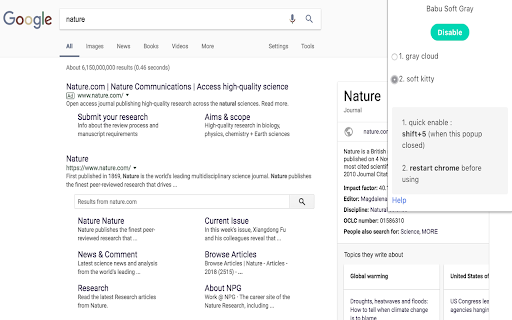
Soft Gray Your Browser, Reduce Stress on Eyes, Reduce Addiction to Computers

Night Assistant
Set the background color of the webpage to protect your eyes. and create a beautiful and comfortable internet environment. This is an extension that sets the background color of the web page. You can set the background color according to your preferences, make the webpage more beautiful, and it is suitable for nighttime browsing, which helps protect your eyes. Features: 1, 12 background colors are optional, beautiful and practical; 2, small size, stability, compatibility; 3, covering a wide range of browsers, currently available in Google, Firefox, 360 browser; safety: This extension source is open, without any privacy violations, source code: https://github.com/weijhfly/Night-Mode When installing for the first time, please refresh the page or open a new tab to enable the night assistant to take effect. Some websites may be banned, such as in the Google Web Store. If you like this extension, please give a star or praise ^_^

Circle Reader
An extension that provides immersive reading to make you fall in love with reading on the web The best free reading assistant (reader mode) that enhances the web page reading experience. Ads are too distracting, the colors are too ugly, the fonts are too small to see clearly, the typography is too messy to find the text, does it really need to be so difficult to read the web? With just one click, Circle gives you the purest reading experience, escorting you to better reading. Circle reading assistant can extract the content of the webpage and rearrange the layout into a more suitable interface for reading. Using self-developed analysis engine and typesetting engine, the recognition effect and typesetting ability are smarter, faster and more friendly. If you are looking for a lightweight and intelligent reading aid product, you might as well try Circle Reading Assistant-the best reading aid of its kind! The reading assistant browser extension Circle, which is more powerful than the Safari reading mode, is an extension and improvement of the browser's own reading mode; it is the only magical tool for computers to read web pages, read novels, and watch news; it has shortcut key support, custom styles, Custom fonts, custom themes, automatic scrolling, automatic loading of the next page, reading aloud, article outline (outline), back to the top, reading by column, printing the formatted webpage in reading mode, supporting browser translation, etc. Reading auxiliary functions. The self-developed analysis engine provides faster analysis and smarter analysis capabilities. The self-developed typesetting engine automatically blocks advertisements and noise on html, and says goodbye to the format escape. The Circle reading assistant browser extension developed by pure js has been launched on Google Chrome browser, Firefox browser, Edge browser, 360 browser, Opera browser, etc. ★ Several distinctive functions of Circle Reading Assistant: ➤ Self-developed recognition engine: With the help of self-developed recognition engine, Circle's recognition effect is smarter and the recognition speed is faster. ➤ Self-developed typesetting engine: With the help of self-developed typesetting engine, Circle's typesetting effect is more friendly and the typesetting speed is faster. ➤ Letter paper effect: a reading experience like reading a letter. ➤ Multi-page analysis: On a page with a link to the next page, the content of the next page is automatically parsed and displayed on the current page. ➤ Reading by column: Originally read the webpage by column, the welfare of large-screen users, without wasting every inch of screen space. ➤ Read aloud: Tired of reading? Why not try the content! Free your hands to do other things. With the help of "multi-page analysis", what kind of bicycle is needed for listening to novels? ➤ Preset 5 colorful themes: simple white, eye-protecting green, elegant dark gray, and deep dark. Circle has always been what you like. ➤ Custom gradient background or picture background: The preset theme is not on your aesthetic point? It's ok! Customize themes as you splash ink. ➤ Customize various styles: Just reading is not possible, I have the final say on the style of the web page! The font size is bigger, the font is thicker, and the line spacing is higher. Circle does everything for you to read. ➤ Follow the system to switch themes: only support custom themes? nonexistent. How about switching different themes at different times? . ➤ Custom css: You don't have the effect I want, you are awesome ugly! Customize css to help you, understand that css Circle is your person. ★ Keep abreast of the trends of Circle's reading assistant ➤ Subscription account 👉🏻 Senior Ranhe ★ Description of required permissions ➤ contextMenus: Use this permission to implement the right-click menu module, you can quickly access the function of Circle in the right-click menu ➤ : This permission allows Circle to access webpages, thereby realizing the recognition and layout of webpage content, as well as access to screenshots and exporting as pictures and other functions ★ Contact and discussion ➤ Contact me by email 👉🏻 wenguang.fe@gmail.com If you approve of my work, please have a cup of coffee to show encouragement and support 👉🏻 https://circlereader.com/donate The source code is hosted on github 👉🏻 https://github.com/hewenguang/circle Installing Circle means you accept our user agreement (https://circlereader.com/docs/agreement.html) and privacy policy (https://circlereader.com/docs/privacy.html)

舒適閱讀
讓網頁配色更適合眼睛閱讀 提供多種配色組合供參考 更改網站配色、字體、亮度、對比度、大小、行高、間距讓網頁文章更適合閱讀 提供多種配色組合,讓閱讀無壓力 version:1.9.0 選項頁排版優化 新增自訂義字體(支援本地字體,上傳字體) version:1.8.0 配合chrome套件改版 version:1.7.5 修改黑名單無效的問題 version:1.7.4 修改自動舒適閱讀延遲問題 version:1.7.3 修改語系問題 version:1.7.2 修改無法自動舒適閱讀的BUG version:1.7.1 修改BUG version:1.7.0 增加黑名單功能(名單內的網址將會自動執行舒適閱讀) version:1.6.2 優化程式,讓效率更好 version:1.6.1 修改bug version:1.6.0 新增白名單功能 version:1.5.6 修改字體大小bug version:1.5.5 修改bug 新增字體大小可設單位(%) version:1.5.4 新增飽和度設定 version:1.5.3 新增亮度、對比度、 超連接顏色設定(預設同文字顏色) version:1.5.2 新增了漸變參數(單位秒) 預設為0 version:1.5.1 優化了一些東西 version:1.5 修改了一些bug version:1.4 增加了全螢幕閱讀 version:1.3 優化了程式碼減少資源的浪費 增加還原功能 增加自動啟動的選項 增加一個針對單獨區塊的隱藏 version:1.2 增加了右鍵選單 多了一個針對單獨區塊的閱讀

Lingocloud - AI Translate Web, PDF & Subtitles
Web bilingual, PDF link, YouTube ; Lingocloud V4 + multi-model with glossary for fluent, accurate translation 1. Personalization: Customize translation styles to better match your linguistic habits. 2. Floating Ball Upgrade: Redesigned floating interactions and menu for a lighter, more intuitive experience. 3. Seamless Experience: Switch models, glossaries, or styles without refreshing the page—translations update dynamically. 4. Glossary Enhancement: No need to set translation directions; multi-language entries can now be used together. 5. Performance Improvements and Bug Fixes. More than just a translator—it's your all-in-one AI reading assistant. Lingocloud integrates a matrix of world-class AI models to provide an intelligent bilingual experience for web pages, documents, videos, and social media. V4 Model: Our proprietary model optimized for nuanced context, delivering natural and fluent translations. AI Aggregation: One-click toggle between DeepSeek V3, GPT, Qwen, GLM4, and more for multi-perspective references. 🧠 AI Bilingual Web Translation: Automatically recognizes web content for side-by-side reading. Supports AI bilingual subtitles on YouTube, Netflix, and more. 📂 AI Document Parsing: Smartly translate PDF, Word, PPT, and arXiv papers while perfectly preserving the original layout. ⚡ Real-time AI Lookup: Select text on Reddit, Discord, or X (Twitter) for instant AI-powered explanations and translations. 🌟 Core Features 1. Bilingual Webpage Translation 🌐 Click the “Lingocloud icon,” and the webpage instantly displays in bilingual parallel view! Source and translation are aligned top-to-bottom for easy comparison. The innovative layout makes reading smoother and more natural. 2. Text Selection Translation 🖱️ Highlight any text to get accurate translations instantly—no page switching needed. Stay immersed in your reading while exploring foreign content effortlessly. 3. Professional Terminology Library 📚 Built-in database of 100,000+ professional terms across multiple fields, with support for custom glossaries. Ensures precise domain-specific translations while meeting personalized expression needs. 4. PDF Translation 📄 Translate PDF documents with one click while perfectly preserving formatting and layout. Supports recognition of complex formulas—ideal for research papers and technical documents. 5. Video Subtitle Translation 🎬 Supports bilingual subtitle translation on YouTube and other major platforms. Learn while watching, enhance your language skills, and easily understand foreign-language videos. 6.Image and Manga Translation Supports one-click translation of images or comics on web pages. 👥 Who It’s For • 🔬 Researchers: Accurate translations of journals and reports • 📖 Novel Lovers: Immersive reading of AO3 and foreign fiction • 📚 Students Abroad: Easily access textbooks, papers, and academic resources • 💻 Programmers: Quick access to technical documentation and developer communities • 🌐 Trade Professionals: Accurate translation of contracts, emails, and business files • 🎓 Language Learners: Improve comprehension with bilingual parallel texts • 🧳 Global Travelers: Real-time multilingual communication and information access ℹ️ Usage Notes • 🔒 Permissions: To enable text selection, auto-translation, and video subtitle features, please allow the extension to read and modify webpage data. Video translation requires access to the current tab’s audio. • 🎁 Free vs. Paid: Register to enjoy free daily usage with a quota limit. The quota refreshes automatically each day. Upgrade to membership for unlimited access. • 💌 Feedback: For questions or suggestions, visit our website at https://fanyi.caiyunapp.com and click “Feedback” to share your thoughts! 🌈 Break down language barriers with Lingocloud and explore a bigger world! 🚀🌟
