
miedbfijmibcgjjmhdccocldliepbfng
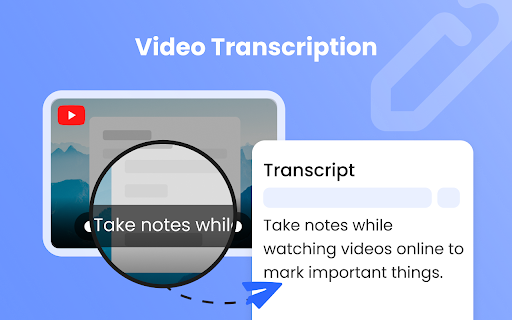
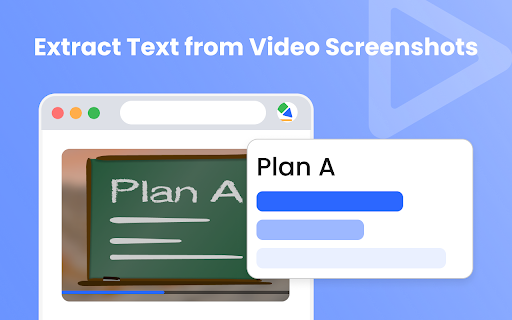
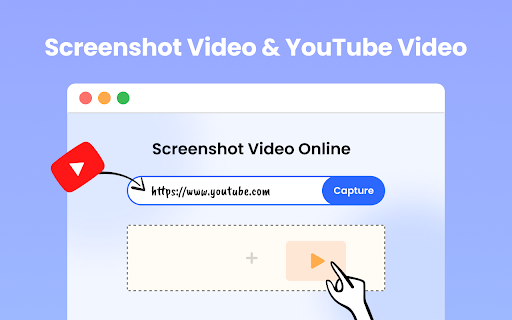
This tool helps you take screenshots from a YouTube video and extract text from the video. Check the main features: 1.Video Transcription Transcribe video to text by extracting the subtitles/closed captions. 2.Extract Text from Video Screenshots Take screenshots from the video and use the OCR function to extract text information from the video's screenshots.

Video ScreenShot Capture
Video ScreenShot Capture, capture's video-size screenshots and saves them in the form of png. Video ScreenShot Capture, capture's video screenshots and saves them in the form of png. What Is Video ScreenShot Capture? Video ScreenShot Capture's the screenshot of the video without capturing an extra screen. It just captures video-size screenshots and saves them in the form of png. Why Video ScreenShot Capture? With Video ScreenShot Capture, users can effortlessly capture YouTube screenshots with a single click or keyboard shortcut. Say goodbye to the hassle of capturing unnecessary screens - this screenshot extension focuses solely on the video content, ensuring precise captures every time. Who Is Video ScreenShot Capture for? Video ScreenShot Capture is ideal for students, researchers, and content creators who rely on platforms like YouTube and Coursera for educational content. By seamlessly integrating with these platforms, this screenshot extension enhances the process of taking YouTube screenshot notes. HOW DOES IT WORK? There are two different ways to capture a video screenshot: Clicking on the extension icon. Using Shortcut : WINDOWS : CTRL + SHIFT + Z and MAC : CMD + SHIFT + Z. Video Screenshot Extension: The ultimate YouTube screenshot tool and top-notch extension for effortless captures.

ZippyNotes: YouTube Notes & AI Summaries
Take timestamped notes on YouTube, generate AI notes, and save videos to your personal learning library. ZippyNotes helps you learn from YouTube without losing the important parts. Take timestamped notes while watching, generate AI notes from videos, and save everything into your personal learning library so you can revisit key moments later. What you can do with ZippyNotes: ✓ Take timestamped notes on YouTube Write notes while watching and keep every note tied to the exact moment in the video. ✓ Generate AI notes Turn videos into quick, structured notes so you can understand the key ideas faster. ✓ Click timestamps to jump back Revisit the exact part of the video behind any note. ✓ Save videos to your library Keep useful tutorials, lectures, explainers, interviews, and podcasts in one place. ✓ Use the web app or Chrome extension Start from YouTube with the extension, or paste a link directly into ZippyNotes. Best for: - Professionals learning new skills - Self-learners watching tutorials and explainers - Creators and researchers collecting ideas from long videos - Developers bookmarking useful explanations - Anyone who wants to stop rewatching videos from scratch Free plan includes 3 saved videos. Upgrade when you need more videos, more AI notes, and a larger learning library. Privacy: Your notes and saved videos are stored securely in your ZippyNotes account. We do not sell your data or use it for ads. Need help? Visit zippynotes.co or contact support from the website.

YouTube Notes to Notion with Udemy, Coursera, BiliBili and more by Snipo
Take YouTube notes directly to Notion, generate AI flashcards, capture screenshots, and sync learning courses with Notion 🚀 This extension enables you to: ✅ take clickable timestamped YouTube notes or Video notes ✅ capture screenshots on videos and elevate your learning ✅ generate AI flashcards in one click based ✅ create a flashcard deck and export it to Anki ✅ YouTube transcript to Notion notes ✅ recording YouTube clips to YouTube notes ✅ seamless sync of YouTube videos or Udemy courses with Notion (sync title, chapters, and YouTube playlist) ✅ organize your videos into notebooks with the index for the playlist in Notion ✅ keyboard shortcuts (speed up and down, seek backward and forward, pause, timestamp note, capture screenshot, etc.) ✅ mark as finished on the notion page ✅ supporting custom Notion database for saving YouTube notes ✅ supporting Chrome Side Panel as YouTube notes ✅ More Tech-friendly than ReClipped and Video notebook ✅ More User-friendly than Askify and Transnote ⚡ Snipo is a notebook for online courses, enabling you to learn and study effectively across the web on any platform to Notion. 🌐 Compatible with other great extensions, including Notion Web Clipper, Save to Notion, Tailored-Notion, and ChatGPT to Notion. 😍 Snipo is available on: ★ Youtube ★ Udemy ★ SkillShare ★ Vimeo ★ Coursera and more The latest updates are: 🔹 Supporting Custom Notion Databases 🔹 Supporting Chrome Side Panel for Notion notes 🔹 New Vimeo, Skillshare, and Ted integrations 🔹 New Transcript for Udemy lectures 🔹 New Video Clips and Customizable Settings for your Note-Taking Changelog is available https://snipo.canny.io/changelog 👥 Do you have any questions about Snipo? Join our community: Discord: https://discord.com/invite/dMa6WVEKkw Telegram: https://t.me/snipo_io Twitter: https://twitter.com/snipo_io YouTube: https://www.youtube.com/@SnipoHQ/videos After installing, please reload all tabs for the extension to take effect. For issues/suggestions, please contact us via email: hello@snipo.io ⓘThis Chrome extension is about note taking and has no affiliations with the popular Notion™ or YouTube™ All copyrights belong to their respective owners. Snipo is not owned by, is not licensed by, and is not a subsidiary of Notion or YouTube.

Annotate.tv
Create video annotations on YouTube and Vimeo videos Create a video in Annotate.tv just by clicking the logo while watching a video in YouTube
