
mhgcdmegbbkpabepmljchhanpiafambi
Gmail Reverse Convertor By Sajeewa Dissanayake. This addon will reverse the mail view on conversation view. Just like outlook.

Graphlan Copilot
Help sync your contacts and connections data for Graphlan The official Graphlan contacts / connections extension! Add how you met and notes to connections from across the web, and organize them into lists as well. If you have a Graphlan account, get the most out of it by installing this extension and synchronizing data from across the web.

Gmail Reverse Conversation
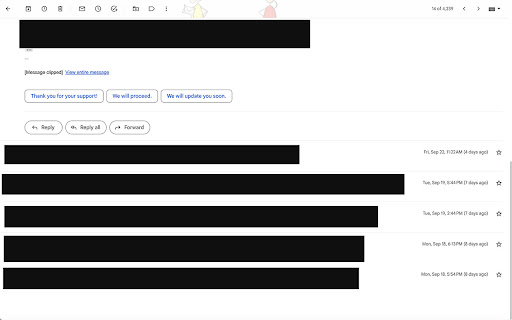
Automatically reverses Gmail conversation threads to show the newest email at the top. Improves readability and saves scrolling. Tired of scrolling to the bottom of long email threads? This extension automatically reverses the order of emails in your Gmail conversation view, bringing the newest message to the top instantly! Features: - 🔄 Reverses email order: Newest emails appear at the top of the conversation. - ⚡ Instant updates: Works automatically when you open an email. - 🚀 Lightweight: No configuration needed, just install and refresh Gmail. - 🔒 Privacy focused: Changes the display order only using CSS and minimal JavaScript. No email data is read or stored. Why use this extension? Standard Gmail threads stack emails chronologically, burying the latest reply at the bottom. For long support tickets, notifications, or newsletters, this means constant scrolling. Gmail Reverse Conversation flips this layout, ensuring the most relevant information is always right in front of you. Permissions: - "Read and change your data on mail.google.com": Required to detect when a conversation is open and apply the styling designed to reverse the thread order. We do not collect or transmit any of your email content.

Reverse Conversation for Gmail™
This browser extension which reverse emails in conversation view. Want to reverse your e-mail thread inside Gmail so that the most recent emails inside a email thread are at the top of the page instead of the bottom? Install this extension today and you can reverse the emails inside Gmail instantly. To get started for reversing email conversations inside Gmail, here is what you need to do. Install our software extension Go into your Gmail account Click on any email which has a e-mail thread. Enable/disable our extension and you can see the layout of the emails changed. This is a simple extension which seeks to display the newest e-mails at the top of the e-mail thread instead of being at the bottom of the page. Disclaimer: Please note this extension is NOT made by Google and is made by an independent development team. All copyrights belong to their respective owners. Google doesn’t endorse or sponsor this Chrome extension. This extension is not owned by, it is not licensed by and is not a subsidiary of Google Inc.

Gmail - Reply at the TOP
Move the reply/compose box to the top of conversation thread. Allows you to refer the latest response as you compose the reply. If you are frustrated of scrolling up and down while composing your email replies in Gmail, THIS IS THE EXTENSION YOU NEED! This will move the reply/compose box from the bottom of the page to the top of the page. You can now see the latest email in the thread as you type, without have to scroll up and down. This is especially loved by Outlook users who are used to the reverse chronological view. I developed this after I could not find any solution. After using it for a while, I have noticed a significant boost in email productivity ... no more scrolling for those long conversation threads! NOTE: Refresh/reopen the Gmail tab for the extension to start working.
