
aenfolcbljflfehpenijphhikoljkdmd
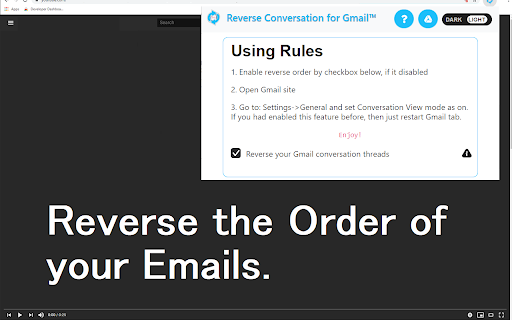
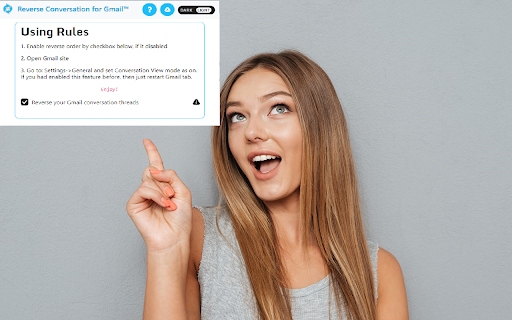
This browser extension which reverse emails in conversation view. Want to reverse your e-mail thread inside Gmail so that the most recent emails inside a email thread are at the top of the page instead of the bottom? Install this extension today and you can reverse the emails inside Gmail instantly. To get started for reversing email conversations inside Gmail, here is what you need to do. Install our software extension Go into your Gmail account Click on any email which has a e-mail thread. Enable/disable our extension and you can see the layout of the emails changed. This is a simple extension which seeks to display the newest e-mails at the top of the e-mail thread instead of being at the bottom of the page. Disclaimer: Please note this extension is NOT made by Google and is made by an independent development team. All copyrights belong to their respective owners. Google doesn’t endorse or sponsor this Chrome extension. This extension is not owned by, it is not licensed by and is not a subsidiary of Google Inc.

Gmail Email Thread Reverse
A quick, easy, one-click way to reverse the messages in Gmail email threads and conversations! Here is what you can do with this extension: - 🔒 Securely reverse your Gmail Threads and Conversations - 📧 Have your most recent email / message appear at the top of the page - 🥽 Feel safe knowing this extension is safe, GDPR compliant, and follows Google's Privacy Policy and Terms of Service For those of us who use Gmail, it can be frustrating when you're part of a group thread or long thread and you have to scroll all the way to the bottom of the page to see the most recent email or message. With this extension, the most recent email or message will appear at the top of your threads and conversations. Nothing else is required: just install it and your threads and conversations will have your messages appear in reverse order (also known as reverse chronological order). #️⃣ v1.0.0 This is the initial release, with support for the new Google Chrome Manifest Version (version 3)

Gmail Tabs by cloudHQ
Which can be time-consuming when scrolling through your labels in order to find the one you want. Cut the time you spend sorting through Gmail labels with our newest (and free!) email productivity tool, Gmail Tabs! Gmail Tabs lets you customize Gmail to give you clear visibility (and easy access) to: - Your favorite Gmail Labels - Common Gmail search queries, like: receipts with attachments, or emails from your customers or boss Key features: ✅ Add any query as a tab in Gmail ✅ Add tab with all emails in a label ✅ Add tab with all emails in a label and sublabels ✅ Change font color of your tabs ✅ Change background color of your tabs ✅ Modify tabs descriptions and queries Try it today, and start working smarter to save more time. 1) Install the extension. 2) Select a label or enter a search query 3) If you selected the label, in label menu select "Add to tabs" or "Add to tabs (including sublabels)" 4) If you entered the query, click on the "Add to tabs" button cloudHQ. Helping your productivity, 1 click at a time. Website: https://www.gmailtabs.com/ Pricing: https://www.gmailtabs.com/pricing Support page: https://support.cloudhq.net/category/browser-extensions/gmail-tabs/ Blog: https://blog.cloudhq.net

Quick Table for Gmail
Quickly insert and edit table in Gmail when composing or replying Make Email Tables Easier with "Quick table for gmail" Sending emails with tables can be a time consuming and tedious process. You have to copy and paste content from an online form, spreadsheet, or document into your message, and if you need to make changes to the table, you have to do it all over again. If you're looking for a simpler, more efficient way to add tables to your emails, Quick table for gmail is just what you need. With just a few clicks, you can create a table that fits your needs and insert it into your message with the click of a button. And if you need to make changes, you can do them right in the message with our convenient editing function. It is easy to use and completely free. Get started now and see how it can help you improve your email productivity. Please refer to the following link for the privacy policy https://www.workaddons.com/privacy

Gmail - Reply at the TOP
Move the reply/compose box to the top of conversation thread. Allows you to refer the latest response as you compose the reply. If you are frustrated of scrolling up and down while composing your email replies in Gmail, THIS IS THE EXTENSION YOU NEED! This will move the reply/compose box from the bottom of the page to the top of the page. You can now see the latest email in the thread as you type, without have to scroll up and down. This is especially loved by Outlook users who are used to the reverse chronological view. I developed this after I could not find any solution. After using it for a while, I have noticed a significant boost in email productivity ... no more scrolling for those long conversation threads! NOTE: Refresh/reopen the Gmail tab for the extension to start working.
