
mhajlicjhgoofheldnmollgbgjheenbi

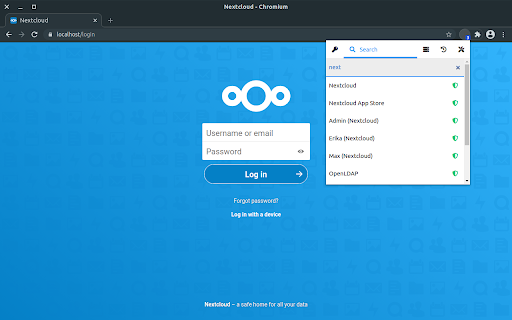
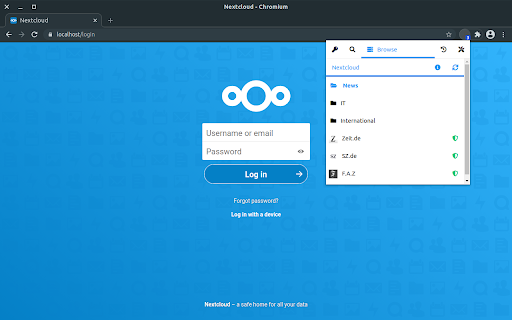

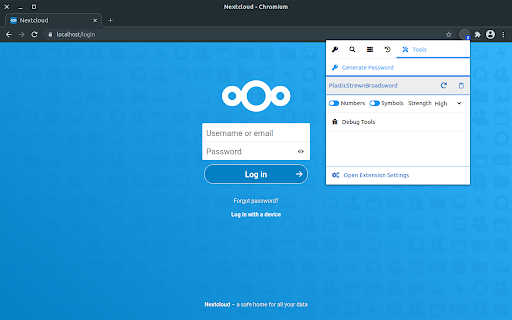
The official browser extension for Passwords for Nextcloud This is the official browser extension for the Passwords app for Nextcloud. Use your passwords with ease in the browser and store them securely in your Nextcloud. Features ● Quickly access any credentials related to the current tab with the extension ● Paste credentials into the current tab by just clicking on them or drag & drop them wherever you like ● Use the powerful search, to find the credentials you need ● Connect as many Nextcloud accounts as you like ● View and browse trough the folders on you Nextcloud ● Generate strong passwords within the extension ● The extension detects new or updated credentials and allows you to save them easily ● Choose from multiple themes, use the theme from your Nextcloud or create your own to match the extension with your browser Requirements This extension requires a server on which Nextcloud with the Passwords App is installed. Nextcloud can be downloaded for free from the Nextcloud website. The Passwords App can be downloaded for free from the Nextcloud App Store. If you need help with the extension, have questions or suggestions, please visit our support website.

Random password generator
A simple random password generator for Chrome browser Features: • beautiful minimalistic design • supports light and dark theme • password length between 1 and 99 • use numbers (0-9), lower cases (a-z), upper cases (A-Z), special (!?=)(&%$*+-.,:;) or your own custom characters • exclude confusion characters (eg. O0lIi) • mnemonic (easy-to-remember) passwords • toggle password history • add-on options saving • copying to clipboard • supports cryptographically secure pseudorandom number generation (CSPRNG) Tips: • if you want to generate a random number you can just select the Numbers checkbox and 1 char password length leaving all other options unchecked • passwords are saved to history only when clicked "copy" and when History checkbox enabled • if you need cryptographically secure password, enable it in "More options" under Cryptography

Passbolt - Open source password manager
Passbolt extension for the open source password manager for teams. Passbolt is an open source password manager designed for collaboration. You can securely generate, store, manage and monitor your team credentials. Get access to all of your logins and passwords from multiple browsers or even your mobile phone. Create strong random passwords, thanks to the fully customizable password generator, and share them instantly with your team. Passbolt is built on top of an open API made for developers and agile teams. Passbolt is extensible and yet usable by everyone. No technical knowledge is required to use it. This is why Passbolt is trusted by small businesses, as well as government offices, regulated industries, and privacy-conscious organizations: Boost collaboration & productivity: - Easily share one password, or a folder with a single user or a group of users; - Use personal or shared tags to identify passwords and secrets; - Give specific access rights to a user or group; - Get detailed reporting on access & change history. Security by design. Audited and certified: - True end-to-end encryption; - Interoperable cryptography based on OpenPGP; - Full control your own encryption key; - Access revocation that actually works; - Regularly audited by independent auditors. Made in Europe. Privacy by default: - Host it in our cloud, located in Europe; - Or self-host it for full data ownership; - No tracker, no strings attached. Passbolt source code comes under an AGPL license (yes even the commercial version) and is publicly available. You are free to audit it, contribute to it, or redistribute it. This add-on is required to use the software, in order to provide advanced security features as well as functionality such as password auto filling on web pages. Get started now: https://www.passbolt.com/cloud/signup Check the source code: https://github.com/passbolt

WikiTree Browser Extension
The official WikiTree browser extension. The WikiTree Browser Extension adds advanced features to WikiTree.com. Each feature can be turned on or off so you can customize WikiTree exactly as you want. Features include: * A list of your unfinished drafts. * Family timelines. * Tools to make editing templates easier. * Tools for cleaning up GEDCOM-generated text. * Extra checks when editing a biography. And much more! See https://www.wikitree.com/wiki/Space:WikiTree_Browser_Extension for a full list of features.

Ihrovyi Prystanok
Official Ihrovyi Prystanok browser extension. Official Ihrovyi Prystanok browser extension: - Checks for Ukrainian game localizations - Helps you discover Ukrainian games - Reveals which games are earning Blood Money - Exposes Russian games Steam and GOG are supported: game pages, wishlists and libraries.
