
mfipjghbkolncecnfeajjmfojlhinmbb
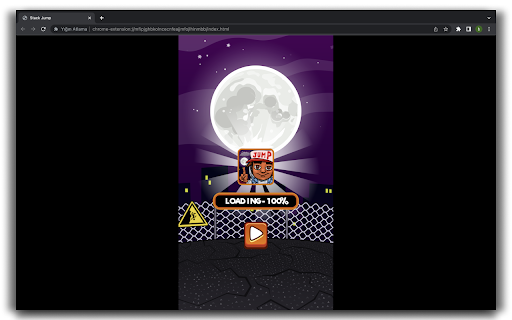

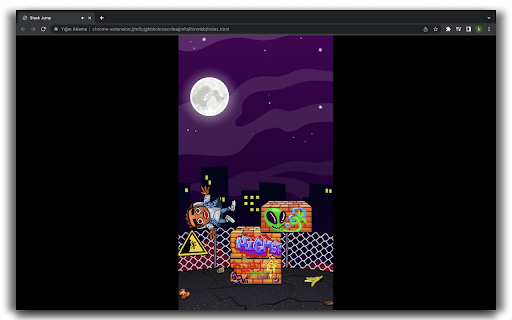
Stack Jump is a fun adventure game where we try to score points by jumping on brick blocks from the right and left. Stack Jump is a fun adventure game where we try to score points by jumping on brick blocks from the right and left. There are different characters in the game. We start the game by choosing a character. We try to jump on the brick blocks from the right and left with the feeling we choose. Get points as we jump on the blocks. In addition to the points we get, we also get gold. By purchasing new characters with the gold we obtain, we can partner in this adventure for a long time. Jump Over Jump has emerged as an adventure game designed for children's game lovers, as it is fun and challenging. To swipe Install this extension to play the Stack Jump Game or offline with no additional downloads and no ads. You can contact us at support@724fun.com and share your thoughts and problems After clicking the add the game to chrome button, you can find the game in the extensions section. If you wish, you can visit 724fun.com. If you wish, you can play again and if you want to remove it, you can remove it from the extensions section.

FL Assorted Cats
Proudly display your feline companions in "Fallen London"! Ever thought that your august feline companions are lost amongst the scores of your other companions? Fear no more! With this small extension they will receive a dedicated section in the "Possessions" tab, from which you can still equip them at leisure. Extension has been "whitelisted" for use by FBG.

Twitter Reaction Counter
This extension get list of Like/Retweet on a tweet You can display the user list of Like/Retweet/Quote/Reply on a tweet into table format. Click Likes, or Retweets on a tweet, then click "Getting Engagements" button on its popup, you can get the list. You can see what number of the user list you got, on its icon. This extension get the list only you display on your browser. so if you wanna get more Like/Retweet list, scroll down the list of Like/Retweet on the tweet page. Finally, click "View Results" button on its popup, then another tab will be opened. You can see the user list, and Name, DisplayName, Follow you and Bio of the user. Please use this for Giveaway or so.

Donoclip Modtools
Plus, clicking it will take you straight to the streamer's inbox.

Github JSON Editor
We normally have many Github repository multiple JSON files in it. Most times these JSON files are application configuration and we tend to edit them directly from Github. As Github's own editor doesn't have any sort of validation for checking the syntax of the JSON file being saved, we sometimes save these JSON files with syntax error which results in app runtime error. This chrome plugin helps you make sure you are not saving wrong JSON and keeps your JSON formatted. 1. Install this plugin from Chrome web store. 2. Open this plugin and save your settings like Github token, Username, Email etc. 3. Now open any JSON file on Github. You shall see a button labelled 'JSON Editor'. Click on that button 4. Plugin will open with that JSON filled in a new tab. 5. Now you can make any changes to JSON and finally click 'Save' button to commit your changes to your repository. Support for multiple settings based on host
