
mfhbjcpbgeeoefooikceflkjappkjfbm

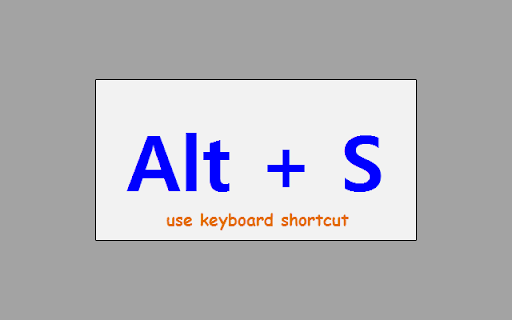
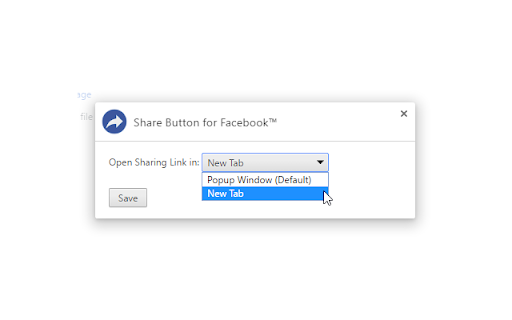
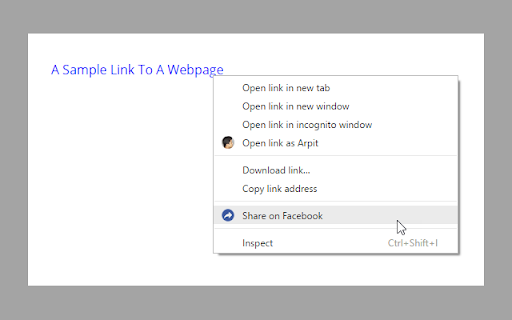
Easily share web pages and links on Facebook. Unofficial Extension. Use extension's toolbar button or the keyboard shortcut Alt + S to quickly share the current web page on Facebook. After successful completion, the sharing popup window closes automatically. Moreover, You can right click on any link or image, and select the "Share on Facebook" option to easily share that on Facebook. By default it opens in a popup window but, you can set it to open in a new tab. Not affiliated with or created by Facebook. Extension by BrowserNative.

Awesome Button Bar
Button bar, combining downloads, bookmarks, extensions, history, view source, print, and more from a single button. Awesome! Extensions, history, downloads, bookmarks, view source, options, new window, and print are all here. Recently added buttons are duplicate tab, second home, and refresh all tabs. Showing each button on the bar is optional so you don’t have to have them all if you don’t want them all. Also, each button can be configured to open either in the current window or in a new window. Note: print to a new window now works too!

Automation tool for groups on Facebook™
Useful automations for your Facebook groups! IMPORTANT: this is a PAID script since 2017. In 2021 we added FREE trial, so you can try it and buy it. UPDATED FOR NEW FACEBOOK [2022 - 2026], if your language is not supported - use Facebook in English! This script works only with Facebook GROUPS. What you can do: - Send reminders to users who were invited to your group but didn't accept the invitation. - Remove/Block members from the group (with settings: ignore list, remove from a list etc) - Approve or Decline all posts in the group, Member-Reported, Auto-Flagged, Keyword Alerts. - Approve or decline members (filter by answer, account age). - Like all group posts - delete all posts from the group - Unblock blocked members - more features may be added in the future - new 2024: remove invitation to join the group (with possibility to remove it for users invites more than a week or month ago) Script has different options and a possibility of refresh the page and restart after some hours. See screenshots. All updates are always included and free, we maintain this script since 2017. Check our other scripts for Facebook on our website: https://www.invitelikecomment.com/ Copyright note: Facebook™ is a registered trademark of Facebook Inc. This extension is neither endorsed by or affiliated with Facebook.

Subscribe RSS Feeds in Feedly
Subscribe RSS and Atom Feeds in Feedly. Automatically finds feeds on the pages to let you subscribe them in Feedly. Click its toolbar button, which takes you to the Feedly.com with the option to subscribe that feed. Works only on the pages offering RSS or Atom feeds. Created by BrowserNative, Not created by or affiliated with Feedly. (Note: After installing the extension, reload your tabs before testing)

SocialPilot
Expand the reach of quality content—whether your own or from others—by sharing it on social media in just a few clicks! With SocialPilot’s browser extension, you can share any content from a webpage, including blogs, product listings, videos, and more, across multiple social media platforms effortlessly. You can create custom posts, use Craft with AI to generate publish-ready content, or share an image post in one click. Save posts, publish instantly, or schedule them for the best engagement. All you need is a SocialPilot account to use the browser extension seamlessly! 2) Craft with AI: Get ready-made posts with captions and visuals perfectly aligned with the content in one click. 3) Generate AI-powered captions: Manually add captions to your posts or let SocialPilot’s AI do the work. 4) Customize posts for maximum impact: Add hashtags, mentions, geotags, emojis, and image tags to get maximum reach on your posts. 5) Upload, edit, and perfect your visuals: Upload images or videos from your own repository or use media fetched along with the content, editing as you go. 6) Keep all brands organized in one place: Schedule or share the post to all the accounts under one group or belonging to a client. 7) Reshare with automation: For evergreen content, set up schedules for it to be repeatedly posted, drawing eyes and engagement to your profile. 8) Stay consistent with scheduling: Simply select the best date and time for maximum engagement while scheduling. Your content will be published automatically—no extra steps required.
