
mfgmpijgkphkefibdbjgbbopomghojhg

Udio AI Music Generator by UdioAI, Instantly create and download distinctive MP3 songs. Udio's AI Music Generation Udio allows users to input descriptions of the type of music they want, and the AI system will then generate unique and high-quality music to match the prompt. It has been described as the "ChatGPT of music generation". Udio's Impact and Capabilities While Udio's AI-generated music may not replace human-composed music, it has been praised as a powerful tool for musicians and music enthusiasts alike. The platform is seen as a game-changer in the AI music space, joining other similar tools like Suno, Google MusicFX, and CassetteAI. 🔹Craft Your Prompt Consider the feeling, theme, or genre you envision for your song. Detail your idea in the prompt box, like "A chillwave track capturing the calm of a beach sunset," to give the AI music generator a clear direction. 🔹Generate and Evaluate Hit the generate button. Review the created track and, if needed, adjust your prompt for improved results. 🔹Detail Matters Specificity helps the AI music generator grasp your concept better. Mention genres, moods, or instruments to guide it. 🔹Features of the Udio AI Music Generator ➤Automated Music Generation Audio AI generators can automatically create unique, royalty-free music in various styles and genres. These tools use advanced machine learning algorithms to generate new compositions based on text inputs, lyrical ideas, or other musical characteristics. ➤Comprehensive Metadata Some Audio AI tools can automatically generate detailed metadata for entire music catalogs, including information about genre, mood, instrumentation, and more. This can save time and effort for music creators and publishers. ➤Diverse Music Styles Audio AI generators are capable of producing a wide range of musical styles, from classical to electronic, pop to ambient. Users can often customize the generated music to fit their specific needs and preferences. By design, your data stays at all times on your Google account, never saved in our database. Your data aren’t shared with anyone, including the add-on owner. We complies with privacy laws (especially GDPR & California Privacy Act) to protect your data. All data you upload are automatically deleted every day.

AI Music Generator - Create Original Songs from Text
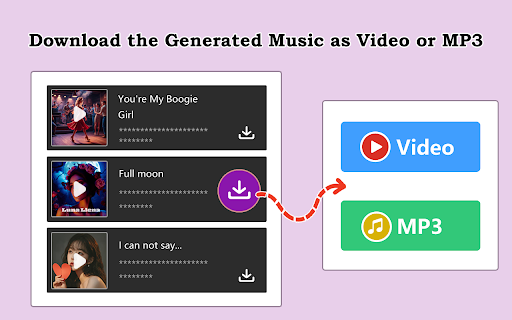
AI music generator that turns text into original songs with vocals and custom lyrics. No musical experience required. Generate complete songs instantly with vocals, instrumentals, and professional production quality - all from a text prompt. 🎯 KEY FEATURES 🎨 Text to Music Creation Simply describe your desired music in plain text - genre, mood, instruments, tempo - and watch as AI generates your custom track. No need to understand music theory or production techniques. 🎤 Professional AI Vocals Generate songs with realistic, expressive AI vocals that sound natural and polished. Choose male or female voices to match your style. Custom lyrics transform into natural-sounding performances. 🎸 Multiple Genres and Styles From pop and rock to electronic, jazz, classical, and hip-hop - create music in any style with high-quality output. Mix genres for unique combinations that match your exact vision. ⚡ Fast Generation Create complete songs in just 1-3 minutes. No need to wait hours or days - get professional-grade music quickly. Fast iteration means you can explore multiple versions effortlessly. 🎵 Advanced AI Technology State-of-the-art machine learning models understand and generate music across all genres and styles with professional quality. Trained on millions of songs, ensuring authentic sound. 🎚️ Fully Customizable Output Control every aspect: genre, tempo, mood, instruments, vocal style, and lyrics. Regenerate with different parameters anytime to perfect your track exactly how you envision it. 👤 No Musical Experience Needed No music theory, instruments, or production skills required. Just describe what you want and let AI handle the complexity. Makes professional music creation accessible to everyone. 👥 Who It's For • Content Creators & YouTubers - Generate unique background music for videos, vlogs, and streams without copyright issues. Add soundtracks that perfectly match your content's mood. • Marketing & Advertising - Create custom commercial jingles, brand themes, and promotional music. Generate tracks that align perfectly with your campaign message and brand identity. • Game Developers - Produce original game soundtracks, ambient music, and background tracks. Create unlimited music to match different game scenes and moods. • Musicians & Producers - Use generated music for inspiration, quick demos, or starting points. Experiment with ideas before investing in full studio production. 🚀 Get Started in 4 Simple Steps 1. Describe Your Music - Enter your description of the type of song you want (genre, mood, instruments, style). 2. Add Lyrics (Optional) - Provide your own lyrics or let the AI generate them based on your description. 3. Generate and Customize - Click generate and wait 1-3 minutes while AI creates your complete track with vocals and instrumentals. 4. Download and Share - Download your generated music in high-quality audio format, ready to use anywhere. 💡 Pro Tips for Better Results Be Specific with Genre and Mood Instead of "pop song," try: "upbeat synth-pop with 80s vibes and electronic drums," "melancholic indie folk with acoustic guitar," "energetic dance track with heavy bass" Describe Musical Elements Specify details like: "piano-driven ballad," "guitar-heavy rock," "minimal lo-fi beat," "orchestral strings," "808 bass and trap hi-hats" Guide the Vocals Mention vocal style: "powerful female vocals," "soft male voice," "rap verses with sung chorus," "harmonized vocals," "emotional delivery" Set the Tempo and Energy Define pace and intensity: "slow and contemplative," "mid-tempo groove," "fast-paced and energetic," "building from quiet to intense" Provide Clear Lyrics Structure If adding lyrics, format them clearly with [Verse], [Chorus], [Bridge] tags so the AI understands the song structure 🔐 Privacy & Data Protection We respect your privacy. The extension processes your descriptions and prompts only with your permission. Generated outputs and uploaded content are stored according to your account settings - see our privacy policy on the website for details. 📚 Support & Resources If you have questions or need help, contact support with details and screenshots for faster assistance.

AI Image Generator
AI Image Cropper - Revolutionizing Image Handling and Creativity Meet AI Image Cropper, your ultimate companion for image… AI Image Cropper - Revolutionizing Image Handling and Creativity Meet AI Image Cropper, your ultimate companion for image manipulation and creation. Leveraging OpenAI generation technology, this extension transforms your image handling capabilities to the next level. It's the perfect tool for content creators, graphic designers, marketers, bloggers, and anyone who regularly deals with images online. Text to Image AI Generation: Forget about stock photos or generic images. With AI Image Cropper, you can convert textual ideas into vibrant, unique images. Just input your text, and watch as our AI crafts a unique image that embodies your description. Perfect for when you need to create custom visuals quickly and easily. Image to Image AI Variation: Want to alter an image but maintain its core elements? Our AI can generate variations of any image, giving you endless possibilities while preserving the original's essence. Great for brainstorming design concepts or just having fun with your photos. Cropping: Crop your images directly in your browser, without needing to open any external tools. AI Image Cropper supports precise cropping, allowing you to highlight the focal points of your images effectively. Select any text to Image Generation: With just a right-click, you can convert any text on a webpage into a compelling image. Ideal for making standout social media posts, engaging blog images, or powerful presentations. Save Image for Variation: Loved the variations and want to save them for future reference? With a single click, you can save any image or its AI-generated variation. AI Image Cropper is more than just an image tool – it's a gateway to endless creativity. Get started today and redefine how you work with images.

MedioAI: Enhance Udio
Write lyrics with Song Studio, Tag Builder, AI Radio, AI Co-Writer, 13k+ Tags, Audio Tools, Lyric Commands & More! A free (unofficial) Chrome extension for Udio.com! Access a variety of features made specifically for AI music creators: ALL NEW: Updated to fit the new Udio UI New: You can now use selected lyrics and tags without copying them. Based on feedback. This version may contain bugs and will get them fixed asap. Start from scratch by filling out the Theme, Emotion, Structure and other bits about your song and let the AI write the first draft. You can then use the chat window to tweak the lyrics and once you are happy copy them to the Song Studio lyric editor. You can also ask the AI for any feedback using one of 100+ premade questions or ask anything you want! 2. Song Studio - Write, save and manage lyrics + huge library of commands. Write your lyrics in a large easy to use editor. All command tags are highlight with any color you want so you can focus on your lyrics. You can browse from the thousands of command tags and instrument tags to add the perfect solo just where you need. Looking for a Rhyme? Use the built-in search to find the perfect rhyme powered by Datamuse. 3. Tag Builder - Create, save and manage tag groups to re-use! Create, save and manage your tag library. Find new tags using the thousands of premade genres, artists and more. Save them to your library to keep the jams flowing! You'll never forget a tag group again. All your tags, lyrics, chats are stored locally for easy access any time you need it. 4. Audio Notification - Get notified when your Udio queue is ready Choose from a variety of sounds that can play when your Udio queue is ready, this way you can be notified when your generations are ready to listen to! 5. Audio Tools & More - Convert MP3 to WAV and much more Use the MedioAI tools to convert MP3 to WAV and create your own visualizers using the MedioAI visualizer tool (coming soon). You can now check out the exact amount of credits you used for any track you made. Just visit any of your tracks and you will see new button and you can count your credits in seconds! Go to https://www.MedioAI.com to learn more about the chrome extension. Updates for v1.3: Changed 2 sidebar links to just 1 as "MedioAI". Fixed position of playlist in sidebar. Added playlist expand button with popup. Added MP3 Metadata Editor. Added 4,000+ new tags to the database. Added "Challenge me" button with 500+ songwriting prompts. Keep Seed & Quality settings (toggle on/off). Seedbank manager (save, edit, select, random, delete). Preview sound in audio settings. Display waveform after .WAV conversion. Manual Mode as default on (toggle on/off). Save track covers to library. Lyric edit "Insert Attribution" button. Syllable Counter (for highlighted text). OpenRouter API. Advanced: System prompts & edit tag library. Added "dynaudnorm" FFMPEG to Convert to WAV. If you are interested in contributing to the open-source code on Github, please check it out here: https://github.com/WynterJones/MedioAI-for-Udio Add your bug/issue reports here: https://github.com/WynterJones/MedioAI-for-Udio/issues Thank you so much for checking it out! - Wynter Jones @AI.MASSIVE Looking to listen to some AI music? MedioAI is free to everyone, my only request is that you like, comment and subscribe to my YouTube channel: http://www.youtube.com/@AI.MASSIVE

AI Music Generator
Create unique, never-before-heard music with just one click using advanced AI technology. AI Music Generator: Generate music based on the lyrics you provide or your description of the song with one click 1. Open AI Music Generator Chrome Extension. 2. Click Login Google Button Login AI Music Generator. 3. Click Generate Music Button, Open AI Music Generator Chrome Tab Page. a. You can enter your description of the song on the page and let AI Music Generator generate pure music for you. b. You can enter your lyrics on the page, and AI Music Generator can directly generate a complete high-quality song based on your lyrics. ## Other related functions that the ai music generator Chrome Extension can do 1. text to music: Generating music based on text is what AI Music Generator is good at 2. AI Song Generator: Generally, we call songs with lyrics as songs. AI Music Generator can generate songs directly based on lyrics. 3. AI Beat Maker: AI Music Generator can generate pure music, many of which have rhythmic pure music and can be used as Beat
