
mfacblegickmnfpaebakfnlbfhpoegin
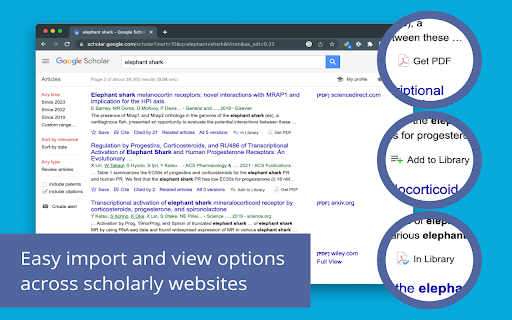


Easily import articles and webpages to your Papers by ReadCube library. Easily import articles and webpages to your Papers by ReadCube library. The new Papers browser extension enhances the workflows in your research lifecycle: from searching and navigating to the full-text, to staying organized, reading and annotating, sharing and collaborating with colleagues, and finally citing papers and generating a bibliography in a manuscript. • Find papers as you normally would across the web, including discovery sites like PubMed, Google Scholar, Dimensions, BioRxiv and most journal websites. Our extension instantly recognizes if a paper is in a personal or shared library collection for instant access. No more downloading the same paper multiple times. • If it’s a new addition to your library, save references and PDFs, if available, directly to a personal or shared collection within your library. No more random PDFs piling up in your download folder or desktop. • If you have the paper in your library, you can enjoy the same Enhanced PDF reading experience through our streamed PDF that opens wherever you are discovering new papers. Hyperlinked inline references, annotation and drawing tools, streamed supplemental files, article metrics, high-res figure browser and more.

SciSpace: Do hours of research in minutes
Your AI research assistant for understanding scientific literature. Your AI research assistant for discovering and analyzing scientific literature. With SciSpace, you no longer have to open new tabs and Google unfamiliar concepts every time you come across one. Just ask SciSpace for research-backed explanations or summaries for any text, maths, and tables in any research paper, technical blog post, or report you’re reading. You can also ask follow-up questions, and it will give you answers with citations. With SciSpace for Chrome, you can: 👌 Simplify technical language — SciSpace gives you simple explanations for jargon, acronyms, and complex paragraphs. All you need to do is highlight them. 🤿 Delve deeper while learning — Choose from SciSpace’s preset questions or ask your own if you have doubts while reading an article. 🔢 Understand math and tables in PDFs — Clip unfamiliar math equations or tables using SciSpace to find out what exactly they mean. 🌐 Toggle between multiple languages — Interact with SciSpace in 13 languages and get explanations in your native language. 🔖 Bookmark the URL — Save any article or PDF to your collection in SciSpace. Come back to it any time and pick up right where you left. 📡 Find related papers – Discover research papers related to any passage you highlight. Literature Review – Want to inquire about a research question or topic you have in mind? Ask the Lit. Review tool and find insights from 270 million+ papers in the SciSpace repository. Citations in answers – No more fake references or misinformation. Copilot now gives a citation with every answer along with the location of the source.

PubPeer
This plugin indicates PubPeer comments wherever they appear. A lightweight plugin to install and forget about. You will only notice that the plugin exists when it alerts you that an article has comments on PubPeer. *No affiliation with the PubMed nor any journals.

Paper Of The Day
ARCHIVE NOTICE Paper Of The Day ran from 2018 to 2021. The Mendeley API that powered this extension has been decommissioned. The extension now displays cached paper data and remains available as an archive of the project. ----- Paper Of The Day replaced your new tab with trending academic papers across disciplines — from computer science and medicine to economics and psychology. Features • Browse papers by subject category • Beautiful background images from Unsplash • Keyboard navigation (arrow keys, number keys) • Swipe gestures for touch devices • Accessibility options (reduce motion, high contrast, text size) How it worked Each new tab displayed a randomly selected trending paper with its title, authors, abstract, and a link to read more. ------ Thank you to everyone who supported this project. It was a lot of fun. Created by Adrian Raudaschl

Lazy Scholar
Academic research assistant - find full-text PDFs, citations, and analyze papers Lazy Scholar automatically detects scientific articles as you browse and provides instant access to full-text PDFs, citation and journal metrics, research integrity checks, and much more: FIND FULL-TEXT ACCESS Stop hitting paywalls. Lazy Scholar searches multiple sources simultaneously: • PubMed Central (PMC) - Free official versions • Europe PMC - Open access and author manuscripts • Open Access repositories • Direct PDF links CITATION METRICS AT A GLANCE • Citation counts from Google Scholar, OpenAlex, and Semantic Scholar • Influential citations - papers that heavily cite this work • Citation percentile - see how this paper ranks in its field • Web attention - mentions on Reddit, Twitter/X, Wikipedia, news, and blogs • Related papers recommendations RESEARCH INTEGRITY • Retraction alerts - know immediately if a paper was retracted • Expression of Concern notices • Published corrections and errata • Preregistration detection • PubPeer comments - post-publication peer review • Hypothesis annotations SIDEBAR ANALYSIS PANEL • References tab - view all citations, verify they exist, check for retractions • Outline extraction - automatic section parsing (Abstract, Methods, Results, etc.) • Data & code links - find supplementary materials and repositories • Statistical extraction - p-values, confidence intervals, test statistics CONVENIENCE FEATURES • Right-click to search Google Scholar or PubMed • Omnibox search - type "ls" then your query • One-click PDF download PERFECT FOR • Graduate students and postdocs • Faculty and researchers • Librarians and information specialists • Science journalists • Anyone reading academic literature
