
cipccbpjpemcnijhjcdjmkjhmhniiick

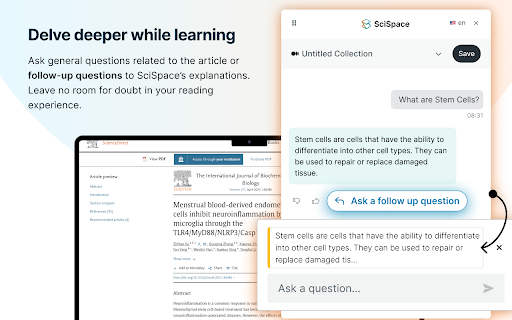
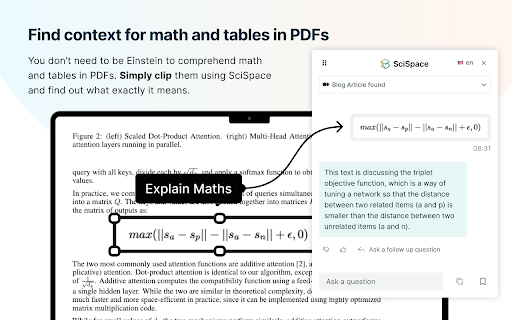

Your AI research assistant for understanding scientific literature. Your AI research assistant for discovering and analyzing scientific literature. With SciSpace, you no longer have to open new tabs and Google unfamiliar concepts every time you come across one. Just ask SciSpace for research-backed explanations or summaries for any text, maths, and tables in any research paper, technical blog post, or report you’re reading. You can also ask follow-up questions, and it will give you answers with citations. With SciSpace for Chrome, you can: 👌 Simplify technical language — SciSpace gives you simple explanations for jargon, acronyms, and complex paragraphs. All you need to do is highlight them. 🤿 Delve deeper while learning — Choose from SciSpace’s preset questions or ask your own if you have doubts while reading an article. 🔢 Understand math and tables in PDFs — Clip unfamiliar math equations or tables using SciSpace to find out what exactly they mean. 🌐 Toggle between multiple languages — Interact with SciSpace in 13 languages and get explanations in your native language. 🔖 Bookmark the URL — Save any article or PDF to your collection in SciSpace. Come back to it any time and pick up right where you left. 📡 Find related papers – Discover research papers related to any passage you highlight. Literature Review – Want to inquire about a research question or topic you have in mind? Ask the Lit. Review tool and find insights from 270 million+ papers in the SciSpace repository. Citations in answers – No more fake references or misinformation. Copilot now gives a citation with every answer along with the location of the source.

Trinka AI for Chrome
Academic writing needs to be clear, concise, formal, objective, and readable. Trinka, an AI-based writing assistant, helps you improve your writing on all these fronts so your writing can be the best version of itself. It corrects complex grammar errors and goes the extra mile by enhancing your writing for vocabulary, tone, and conciseness. Drawing on the expertise of highly experienced editors and linguists, it finds errors unique to academic writing that other tools don’t as it is specially designed for academic and technical writing. Our Browser extension corrects and enhances your posts and messages in your favorite websites in real time. Write securely and successfully on the go! ● Works where you write Trinka AI for Chrome corrects text entered on many academic writing platforms like Authorea and typeset.io, as well as most websites. ● Completely secure & free to use Chrome Extension is currently offered completely free of cost for individual use. Besides, your data is encrypted with the latest security standards and processed under in a highly secure environment. All data transmission between your browser and our servers is secure. Your data is not shared with any third party. ● Real-time editing No need to wait for the editor to suggest corrections. Chrome extension enables you to makes corrections as you type. ● Add to dictionary Add your own words to "My Dictionary" and Trinka will not flag them as spelling errors in your future writing. ● Correct biased or vague language Chrome extension corrects biased and insensitive language to avoid criticism and make your point effectively. It also helps you make your writing specific and direct while giving it a formal tone so you can impress your readers. By installing the extension, you agree to Trinka’s Terms and Conditions and acknowledge that you have read Privacy Policy.

Google Scholar PDF Reader
Supercharge your paper reading: follow references, skim outline, jump to figures, cite and save. When you install Scholar Reader, PDFs on all sites will have a new look in Chrome. To make this happen, Chrome will ask for permissions to read and change data on all sites. Scholar Reader makes no changes other than the presentation of PDFs. • Preview references as you read. Click the in-text citation to see a summary and find the PDF. • Read faster with the AI outline. Get a quick overview and click on interesting bullets to jump within the paper. • Highlight and comment on PDFs. Highlights are saved to your Scholar library. • Make it right for your eyes with light, dark, and night modes. • Copy and paste common citation formats without leaving the paper. • Save articles to your Scholar Library to read or cite later. • Click in-text figure mentions to see the figure and the back button to keep reading. By installing this extension, you agree to the Google Terms of Service and Privacy Policy at https://www.google.com/intl/en/policies/.

Lazy Scholar
Academic research assistant - find full-text PDFs, citations, and analyze papers Lazy Scholar automatically detects scientific articles as you browse and provides instant access to full-text PDFs, citation and journal metrics, research integrity checks, and much more: FIND FULL-TEXT ACCESS Stop hitting paywalls. Lazy Scholar searches multiple sources simultaneously: • PubMed Central (PMC) - Free official versions • Europe PMC - Open access and author manuscripts • Open Access repositories • Direct PDF links CITATION METRICS AT A GLANCE • Citation counts from Google Scholar, OpenAlex, and Semantic Scholar • Influential citations - papers that heavily cite this work • Citation percentile - see how this paper ranks in its field • Web attention - mentions on Reddit, Twitter/X, Wikipedia, news, and blogs • Related papers recommendations RESEARCH INTEGRITY • Retraction alerts - know immediately if a paper was retracted • Expression of Concern notices • Published corrections and errata • Preregistration detection • PubPeer comments - post-publication peer review • Hypothesis annotations SIDEBAR ANALYSIS PANEL • References tab - view all citations, verify they exist, check for retractions • Outline extraction - automatic section parsing (Abstract, Methods, Results, etc.) • Data & code links - find supplementary materials and repositories • Statistical extraction - p-values, confidence intervals, test statistics CONVENIENCE FEATURES • Right-click to search Google Scholar or PubMed • Omnibox search - type "ls" then your query • One-click PDF download PERFECT FOR • Graduate students and postdocs • Faculty and researchers • Librarians and information specialists • Science journalists • Anyone reading academic literature

Compose AI: AI-powered Writing Tool
Accelerate your writing with AI Generate any text using AI. Autocomplete your sentences where you type. With Compose AI, you can write emails, create documents, and chat faster. We use artificial intelligence to automate the writing process. Prompt AI to generate any text, where you already write. Get suggestions for new ways to say something. Draft entire emails from a few words. You can do all that with just one tool. Compose AI is a holistic, AI-first writing solution: ⚡ Type // to generate text using AI 🏄 Autocomplete sentences across different websites ✍️ Rephrase sentences to make them friendlier, more professional, shorter, or longer 🎯 Reply to emails with a click 📄 Generate full-length emails from short phrases ➤ Compose Anything Type // to generate any text. Prompt our AI to write blog posts, marketing copy, paragraphs, sentences, headlines, topical information, research and more. ➤ Autocomplete Our extension’s core feature is Autocomplete. Just hit Tab to take a completion and save time typing. ➤ Compose Email Compose Now is an AI assistant for writing messages. It's great for drafting quick replies or generating ideas you can edit to make your own. To open, press Option+G (or Alt+G). ➤ Easy Email Reply Professionally reply to emails with a single click! Like magic, generated responses will reference the context from the original email. ➤ Rephrase With Rephrase, you can change how you word your sentences without having to rewrite anything. Highlight a text to shorten, expand, reword, or make something sound more friendly or formal. We’re always working to improve your experience with Compose AI. If you have any questions or feedback, we’d love to hear about them at support@compose.ai
