
bbcmnbnmngpeofmpcdlcfalbniefegbp


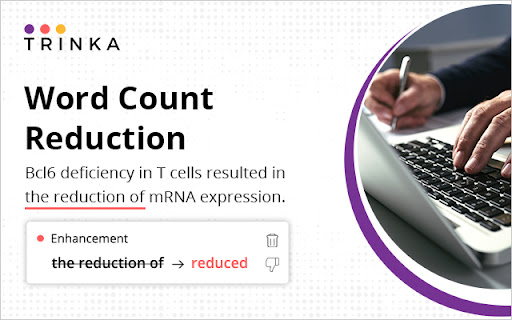
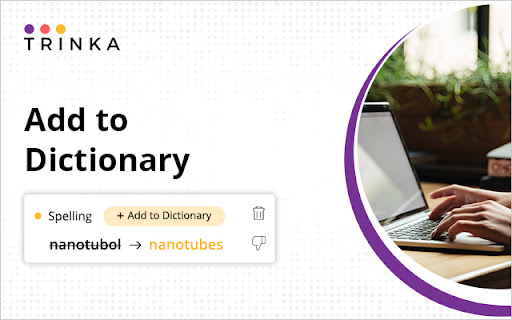
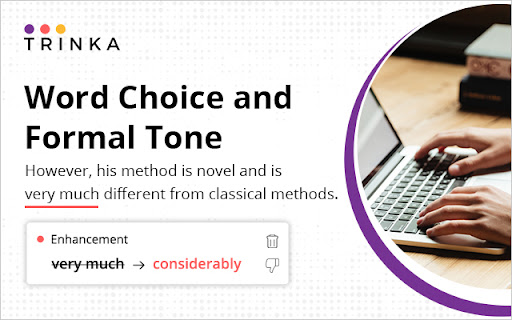
Academic writing needs to be clear, concise, formal, objective, and readable. Trinka, an AI-based writing assistant, helps you improve your writing on all these fronts so your writing can be the best version of itself. It corrects complex grammar errors and goes the extra mile by enhancing your writing for vocabulary, tone, and conciseness. Drawing on the expertise of highly experienced editors and linguists, it finds errors unique to academic writing that other tools don’t as it is specially designed for academic and technical writing. Our Browser extension corrects and enhances your posts and messages in your favorite websites in real time. Write securely and successfully on the go! ● Works where you write Trinka AI for Chrome corrects text entered on many academic writing platforms like Authorea and typeset.io, as well as most websites. ● Completely secure & free to use Chrome Extension is currently offered completely free of cost for individual use. Besides, your data is encrypted with the latest security standards and processed under in a highly secure environment. All data transmission between your browser and our servers is secure. Your data is not shared with any third party. ● Real-time editing No need to wait for the editor to suggest corrections. Chrome extension enables you to makes corrections as you type. ● Add to dictionary Add your own words to "My Dictionary" and Trinka will not flag them as spelling errors in your future writing. ● Correct biased or vague language Chrome extension corrects biased and insensitive language to avoid criticism and make your point effectively. It also helps you make your writing specific and direct while giving it a formal tone so you can impress your readers. By installing the extension, you agree to Trinka’s Terms and Conditions and acknowledge that you have read Privacy Policy.

R Discovery: Academic Research
Read quick summary of a research article, find related articles and patents, save an article to your reading list to be read later This browser extension enables you to obtain new recommendations or factually validated answers to your questions from 250Mn+ research artifacts. All of these, and more, while you are reading an article from any publisher on your browser. With the help of Quick Summary you would be able to understand "What the article is about " and "Why is it important" along with key takeaways. This browser extension is an add-on to our mobile application, RDiscovery, a free app for students and researchers to find and read research papers. When in a hurry, you can save the article to the Library from the browser extension and listen to it from the mobile app on the go. Subscribers to RDiscovery Prime have unlimited access to audio listening, paper translation, Ask RDiscovery and more. Visit https://discovery.researcher.life/

editGPT
Easily proofread, edit, and track changes to your content in ChatGPT. Easily proofread, edit, and track changes to your content in ChatGPT with editGPT's web app and chrome extension. IMPORTANT: For the most powerful AI proofreader experience, use the full web app at www.editgpt.app If you want to edit with editGPT in ChatGPT, download the chrome extension. editGPT Chrome Extension Instructions 1. Install the extension 2. Go to the chatGPT website. The editGPT extension only works on https://chat.openai.com/. Note: For the most powerful AI proofreader experience, go to www.editgpt.app 3. Type in a prompt that includes the text you want to edit, for example: "Proofread this: [insert your text here]." 3. Wait for the response! The 'editGPT' button only appears after the response is complete. 5. Click on the button to turn on editing mode. With the chrome extension, the 'editGPT' button will appear in the top corner of ChatGPT after a message is sent. Select (highlight) the text and press Accept or Reject button to accept or reject changes in the highlighted portion. Reset button will reset to original. Markup button will show/hide markup. Clipboard button will copy your text including any changes you've made to clipboard (without markup). These four prompts typically increase how intrusive chatGPT's editing is. 1. Proofread this but only fix grammar: 2. Proofread this: 3. Proofread this, lightly improving clarity and flow: 5. Proofread this, improving clarity and flow: Other prompts: Proofread this, significantly improving clarity and flow: Rewrite this, improving prose: Proofread these bullet points from my CV, keep it in CV language: Proofread these bullet points: Note: Everything after 'Proofread' or 'Rewrite' and before the first colon (:) will be considered a prompt and removed from the text comparison

WProofreader: AI grammar check & rewrite tool
Correct texts and rephrase content with WProofreader secure writing assistant. WProofreader is a reliable multi-language grammar and spell checker extension. You can choose to host it on-site, in a private cloud under Business plan or in the shared cloud under Free plan. 📌 Want to try it before signing up? Test the spelling and grammar checker instantly with our free online demo — no registration required: https://wproofreader.com/ What do you get in a bundle with WProofreader? SENTENCE CHECKER AND REWORDING TOOL 🪄 WProofreader detects and corrects spelling, grammar and style issues in 20+ languages. AI support for English, German and Spanish that perform with better accuracy. Language autodetect for checking multilingual content. Being stuck with writer’s block or tired of tedious text paraphrasing? Try WProofreader AI writing assistant, a text rewording and content generator tool for English, German, French, Spanish, Dutch, Portuguese, Swedish, Italian, Polish and Ukrainian. Transform your texts to find a perfect match: shorten, expand, rewrite, improve style, make them sound more formal or informal, summarize key ideas and proofread. WProofreader AI assistant comes with a daily word count limit. STYLE. Free users can try embedded style check suggestions to make their writing more respectful and native as well as omit slang and profane language in English, German, French, Spanish, Portuguese and Ukrainian. STYLE GUIDE BUILDER. Within WProofreader Business for self-hosted deployment, you can create an organizational style guide with custom rules to standardize communication across your team. SPELLING AUTOCORRECT & AUTOCOMPLETE. Autocorrect instantly suggests corrections for common misspellings while users are typing. Autocomplete, aka text prediction, speeds up writing and enhances business communication. Autocomplete is available for English dialects for now. SECURE SOLUTION. Client security is critical for us. We adjust to all industry security standards and best practices. We offer self-hosted deployment for organizations. You can host and run the text checker on your servers in house or in a private cloud. It eliminates any chance of data leakage and provides top-notch security for your personal and corporate info. WProofreader can also be installed in a shared cloud on Amazon EC2 servers within the Free plan. COMPATIBILITY WITH SOFTWARE. Supports Google Workspace, project management apps, document management software, CRM and CMS systems, social media, email service agents, service desks systems, publishing platforms, AI assistants, etc. CUSTOMIZATION OPTIONS. Select the main language, tweak proofreading settings, extend user spelling dictionaries, block or allow websites. CUSTOM DICTIONARIES AND SPECIALIZED LEXICONS. Under WProofreader Business, create a unified custom dictionary for all your users. By default, all extension users can build their own vocabularies. For the legal and medical industries, we have an extra option: prebuilt dictionaries with a professional lexicon. WProofreader security hub: https://wproofreader.com/security

Scite
scite allows users to see how a publication has been cited, providing the citation context and classification See the real impact of any paper. Not just how many times it's been cited, but how. The Scite extension shows you citation context directly on Google Scholar, PubMed, and thousands of journal websites, so you can quickly understand whether a paper's findings have been supported, contrasted, or simply mentioned by other research. - View Smart Citation counts on paper listings across Google Scholar, PubMed, and major publisher sites - See at a glance how many citations support, contrast, or mention a paper's claims - Click any citation badge to open the full Scite report with detailed citation statements - Works automatically on pages you already use for research Stop relying on citation counts alone. Understand what the research actually says about any paper.
