
melamlloomehapkpdgnbbepdiomabacm

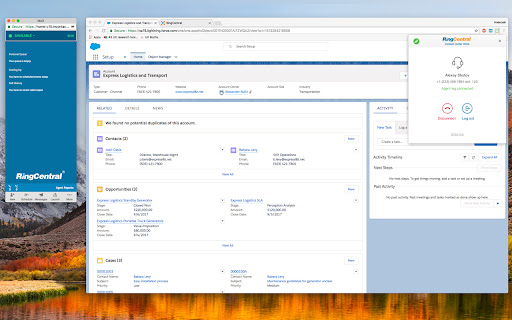

RingCentral Contact Center Voice enables voice calling directly inside the CXone Agent interface using the RingCentral voice platform – no desk phone or separate softphone required. * Make and receive calls in CXone Agent using WebRTC directly in the Chrome browser * View agent state in real time * Configure automatic or manual call acceptance * Simple browser-based setup with seamless integration with RingCentral voice services

BT Cloud Work for Google
Integrate your BT Cloud Phone into Google. • Click phone numbers to make calls through your BT Cloud Phone system from your Gmail™… Integrate your BT Cloud Phone into Google. • Click phone numbers to make calls through your BT Cloud Phone system from your Gmail™ account. • Invite as many as 1,000 audio participants to any Google Hangout™. • Schedule BT Cloud Phone Meetings® and conference calls directly within Google Calendar™. • Listen to your voicemails directly within Gmail. • Combine your BT Cloud Phone and Google contacts in one easy-to-search screen. • Manage your Business SMS conversations.

CXone Agent WebRTC Extension
CXone Agent WebRTC Extension CXone Agent Softphone Extension offers an independent softphone connection by moving the audio path out of the browser application into a companion browser extension to allow for increased reliability. When the CXone Agent Softphone Extension is installed and enabled, CXone Agent will automatically detect it and use it as the integrated softphone. In the event that CXone Agent is refreshed or unexpectedly closed, the active audio path with a customer will not be disrupted.

RingCentral for HubSpot
RingCentral for HubSpot RingCentral for HubSpot Chrome extension will be retired soon. Install the new RingCentral for HubSpot native app for a faster, seamless calling experience inside HubSpot. RingCentral for HubSpot native app https://ecosystem.hubspot.com/marketplace/apps/ringcentral-for-hubspot-362105 With RingCentral for Hubspot, we embed key RingCentral capabilities into your Hubspot CRM account, allowing you to get more work done and communicate directly from Hubspot. Features * Call controls: Leverage RingCentral calling capabilities, answer inbound and make outbound calls without ever navigating away from Hubspot. * Message Hub: Access all RingCentral text messages, voicemails, and faxes from one place. * Click-to-call and Click-to-SMS : Easily click HubSpot phone entries to call or text right within your browser or your RingCentral chrome extension. * Instant screen pop: When a call comes in, RingCentral for Hubspot instantly responds; identifying the caller by their corresponding Hubspot record. If no record is available, you’ll get the option to easily add a new record as a contact. * Association call logging: You may manually log calls with several associations. Be able to log a call under several associations, such as the contact, company, active deals, or tickets. You may also let the app log your calls automatically. * Server side text logging: Support logging a message as Activity under several associations, such as a contact, company, active deals or tickets either automatically or manually. The app can log new texts received to your HubSpot record even when you are offline. * Analytics: Make custom reports, and view your RingCentral data within Hubspot. Get actionable insights with invaluable metrics into individual and team performance. * Work the way you want: There’s no software to download; you can log on and get access to RingCentral for Hubspot from any PC or Mac. Documentation User guide https://netstorage.ringcentral.com/guides/hubspot_user_guide.pdf Administrator guide https://netstorage.ringcentral.com/guides/hubspot_admin_guide.pdf

Office@Hand for Google
Integrate your Office@Hand cloud communications system into Google. • Click phone numbers to make calls through your Office@Hand… Integrate your Office@Hand cloud communications system into Google. • Click phone numbers to make calls through your Office@Hand phone system from your Gmail™ account. • Invite as many as 1,000 audio participants to any Google Hangout™. • Schedule Office@Hand Meetings® and conference calls directly within Google Calendar™. • Listen to your voicemails directly within Gmail. • Combine your Office@Hand and Google contacts in one easy-to-search screen. • Manage your Business SMS conversations.
