
meeikdencabckgiefhojbbpebimpblml

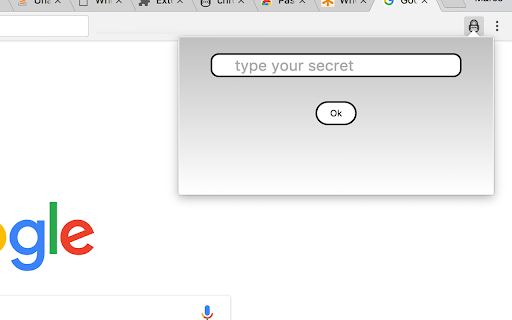
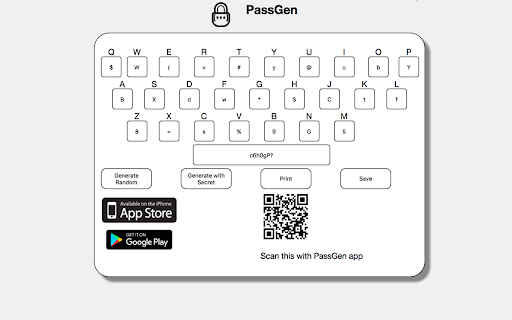
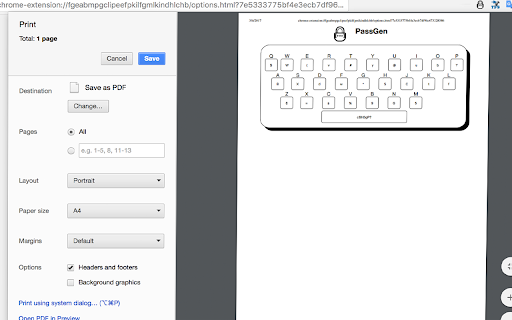
Password generator based on a code and domain name Generates a different password for each site, based on a coded keyboard + code and your unique secret word. *** new in 1.0.14********* Updated the Google Policy, removed unnecessary permissions *** new in 1.0.13********* many users asked for drop the autofill *** new in 1.0.12 ********* > minor bug with some urls *** new in 1.0.10 ********* > minor bug with the copy button fixed *** new in 1.0.8 ********* > minor improvements for cross browser compatibility > New version for Firefox Quantum !!! *** new in 1.0.7 ********* > Autofill the password field, when user enter the secret word the extension will open, code the url and fill into password field in the current page *** new in 1.0.6 ********* > Minor improvement in the QR generation *** new in 1.0.5 ********* > QR image to scan with PassGen app and sync the codes find the apps at iOS: https://itunes.apple.com/us/app/passgennerator/id1209958536?ls=1&mt=8 Android: https://play.google.com/store/apps/details?id=com.pkos.passgen *** New in 1.0.3 ********* > ˆ_ˆ We have apps!!! iOS: https://itunes.apple.com/us/app/passgennerator/id1209958536?ls=1&mt=8 Android: https://play.google.com/store/apps/details?id=com.pkos.passgen > Improved the messaged when copy > Improved when the extension is opened and process the password it copy it to clipboard automatically > Improved the Print feature in Options section > Added the links to markets in Options section *** New in 1.0.1 ********** Improved the Initial code to include at least one Capital letter, number and symbol in case the generated password does not contains them. Some UI improved *** New in 1.0.0 ********** it generates a unique coded keyboard based on Secret Word, you don't need to save the codes unless you change it. +++++ > We already have Android App :) \m/

AppleMusic-Notification
You can display and operate Apple Music music information during playback. In addition, the lyrics can be displayed . The music being played on the Web version of AppleMusic can be operated using the media keys on the keyboard. You can display song titles on the lock screen and control playback. (Confirm only on Windows 10 Chrome and MS Edge and ChromeOS) In addition, you can also search for lyrics using UtaTen(https://utaten.com/) and search for the characters you care about when browsing the Web with AppleMusic. ・ Click this extension icon next to the URL field. Click on the jacket image to jump to the UtaTen lyrics page in a new window. ・ If there is a word that you are worried about when browsing the Web, select it and click “Search with AppleMusic”. A new tab opens and you can search in fast. Dark mode support! Click the Twitter icon to tweet with "#NowPlaying"! Equalizer functions etc. can be used! Supports full screen display mode! (Only songs in Apple Music) ・ This extension is not official. GitHub: https://github.com/kawa-nobu/AppleMusic-notification Please check the release of Github for detailed update contents etc.

iCloud Dashboard
You can easy go to icloud Fast Access to your iCloud Access all of your favorite apps while you're surfing the Internet. This dashboard is simple in design and grants you access to iCloud no matter where you are. Try installing our extension today and access your iCloud dashboard with one click. Disclaimer: iCloud is trademark of Apple Inc. The browser extension iCloud Dashboard, is in no way shape or form related to iCloud or Apple Inc. It is an unofficial Extension which is developed and maintained independently.

gPass
gPass : global Password for Firefox and Chrome gPass is an online, open source and self hosted password manager. It helps you to have a different and complex password for every account you own while only remembering one (or multiple) passwords ! To have a high level of security, all information is stored encrypted (salt + AES 256-CBC). Nothing is stored on client. The decryption is done on the fly when it's needed and only with user input. So, a hacker can get your password database, it will not be able to see any information (except if it brute force or leak your masterkey) ! Thus it's important to choose a strong masterkey ! First thing is configuration : 1) Enable the extension for private browsing 2) Install your server (see below), or use the demonstration one and create your accout 2) Go to extension options and configure your server address ("https://server name/account") 3) Populate your password database. You can use "*" character to access to all subdomains of a specific website (ie *.google.com). Then usage : When you're in a login form and you want to use gPass, type your login (case sensitive !) and fill "@@masterkey" in password field (only if gPass icon is green !). Then submit and password will automatically be replaced by the one in the database (after addon decrypt it). **You can also type "@_masterkey" to only replace your password without automatic submit. This allows to support more websites.** Another option is to enter your credentials in the new popup menu by clicking on gPass icon. If it's possible, gPass will auto fill password field, if not result password is stored into your clipboard. **Popup path is a safest method as website page will never see your masterkey.** ** Warning ** : Sometimes, addon could make some websites unusable, especially for login form. In this case, you can deactivate it for only one website by clicking right on gPass icon and "disable or enable gPass for this website" in addon menu. It's a local configuration, so it must be done for each browser. gPass can also be disabled for ALL websites thanks to addon menu "Disable or enable gPass for ALL websites". _When gPass is disabled, you can still use popup feature_. To host a password server, you need a webserver. Just copy server files in a directory read/write for web server user (www-data). A sample apache2 configuration file is available in resources. Since v0.8 and the use of Crypto API, **it's manadatory to have an HTTPS access (valid SSL/TLS certificate) to the server**. Without that, the decryption will fails. A demonstration server is available [here](https://gpass-demo.soutade.fr). It's the default server configuration for fresh installed addon (user demo). **Warning** The master key derivation is partially based on account URL. So it's linked to your current server information. You can't move databases from servers with different URLs, you need to export them and import it again. Just install the package. You can have debug information by setting DEBUG in main.js. All the code is licensed under GPL v3. Source code is available [here](https://forge.soutade.fr/soutade/gPass).

Android Developer Toolbox
A quick access toolbox of Android developer tools, calculators and information. Android Developer Toolbox is a quick access to Android™ developer tools, calculators and information. Some items include density calculator, dp to px and px to dp calculator, dangerous permissions, and Android™ release information. Always more to come! The Android robot is reproduced or modified from work created and shared by Google and used according to terms described in the Creative Commons 3.0 Attribution License.
