
mcijdmkdolppghpjladekoagkgkhaenk

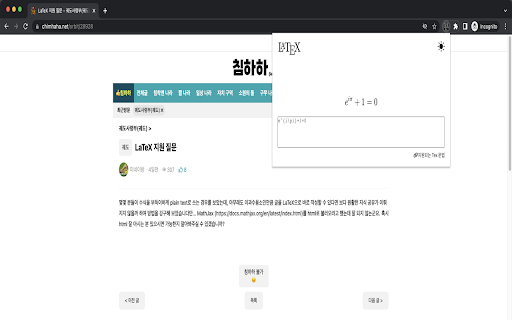
This Chrome extension copies the expression to the clipboard when you click on the previewed expression after typing LaTeX. This Chrome extension copies the expression to the clipboard when you click on the previewed expression after typing LaTeX. This allows you to insert expressions using LaTeX in editors that do not support LaTeX but can insert images.

LaTeX Copy
Make copying LaTeX effortless and efficient! How it works: 1.Hover Simply hover your mouse over any LaTeX expression, and it will be highlighted for easy identification. 2.Click to Copy With a single click, the highlighted LaTeX expression is instantly copied to your clipboard—no manual selection or extra steps required.

ChatGPT Equation Renderer
The ChatGPT Equation Renderer simplifies the way you work with mathematical language in ChatGPT. Features: - Copy the LaTeX code from any mathematical expression or equation from ChatGPT with a single click. - Works with both inline and block equations. The extension has a button that writes a prompt to ChatGPT asking it to write all mathematical expressions using LaTeX. The extension is open source. You can be confident that the extension is secure.

LaTeX From Web
Copy LaTeX formulas from web page with a hover and click. LaTeX From Web is a powerful browser extension that enables users to extract and copy LaTeX code from mathematical equations displayed on any website. With a simple hover and click, you can grab the exact LaTeX source without viewing the page’s HTML or developer tools. Key Features: - Wide Site Compatibility: Seamlessly works on Wikipedia, Stack Exchange, arXiv, and any other website using MathJax or KaTeX to render equations. - Cross-Browser Support: Fully functional on Chrome, Firefox, Edge, Safari, and other Chromium-based browsers. - Precision Copying: Each individual equation is recognized and linked to its correct LaTeX source, ensuring accurate results. - Smart Detection: The extension automatically identifies and activates only on supported equations, minimizing interference with other page content. - Modern UI: Comes with a clean, dark-themed popup panel designed for minimalism and usability. - Usage Tracking: Displays daily stats including the number of LaTeX copies and visited sites for your reference. - Lightweight and Secure: No third-party scripts or analytics — 100% privacy focused. How to Use: - After installing the extension, click on the icon in your browser toolbar. - Use the toggle to enable the extension. - Navigate to any webpage containing rendered equations. - Hover over any equation and a "Copy LaTeX" button will appear. - Click the button to copy the LaTeX code to your clipboard. - You can paste this code into your LaTeX editor, Overleaf, Notion, or anywhere you need it. Troubleshooting: - If the "Copy" button doesn’t appear, wait a moment for the equations to fully render, then try hovering again. - If the extension doesn’t respond, ensure it's toggled on in the popup and refresh the webpage. Bugs or glitches in older versions have been fixed in the latest release. License: This extension is open-source and distributed under the MIT License. Developed by Manoj Aryal Version 1.1 – Featuring enhanced LaTeX extraction and a streamlined, modern interface.

Latex Math Equations for Google Chrome™
You can edit and then save it as an image to Google Drive. Do you need to finish up some math equations/online math homework on your computer? Are you struggling to write out the correct mathematical symbols on your computer for your math homework? Try using our software Latex Math Equations for Google Chrome™ today. You can write out complex mathematical equations in a user-friendly manner once you have installed Latex Math Equations for Google Chrome™. The main purpose of this software is to allow complex latex math equations to be typed out on the computer and allow students worldwide to finish their digital maths homework. Disclaimer: Please note this extension is NOT made by Google and is made by an independent development team. All copyrights belong to their respective owners. Google doesn’t endorse or sponsor this Chrome extension. Latex Math Equations for Google Chrome™ is not owned by, is not licensed by and is not a subsidiary of Google Inc.
