
eghfdammeakignbgakdhfllfifabolbh

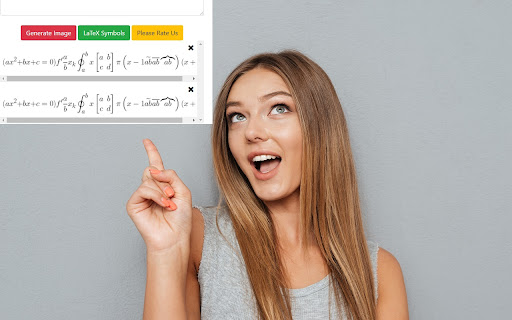
You can edit and then save it as an image to Google Drive. Do you need to finish up some math equations/online math homework on your computer? Are you struggling to write out the correct mathematical symbols on your computer for your math homework? Try using our software Latex Math Equations for Google Chrome™ today. You can write out complex mathematical equations in a user-friendly manner once you have installed Latex Math Equations for Google Chrome™. The main purpose of this software is to allow complex latex math equations to be typed out on the computer and allow students worldwide to finish their digital maths homework. Disclaimer: Please note this extension is NOT made by Google and is made by an independent development team. All copyrights belong to their respective owners. Google doesn’t endorse or sponsor this Chrome extension. Latex Math Equations for Google Chrome™ is not owned by, is not licensed by and is not a subsidiary of Google Inc.

Math Equations Anywhere
Add equations to your math page --Features Support * Support for Latex,MathML, AsciiMath * should work on most websites * Colored Equations * Multiple Sizes * Downloadable Images Type your math equation into the left text box and a preview of the image will be created on the right. When you are done it, click the "copy image" button and it will load the image into your clipboard. Then you can past the images with the command "Ctrl + V" or by right clicking and pasting. On website that support you can just drag the image into the webpage. message me with error or features at bafeaturerequest@gmail.com Code - https://github.com/brendena/MathEquations-ExtensionV2

LaTex Math Equations Viewer
Conveniently render LaTex Math formulas in the browser. Usage: Select the latex formula you want to render, then right-click and choose Render in LaTex Math Equations Viewer from the menu.

LaTeX Copy
Make copying LaTeX effortless and efficient! How it works: 1.Hover Simply hover your mouse over any LaTeX expression, and it will be highlighted for easy identification. 2.Click to Copy With a single click, the highlighted LaTeX expression is instantly copied to your clipboard—no manual selection or extra steps required.

MatTalX - Write math symbols
Write mathematical expressions anywhere - Convert LaTeX commands to plain text and paste it on any platform! With MatTalX (pronounced "Math Talk"), you can convert a simple command, like e^{x} or \alpha into 𝑒ˣ and 𝛼 respectively. They can then be sent via Facebook, Twitter, Instagram, Teams, Gmail, and every other online platform. You can finally talk about physics, mathematics, chemistry, and (even) chess with your friends! There are more than 1000 commands and you can even create your own! They are quite easy to remember, especially if you are already familiar with LaTeX! If not, simply open the completion popup! Copy and paste " H(t) | \psi (t) \rangle = i \hbar \frac{\partial}{\partial t}| \psi (t) \rangle " in the upper square, click "Convert" and see what happens! Simple, free, and open-source! ** Documentation ** Full and comprehensive documentation is available if you put your mouse above the question mark (?) on the top right corner of the popup that will appear once you open MatTalX.
