
mbppjdfmgdlhakpabemcmhnckanjdjmn
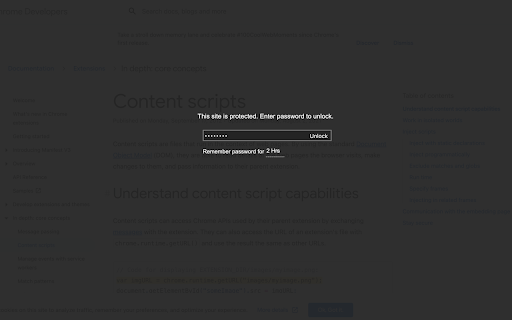
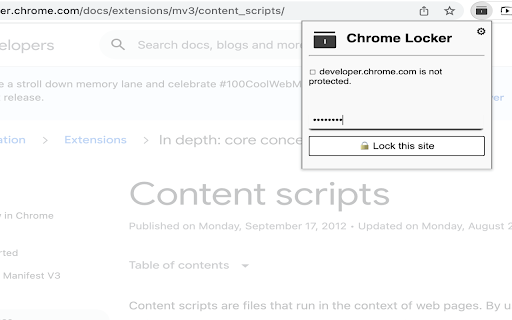
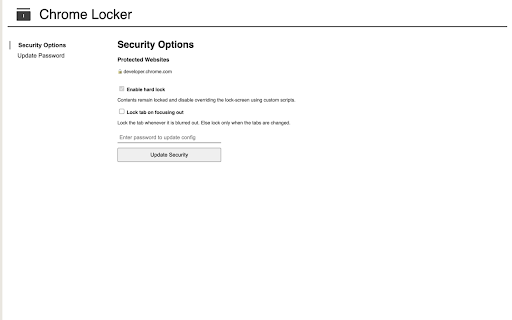
Restrict unauthorized access to your web accounts Install Chrome Locker to password protect your emails and social media accounts. The extension adds a lock-screen to the websites which you want to secure, and unlocks only after correct password is entered.

Locker
Automatic proctor that locks a computer on a form given a specific phrase: "This form is locked. Enter your name to confirm." listed as a paragraph question.

Chrome Close Lock
This extension opens a tab that can't be closed without your permission. This prevents you from accidentally closing a multi-tab browsing session. !!! NEW VERSION !!! We listened to everyone's comments and made a better but more simplified version of Chrome Close Lock. Click the GREEN button on the Chrome Close Lock start page to enable protection. The new Activation Auto Reminder feature reminds you to make sure you activate Chrome Close Lock's protection. NOTE: Chrome Close Lock protection is no longer automatically activated. Newer versions of Chrome now require you to interact with the page to activate the code that makes Chrome Close Lock work. We added the enable button for this purpose.

MasterPassword for chrome
Remember your MasterPassword, and this app will generate unique passwords for every other site you visit One of todays main security challenges on the web is passwords. You typically have to login at many different sites, and remembering a different password for every site is hard. Unfortunately one of the sites you use will sooner or later be hacked, and passwords leaked. If that password is reused on other sites, the hackers will have access to all your accounts. MasterPassword can help. With one master password, a unique one can be generated for each site. When you need to login, this addon will complete the site password for you. And it is impossible to guess the master password from a site password. Read more at http://masterpasswordapp.com The MasterPassword algorithm is standardized. You can find app's for Ios, Android, Windows, Mac and Linux. One of MasterPasswords strong points is that neither the master or site password is stored anywhere. The site password is rather generated mathematically every time. This is in clear contrast to many other password managers, like Chrome's built in password manager. If your computer or browser is hacked, solutions where the password is stored can give away all your passwords! Similar dangers exists with cloud based solutions. The MasterPassword addon can of course co exist with other password managers and will stay out of your way until you click the MasterPassword button. If you chose to uninstall the addon, you'll just have to remember the passwords you've generated, or import them into another password manager. Since passwords in MasterPassword are mathematically generated, it is impossible to import other custom passwords into master password. They would have to be stored on your computer, which defeats MasterPassword's working principle. As such, it is convenient to use the Chrome password manager for such passwords, until you find a time to switch a site to MasterPassword. Also note that when MasterPassword enters a password for you, Chrome will behave like you typed it on the keyboard, and prompt you if you want to save it. You can of course accept this, but your passwords will then be stored and risk being stolen. I'd therefore suggest to reject that offer. Protect your accounts on the web - Use MasterPassword

Chrome Browser Security Locker (chrome password lock)
Locks Chrome on startup and requires a password to avoid unauthorized access. After installing the extension, it prompts the user to set a master password for google chrome. after relaunching chrome, the extension will lock chrome completely and ask for the master password. after entering the master password chrome will be unlocked and function normally. Note: Please don't forgot to enable extension in incognito mode. Your privacy is very important. that is why this extension does not require connecting to any external website. your password is encrypted, stored and handled locally. Features: - Easy to use. - Lightweight. - Encryption technology for more privacy and security. - Change password functionality
