
mbhplhbpobkpnggnalabldfdjdcgnkie
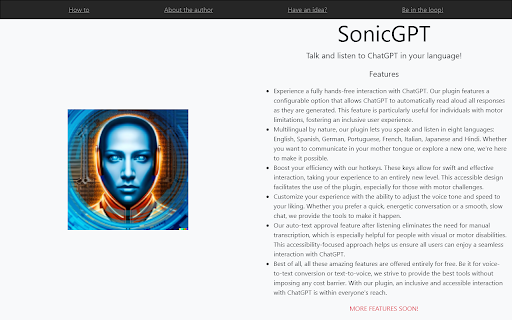
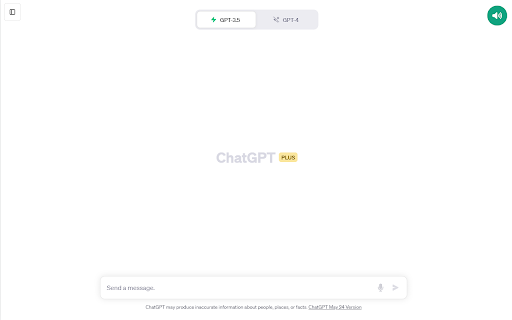
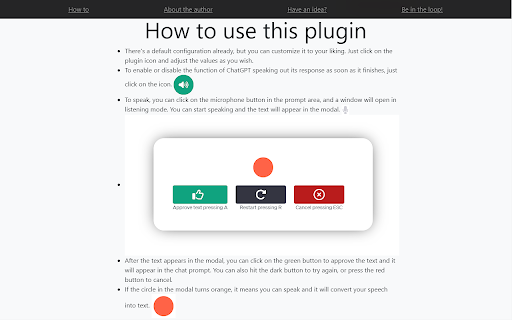
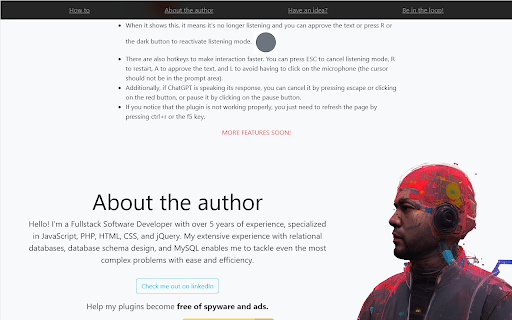
Talk and listen to ChatGPT in your language! --------------------ENGLISH-------------------- Immerse yourself in the revolutionary experience of artificial intelligence with SonicGPT, an innovative Chrome plugin for voice to text and text to voice. Specifically designed to enhance the interaction between humans and the AI of ChatGPT in versions 3.5 and 4, this plugin provides an efficient and dynamic user experience. Why choose SonicGPT? With SonicGPT, you can: Speed up your interaction with ChatGPT: Avoid typing and quickly convert your voice to text and vice versa. Effectively practice languages: Listen and speak in the language you are learning to improve your language skills. Request tasks easily: Ask ChatGPT to perform tasks simply by speaking to it. And that's not all. SonicGPT is a digital polyglot, compatible with 40 languages, including the most popular ones like English, Spanish, French, Italian, Russian, and Portuguese. Ideal for students, professionals, AI enthusiasts, and anyone looking to enhance their interaction with ChatGPT, SonicGPT is the perfect tool to turn your AI exploration into an effortless and enriching journey. Try SonicGPT today and discover the smoothest and most efficient way to interact with ChatGPT. Keywords: SonicGPT, Chrome plugin, voice to text, text to voice, human interaction with ChatGPT, AI, artificial intelligence, language learning, ChatGPT version 3.5, ChatGPT version 4, English, Spanish, French, Italian, Russian, Portuguese.

Talking ChatGPT
Convert your speech into text so you can have a real conversation with (a talking) ChatGPT. This extension is ideal for anyone who needs to quickly and efficiently convert spoken words into written text. With the 62 different language and dialect options, you can easily choose your preferred language and accent for transcription. Whether you're speaking in English, Spanish, French, German, or any other language, ChatGPT Speech-to-Text will accurately transcribe your words with the appropriate dialect. With the new speech to text functionality, you can now have a talking ChatGPT! The extension will now read out the responses off ChatGPT, at least if you want to. This project is also available on Github: https://github.com/0xBitBuster/talking-chatgpt-extension

Let ChatGPT speak!
A Chrome extension that allwos ChatGPT to read out the awnsers. It is using a Text-To-Speak voice. This extension adds a minimalistic control panel into the ChatGPT overlay to control it.

ChatGPT - Lets talk
Voice chat with the ChatGPT on its site using few keyboard shortcuts. # Updates Version 1.1.5 - Update - Updated to work with the latest URL change of ChatGPT site. Version 1.1.4 - Update - Modified to work with the latest changes of ChatGPT site (Mar 23 version) Version 1.1.2 - Update - Improved UI for the popup. Version 1.1.0 - Update - Now you can change the voice of the AI and configure the pitch of the voice and the rate of speaking. # Features: 1. Does not use any third party libraries or external network/API calls. 2. No UI - just keyboard shortcuts that make it possible to use the extension. 3. Created using native JavaScript using stuff available on the browser. # Instructions to use 1. Ask questions using your microphone To voice chat and ask ChatGPT questions using your microphone, press the following combination of keys simultaneously: Once the keys are pressed the extension will be actively listening, so just ask questions using your voice. The extension will listen and submit your question. The answer will be read out loud automatically after being generated. 2. Hear ChatGPT repeat the last answer Although the extension will read the answer out loud once it's finished generating it, you can also make it repeat its last answer. To do so, press the following combination of keys simultaneously: 3. Stop the voice while it's reading the answer. To stop the voice while it's reading the answer out loud, press the following combination of keys simultaneously: If pressed while the answer is being read out loud, the reading will stop. # Troubleshooting: 1. Cannot hear the answer being read out loud, visit the following URL: https://github.com/obfuscatedgeek/chatgpt-lets-talk#cannot-hear-the-answer

Talk with ChatGPT
Interact with ChatGPT, use it to improve your vocabulary, or prepare for an interview or just have fun. Introducing ChatGPT Companion, your virtual conversation companion right in your browser! Whether you're gearing up for an interview, aiming to enhance your vocabulary, or simply seeking a friendly chat, this extension is your go-to tool. Talk Anytime, Anywhere: Start natural language conversations without leaving your current tab. Seek information, assistance, or just enjoy a friendly chat seamlessly. Productivity Boost: Draft emails, brainstorm ideas, or gather quick information—all within your browser for enhanced productivity. Customizable Settings: Tailor your experience. Adjust conversation styles, themes, and language settings to make it truly yours. Secure and Private: Benefit from ChatGPT while prioritizing your privacy. Your interactions are secure, ensuring the safety of your sensitive information. Seamless Integration: Whether you're a developer, student, or professional, ChatGPT Companion effortlessly integrates into your daily workflow, proving to be an invaluable tool for various tasks.
