
mbfflepkcegcglgohnnejaddeammpjll
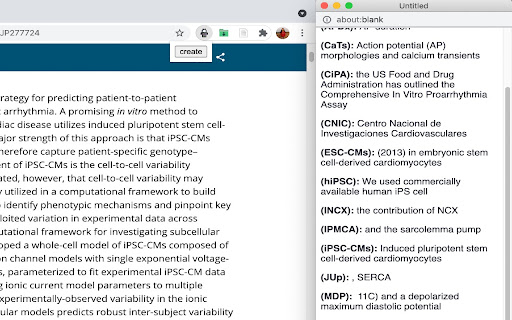
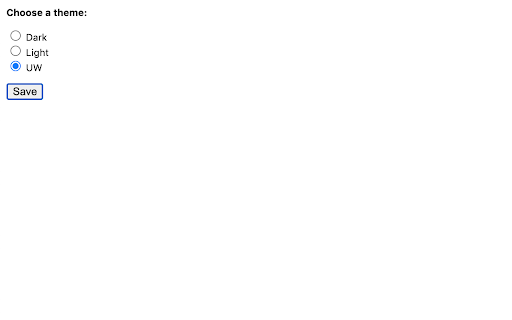
Make a dictionary for acronyms in a paper Scientists love to use acronyms, abbreviations, and initialisms in their papers! As a reader, it sometimes gets hard keeping track of the "alphabet soup". This plugin can help solve that problem! When reading a scientific article in your browser, click on the "Catstronaut" icon to create an alphabetized list of what everything stands for! Happy researching!

Twitter Intro Finder
Getting the perfect intro from followers of people that are also following you. When I see someone on Twitter that I want to reach out to (the 'target') you usually want to do so via a great intro. But how do I know who to ask? Currently, the only way to see how you're connected to someone on Twitter is through which people you follow also follow that person. But what you actually want is to get an intro from: (1) someone who the target follows and (2) someone who's following you If someone is following me that means I easily can ask for a good intro. And if the target is following that person that means that they’ll be very likely to take the intro. This extension tells you exactly who to reach out to for a maximally successful intro!

Codefaster
A power packed productivity tool made with ❤️ by developers for developers. CodeFaster is a fast and simple snippet manager that makes it easy to save code snippets from across the web.! Using CodeFaster extension, you can save your own code snippets from any website, in any format, and even in multiple programming languages. You'll never have to worry about searching for already solved code again! To save the snippet. you can save the snippet from across the web in two ways. One is by clicking on the CodeFaster Blue icon that appears next to the code blocks. Another way is, select the text you want, and then right click, and then click on "Save Code Snippet" option. Snippet sharing. Sharing snippet is super simple in CodeFaster. All you've to do is, just click on the share icon and then copy the link and send it. That's it! Smart Snippet search No more digging through the notepads or word files for searching the code snippet. Using CodeFaster smart search feature, you can easily search all your code snippets in lightning speed. Also, you don't have to enter the exact term for searching snippet, whatever the terms you provide, it'll give the results similar to the query you searched. Save, search and share code snippets faster with CodeFaster! The extension is now available for Chrome, Firefox and Edge. Currently CodeFaster extension supported search engines are: Google, Bing, DuckDuckGo and Ecosia. So what you're waiting for? Download the CodeFaster extension now to make your development process a lot faster and more efficient!

Twitter Reaction Counter
This extension get list of Like/Retweet on a tweet You can display the user list of Like/Retweet/Quote/Reply on a tweet into table format. Click Likes, or Retweets on a tweet, then click "Getting Engagements" button on its popup, you can get the list. You can see what number of the user list you got, on its icon. This extension get the list only you display on your browser. so if you wanna get more Like/Retweet list, scroll down the list of Like/Retweet on the tweet page. Finally, click "View Results" button on its popup, then another tab will be opened. You can see the user list, and Name, DisplayName, Follow you and Bio of the user. Please use this for Giveaway or so.

Twitter View Count Remover
A chrome extension to remove the Views count from Twitter Tired of seeing the new Views counter on Twitter posts? This extension finds all instances of the Views counter and hides them on any Twitter.com page, restoring the previous interface consisting of only likes, replies, and retweets. What's new: Fixed bug affecting extension with no usernames in whitelist Option to move views to after likes
