
mbdhdllcfaijbnebmfnglclcgfopejop
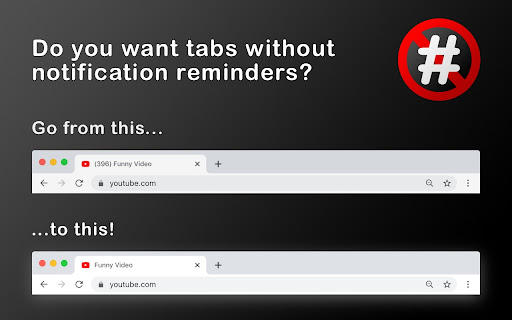
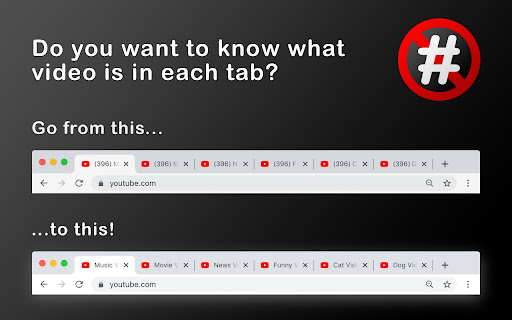
Removes the number of notifications in parentheses that YouTube displays on tabs Would you prefer not to have your number of YouTube™ notifications on every YouTube™ tab? Do all of your YouTube™ tabs look the same when you have many tabs open? Don't want the number included in your bookmarks or saved links? Is it information that you don't need to be reminded about? If so, this simple Chrome extension will dynamically remove the number (and the parentheses) from any new YouTube™ tabs that you open after installing it. I'm finding it useful while there (currently) isn't an official setting to turn this number off. I've uploaded it here in case anyone else was also looking for the "off switch". Hope it helps.

Notification Bell Hider for Youtube™
A Chrome extension that hides the YouTube notification bell. Are you tired of being constantly distracted by YouTube notifications? If so, this Chrome extension is for you. With this extension, you can hide the YouTube bell notification, so you won't be tempted to check it every time it pops up. This can help you stay more focused and productive, whether working on a project, studying, or just relaxing without interruption. But this extension isn't just about eliminating distractions. It's also about promoting intentional living and mindful technology use. By taking control of your YouTube notifications, you can make a conscious decision about when and how you interact with the platform. You can choose to watch videos on your schedule, rather than constantly reacting to notifications. In a world where technology can easily consume our attention and time, it's more important than ever to be intentional about how we use it. This extension can help you do just that, by empowering you to take control of your YouTube experience. So why wait? Install this extension today and start living a more intentional, productive life. Whether you're a student, a professional, or just someone who wants to be more mindful about technology use, this extension can help you achieve your goals.

YouTube Unrounded Thumbnails
This extension removes all round corners from thumbnails on YouTube.

Turn Off YouTube Autoplay Next & Annotations
Turn off YouTube autoplay next video and disable YouTube annotations on videos. Turn off YouTube autoplay next video and/or turn off YouTube annotations. Hides the toggle option when disabled. Compatible with desktop, mobile, and embedded YouTube videos. For more features including removing recommendations, comments, and more: https://chrome.google.com/webstore/detail/unhook-remove-youtube-rec/khncfooichmfjbepaaaebmommgaepoid

OutsideBar
YouTubeの操作バーを画面外に出すやつ ◆どんな機能? YouTubeの再生ボタンなどを動画の外に表示します。 一時停止してじっくり見たい時やスクリーンショットを撮りたい時に邪魔なボタンや影が無くなります。 ◆注意事項 ※他のYouTube拡張機能とは競合して上手く動作しないことがあります。 ◆他の機能 YouTube用の自作拡張まとめ https://null.style/app ◆不具合を見つけたら 作者Twitter(@nulltypo)までご連絡お願いします。レビューには回答できません。 ◆免責事項 このChrome拡張によりいかなる損失や損害などが発生しても責任を負いかねます。ご了承ください。
