
lppmjfhhdefbmincgpkgnlbfgnfnloek
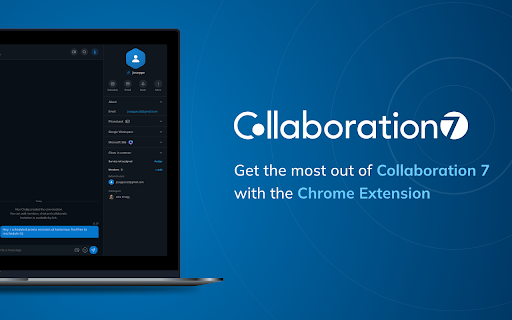


Streamline communication within your company, boost sales & win more customers – be efficient with Collaboration 7! Work smarter, not harder with Collaboration 7, the unified communications platform, designed to engage teams, prospects and customers while boosting business efficiency. Use the Collaboration 7 Chrome extension as a shortcut to: Quickly initiate calls and start conversations from a web page Create and join Collaboration 7 meetings directly from Google and Microsoft 365/Outlook calendars Easily find an open Collaboration 7 tab by clicking on the extension icon in the Chrome toolbar To use the extension, you must have an account on a Wildix PBX and access to the Collaboration 7 platform. Here’s just a short list of what you can do with Collaboration 7 on desktop and mobile: Easily access video and audio calls, and messaging See your colleagues’ presence status Set up meetings through Google and Microsoft 365 calendars View call history of received, missed and dialed calls Engage in real-time communication with team members and customers Get the Collaboration 7 Chrome extension and enjoy increased efficiency with an all-in-one business communication hub for chat, calls and meetings with colleagues and customers.

SoftTrain Cloud CRM Controller V2
Extension allowing advanced CRM features For users of the Wildix telephone system, this extension allows the user to integrate their CRM tool. The functionalities include the following: - Screen-Pop Incoming calls pop-up within the CRM tool and can be answered, put on hold, resumed from hold, transferred, forwarded or the call can be ended via the hang-up button. Auto-detection of incoming contact with link to contact record within the CRM tool - Click-to-Call Hovering over a telephone number allows the option to call that number with a simple click. There is also an optional feature to generate a call record in the CRM tool when the outgoing call is initiated - Transfer and Forward Option to transfer or forward the call to a colleague. Initial list is for colleagues in the same department as the person answering the original call, but also a dropdown option to select the extension for anyone else on the phone system. Icons to identify the current status of the colleagues to ensure forwarding or transfer only to a colleague who is available to take the call. - Call Log (optional) Allow logging of the call against the contact's record. Either when the call is initiated or once the call has ended. - Version History V2.1.8 - Additional Click-to-Call locations V2.1.7 - Additional Click-to-Call locations V2.1.6 - Additional Click-to-Call locations & closeReason move to global variable V2.1.5 - Fix for websocket disconnect V2.1.4 - Moved Create Call to icon when no contact found V2.1.3 - Fix for delayed page rendering V2.1.2 - Added sipCallId logging for more accurate call matching V2.1.1 - Fix for Enable/Disable hanging following Chrome update V2.0.21 - Fix for Chrome update V2.0.20 - More Click-to-Call identification fields V2.0.19 - Additional Click-to-Call identification fields V2.0.18 - Support for 'contact' as then entity for AI call summary/transcript V2.0.17 - Added support for call log only (excluding AI) V2.0.16 - Added hang-up cause; AI call transcript-support V2.0.15 - Extended call matching logic for call summaries and transcription V2.0.14 - Altered call matching logic for call summaries and transcription V2.0.13 - Support for selecting preferred device V2.0.11 - Support for Street.co.uk; Call summary AI; MS Dynamics local server V2.0.10 - Moved [Create call] button to icon V2.0.9 - Fix for free-text phone number identification V2.0.8 - Support for creating calls with Beacon CRM V2.0.7 - Added [Create new call] feature V2.0.6 - Added Monday.com V2.0.5 - Increased options for linking to tickets V2.0.4 - Added support for Beacon CRM V2.0.3 - Create Order flows V2.0.2 - Improved error handling V2.0.1 - Launch release

TestFiltering+
TestFiltering+ automatically monitors your internet connection to ensure your filter is correctly blocking illegal/harmful content We work with specific partners to host test URL's on various lists and have test pages hosted where they will be blocked. This service was setup in response to the introduction of statutory guidance for schools in the UK about appropriate levels of filtering and monitoring of school internet connections. The UK Safer Internet Centre first published its filtering and monitoring definitions in 2016 to help both schools and providers understand what should be considered as ‘appropriate’.

Cards & Colors
Extension enhances visibility to issues and cards on Jira Agile boards based on colored edges and statuses Boost the visibility of issues on your cloud Jira agile boards by adding colors based on: - colored edges for cards ("Board settings - Card colors" settings that added colored edges for cards based on selected method (JQL queries, etc) - issue status (for example "Ready For QA", "Fixes Needed", "Blocked in QA") - issue type (for example Bug-sub-task) Also, the extension adds a button "Stats" in the top menu, which displays the number of issues on board summarized by issue type.

AgentConnect for Street.co.uk
Adds WhatsApp AgentConnect integration to phone numbers and tenancy/property headers in the Street.co.uk agent portal. 📌 AgentConnect for Street.co.uk AgentConnect adds one-click WhatsApp communication directly inside the Street.co.uk agent portal. It automatically detects phone numbers and tenancy/property sections, giving negotiators and property managers instant access to WhatsApp conversations via your AgentConnect devices. Group messaging support for Property, Applicant and Tenancy headers Clean UI icons added to phone numbers, contact cards and tenancy panels Zero interference with Street.co.uk’s interface – safe for Vue/SPA Fast and lightweight with no performance impact 🎯 Designed For Phone numbers are only read from the page to trigger your own AgentConnect URL. All settings remain on the user's device. A registered webhook URL from your AgentConnect dashboard For support or feedback, contact your AgentConnect account manager.
