
lppgejdgemgaaaibfmodoabjhgdggaae
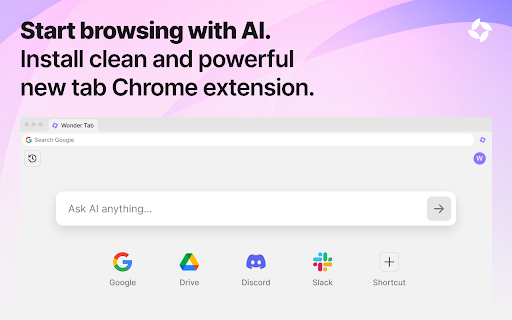
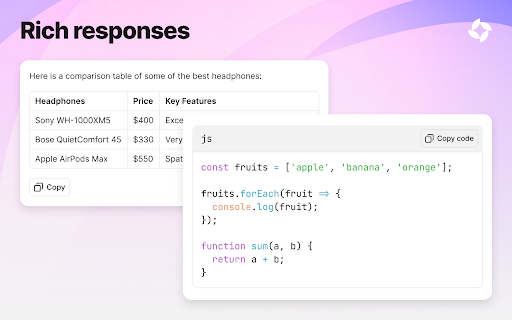
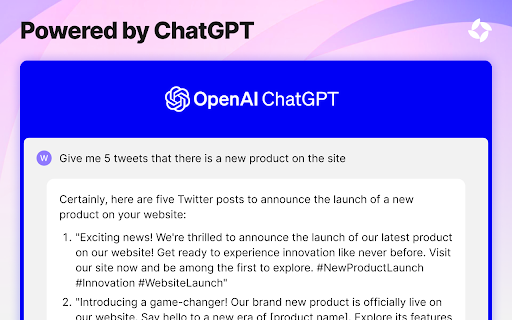
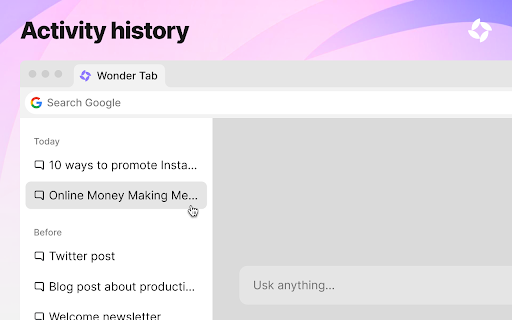

Your productivity hub with quick access to calendar, bookmarks, search, and an AI chat powered by ChatGPT. Meet Wonder Tab – Your Smarter New Tab with Calendar, Bookmarks & ChatGPT! Wonder Tab turns your browser’s new tab page into a productivity hub with easy access to essential tools and a built-in AI assistant. Here’s what makes Wonder Tab unique: - AI Chat at Your Fingertips: Instantly start a conversation with our AI assistant powered by ChatGPT. Get quick answers, writing suggestions, or have a friendly chat – all for free! - Integrated Calendar: Stay organized with a built-in Google Calendar widget to keep track of your events and tasks. - Smart Bookmarks: Pin your favorite sites for instant access, keeping everything important just one click away. - Smarter Browsing: Enjoy seamless access to powerful tools designed to make your browsing experience easier and more productive. Whether you’re managing your schedule, saving your favorite websites, or chatting with an AI assistant, Wonder Tab makes it all simple and accessible. And we’re constantly improving with more features to come! Transform your new tab into a smarter, more personalized experience with Wonder Tab today.

MetaPrompt - AI Prompt Engineer & Optimizer for ChatGPT & Claude
Transform unclear questions into expert prompts. Get better AI responses from ChatGPT and Claude with one click. Metaprompt: Your AI Whisperer Transform how you interact with AI MetaPrompt transforms your ChatGPT and Claude experience by intelligently enhancing your prompts. Powered by advanced GPT 4.1 models, our Chrome extension analyzes your questions and refines them to generate clearer, more precise AI responses - saving you time and frustration. Simple, Powerful Workflow 1. Type your question as you normally would 2. Click the MetaPrompt button to apply expert prompt engineering 3. Watch as your request transform into an optimized prompt that gets real results What Sets MetaPrompt Apart - Instant Optimization: Turn unclear questions into structured prompts that deliver exactly what you need - Seamless Integration: Works naturally within ChatGPT's and Claude's interface with zero learning curve - Universal Compatibility: Use our popup anywhere you interact with AI tools Choose Your Perfect Plan MetaPrompt Pro ($5.99/month) - 5000 monthly prompt enhancements - Access to larger, more powerful models for even better results Who Needs MetaPrompt? - Students seeking deeper explanations and research assistance - Professionals requiring accurate information for critical tasks - Writers looking for better creative input - Developers needing precise code solutions - Researchers formulating complex queries - Anyone tired of wasting time on unhelpful AI responses Stop struggling with AI miscommunications. Download MetaPrompt today and start getting the quality responses you deserve.

Home - New Tab Page | ChatGPT search with GPT-4o AI answers
A homepage you will fall in love with! Notifications, badges, recent tabs, quick notes, calendar and more. AI search ChatGPT GPT-4o. This extension replaces your New Tab page with a customized dashboard. Your new beautiful Home will show favorite sites, notifications from various services, quick notes, weather and more. Stay connected with Home. Make it personal. Get inspired. *NEW*: much much much improved speed *NEW*: change search engine *NEW*: hide any element you want (buttons, weather, clock, etc) Notifications and unread badges: - Gmail - Google Calendar - Yahoo! Mail - Outlook (Hotmail) - Facebook messages (see more info below) More features: - Built-in beautiful background gallery - Upload custom background (tile, stretch) - Add favorite sites, arrange them on multiple pages - Notes - Quick Search - Weather, you asked for it :) - Focus mode for clean look - Recently closed tabs - Right-click app menu (options, remove) - Export & Import your apps to a new computer easily Home New Tab Page is a New Tab page replacement extension for Google Chrome. It gives you a productive dashboard that you can use to organize your browsing. Add your favorite websites (called apps) to the new tab grid of icons. You can choose from a built in gallery of apps by searching their names, also you can add any website by entering its url and specifying its icon by a link to the image, or uploading one from your computer. Home also lists your Chrome apps (mostly useful for Chrome OS users) as part of the grid. You can hide these Chrome apps, if you like. Right clicking any icon gives you the ability to open them in a new tab or remove them from the grid. A simply left click opens the icon's website in the current tab. To reorder the application grid, simply drag one icon and move it to its new position. A couple services (Gmail, Yahoo Mail, Outlook Mail, Facebook Messages) are checked regularly and if a new notification is found, a red badge will appear at the top right corner of the app's icon. This badge will show the number of unread messages for the given service. Navigating to one of those sites and reading the messages will make the badge go away (or if you only read some of the messages, and leave others unread, the count will update to how many messages are left unread). Please note that it takes some time (several minutes) for the count to update. You can manage the general fetch interval and turn off notifications for each service inside Settings. There is also a Notification panel located on the bottom left corner (Bell icon). Clicking the Notifications icon will open the panel where you can see the 10 latest notifications in detail. These notifications contain a link, which you can use to navigate to the specific source. For example incoming Gmail messages or Facebook messages link to the individual message thread. In order to receive notifications, you have to be logged into those services inside your Chrome browser. You can simply navigate to their website and check if you're logged in. There is a button to Clear all notifications from the panel, if you'd like to keep it clean. The left toolbar has a Quick Notes icon. Clicking it brings up the panel where you can type in any notes you'd like. You also have the ability to format the notes and paste any HTML formatted text into there. The Quick Notes and Notifications panels can be pinned to the Home dashboard, which makes them always visible and available at a glance. The left toolbar also has a Weather widget which always shows the current weather. The location is automatically determined using your IP address. You have the ability to change it to any custom location as well. Hovering your mouse over the Weather icon will bring up the Weather panel. Here you can change the units of measurement from Imperial to Metric (F to C, inch to mm, etc.) The panel shows a 5 day forecast as well as a detailed view of today's weather. The humidity, UV level, wind speed and expected rain volume are all listed based on the current conditions. The 5 day forecast also shows nice icons to visualize the weather states like rainy, cloud, partly cloudy, windy, clear etc. To set a custom weather location, you simply click the city name at the top of the panel and enter your desired city name. It'll search the database of locations and you can select the one you'd like. To switch between Custom or Auto weather location, use the Location icon at the top left of the panel. The left toolbar also has a Bookmarks icon. Clicking it brings up the Bookmarks panel. Your favorite sites will be listed here in a tree view, where you can expand folders to get to individual bookmark items. These bookmarks will have their favicons listed next to the website's name. Hovering over any link will show the url at the top left corner of your browser. Left clicking will navigate to the specific link in the current tab. You have the ability to search your bookmarks by clicking the top Bookmarks title of the panel and entering your search term. The focus mode icon is located near the bottom of the left toolbar. It switches the look and feel of your Home New Tab to a completely streamlined and clean state. Your clock and date will show in big bold letters at the center of your screen and you have the ability to type in a one-liner daily focus. This focus goal will show for every new tab you open. Your apps are still available from the left toolbar via an Apps icon. But they will no longer clutter your new tab so you can focus on that One important goal for the day! Your Home New Tab Page features a quick and easy search box to navigate to websites that are not listed on your dashboard. The default search partner is Yahoo but you can always change the provider by clicking the icon left to the search box. This will bring up a list of providers to choose from (Google, Bing, Yahoo, Yandex, DuckDuckGo, etc). This extension has search partners to support its development. If you don't wish to use search at all, you can hide the search box inside Settings. Home also has the ability to index your history for quick navigation to visited sites through the search box. After you install the add-on you will be asked if you'd like this feature to be turned on or not. The search box shows suggestions based on what you entered. The very bottom of your left toolbar shows the Backgrounds icon. Clicking this icon will bring up the Backgrounds panel. From here you can select a wallpaper that you like. Home has a built-in gallery for this purpose. The Home daily backgrounds option gives you the ability to receive a wallpaper from the Home team *everyday (it's not guaranteed to be refreshed everyday, but we're doing our best ;). The most important icon on the left toolbar is the Settings. Here you can set general preferences like Time format, Temperature for weather, how often to check services for notifications and where to open your sites when you left click them on the grid (Current tab, New active tab, New background tab). You can also set a custom wallpaper here from your computer, and set wallpaper effects for a total customization (stretch, tile, fill). Settings also allows you to make a backup from your home settings and apps to a file that you can use to make sure your data never gets lost. You can also bring this file to a new computer, go to settings, hit import, and have your apps and settings ready to go. There is also a daily automatic backup that happens the first time you open your browser on a given day. So in case you did a change you don't know how to undo, simply restore from this Automatic backup the same day. You can set the visibility of almost all elements on your Home new tab inside settings including left toolbar buttons, the date & time, search bar etc. You can also change which notification services you'd like to enabled. All changes made inside Settings are saved automatically. There is no need to hit any save button! You can see the answers to the most Frequently Asked Questions if you click the Help button on the top right of your Home New Tab. Here you can see how to change your wallpaper, how to set Home as your homepage not just your New Tab, how to edit or remove apps, etc. To revert back to the default Google Chrome new tab, simply uninstall this extension visiting the following url: chrome://extensions/?id=ehhkfhegcenpfoanmgfpfhnmdmflkbgk Then disable the extension (top right) or Remove with the link at the bottom of that page. For further support click on the Support tab on this page. Leave a review if you found us useful, your kind words help a lot.

ChatGPT Sheets – Use ChatGPT for Sheets
Boost your Google Sheets with ChatGPT! Get instant answers, copy-paste solutions, and easy shortcuts with ChatGPT Sheets! Looking to elevate your business using ChatGPT for Google Sheets?🚀 The ChatGPT Extension for Google Sheets revolutionizes your workflow. HOW DOES ChatGPT HELP YOUR BUSINESS? ➡️Get instant results. ⏱️Our ChatGPT for Sheets extension enables a swift conversation window. ➡️Efficient copy-paste solutions. 🗓️ChatGPT for Google Sheets easily transfers new knowledge to your spreadsheet. ➡️User-friendly shortcuts. 🎯Every feature of ChatGPT for Sheets was implemented with YOU in mind. Wait no longer to boost your business! Let our ChatGPT in Google Sheets Extension let your productivity soar!🚀📈 In today's digital age, businesses are constantly in need of seamless tools and technologies that can simplify data handling and analytics. Amidst a plethora of available extensions and tools, the ChatGPT Extension for Google Sheets stands out as a beacon of innovation. Let's dive deeper into what makes this extension a game-changer for professionals across industries.🌟 MAIN FEATURES AND ADVANTAGES OF ChatGPT: 1. Seamless Integration🔗: The data analytics landscape is constantly evolving, making it essential for businesses to be equipped with tools that enable smooth transitions. Enter ChatGPT Extension for Google Sheets. This tool allows users to seamlessly integrate AI capabilities into their Google Sheets environment, eliminating the hassles of shifting between platforms and ensuring effortless information interpretation. 2. Dynamic Data Conversations💬: Gone are the days when you had to manually interpret complex data. With the ChatGPT Google spreadsheet, real-time interactions with your data are now possible. Imagine having an intelligent conversation with your spreadsheets, asking questions and receiving answers in real-time. This revolutionizes data understanding, making it more intuitive and actionable. 3. Collaboration Made Easy🤝: Modern businesses thrive on teamwork. The ChatGPT Extension for Google Sheets acts as a bridge, connecting team members and enabling them to derive insights from shared data effortlessly. It fosters a collaborative environment where numbers tell a story that everyone can understand. 4. Top-Tier Security🔐: Data security is a top concern for businesses today. With the ChatGPT Chrome Extension, there's no need to compromise on safety. Your data remains under stringent protection protocols, ensuring that you can analyze, share, and interpret your data with total peace of mind. The age of AI-powered solutions is here. These intelligent systems are not just about automation; they redefine how we perceive and interact with data. Among the forefront of these advancements is the ChatGPT Extension for Google spreadsheets. HERE'S HOW: 🎯Tailored AI Responses: GPT for Google spreadsheets isn’t just another tool. It actively learns and provides customized answers, ensuring precision, relevance, and clarity in every response.🌠 ♟️Broad Compatibility: In a diverse data landscape, the GPT for Sheets Extension stands out with its ability to accept a wide range of data formats and structures. This versatility ensures that no matter how your data is structured, the tool can handle it. 📊 🏄🏻♂️User-Centric Design: Beyond its technical prowess, every facet of the ChatGPT Extension for Google tables has been meticulously crafted with users in mind. The design emphasizes a user-friendly experience, ensuring that even those without a technical background can harness its power effortlessly. 👤 WHY EMBRACE ChatGPT FOR GOOGLE SHEETS? 🤔 In an era where data is the new gold, having tools that streamline its analysis is invaluable. The ChatGPT Extension offers: 1. Intelligent Data Processing: This isn’t just another analytics tool. The AI for Google Tables delves deep, offering not just numbers, but valuable insights that can shape business strategies. 🧠 2. Plug and Play: Simplicity is at the core of the ChatGPT plugin for Google Sheets. Without any complex setups, it integrates smoothly into your workflow. ⚙️ 3. Diverse Use Cases: Whether you’re a budding startup or a multinational corporation, ChatGPT for Google Sheets adapts to your unique requirements, proving its versatility across varied business landscapes. CONCLUSION: 💡 We stand on the brink of a new era in information analytics. Integrating AI with traditional spreadsheet tools like Google Sheets isn't just about staying updated; it's about anticipating the future. By investing in the ChatGPT for spreadsheets extension, you’re not just enhancing your data interpretation abilities; you’re also paving the way for unprecedented insights and business growth. 🚀 Dive into the realm of advanced data analytics with ChatGPT for Google Sheets. Embrace the future, redefine your data journey, and witness the revolution. Join the revolution. Download and use with pleasure!🔥📥

PolyBox - ChatGPT launcher and prompts, search tabs, bookmarks, history
Instantly launch ChatGPT to ask anything and manage prompts library. Access search engines, tabs, bookmarks, history and more! ✨𝗖𝗵𝗮𝘁𝗚𝗣𝗧 𝗟𝗮𝘂𝗻𝗰𝗵𝗲𝗿✨ Provides quick and streamlined access to ChatGPT. Launch the search box and ask question from anywhere. Additional integration capabilities include adding and managing your custom prompt shortcuts library. • /chatgpt or ? : Start typing your question to begin the conversation • /chatgpt /translate, /chatgpt /summarize, ... : Create shortcuts for you frequently used prompts • ChatGPT history search and support for other AI chat websites are coming soon! 🔎𝐒𝐞𝐚𝐫𝐜𝐡 𝐄𝐯𝐞𝐫𝐲𝐭𝐡𝐢𝐧𝐠🔎 Search everything in your browser, including opened tabs, bookmarks, history, downloads, short URLs, quick commands and more. • access and switch to any search engine (Google, Bing, Yahoo, DuckDuckGo...) seamlessly • /tab or # : Search all opened tabs • /bookmarks or * : Search bookmarks • /history or ~ : Search browsing history • /downloads or ! : Search downloaded files • /extensions or % : Search installed extensions • /settings : Search browser settings ... 🚀𝐒𝐡𝐨𝐫𝐭 𝐔𝐑𝐋 𝐍𝐚𝐯𝐢𝐠𝐚𝐭𝐢𝐨𝐧 𝐚𝐧𝐝 𝐒𝐢𝐭𝐞 𝐒𝐞𝐚𝐫𝐜𝐡🚀 Set up short URL mappings and search URL templates to navigate to or search your favorite websites by typing a few letters. For example, • type `yt` to go to YouTube • type `/yt music` to search music on YouTube • type `my-product-design` to go to a Google Doc you've set up the mapping for ⚙️𝐂𝐮𝐬𝐭𝐨𝐦𝐢𝐳𝐞 𝐭𝐨 𝐌𝐚𝐤𝐞 𝐈𝐭 𝐅𝐮𝐥𝐥𝐲 𝐘𝐨𝐮𝐫𝐬⚙️ • light and dark theme support • customize short URL mappings and sites search • customize single character trigger for searchers
