
cnfpoahmkakiphbebkllcgflpeigphbk

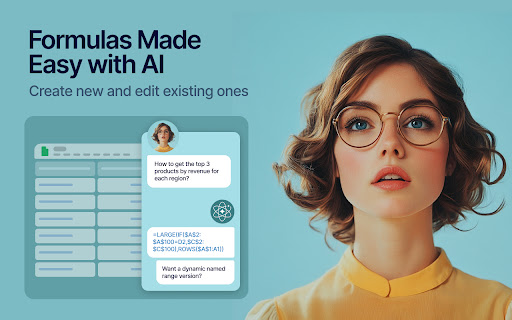


Boost your Google Sheets with ChatGPT! Get instant answers, copy-paste solutions, and easy shortcuts with ChatGPT Sheets! Looking to elevate your business using ChatGPT for Google Sheets?🚀 The ChatGPT Extension for Google Sheets revolutionizes your workflow. HOW DOES ChatGPT HELP YOUR BUSINESS? ➡️Get instant results. ⏱️Our ChatGPT for Sheets extension enables a swift conversation window. ➡️Efficient copy-paste solutions. 🗓️ChatGPT for Google Sheets easily transfers new knowledge to your spreadsheet. ➡️User-friendly shortcuts. 🎯Every feature of ChatGPT for Sheets was implemented with YOU in mind. Wait no longer to boost your business! Let our ChatGPT in Google Sheets Extension let your productivity soar!🚀📈 In today's digital age, businesses are constantly in need of seamless tools and technologies that can simplify data handling and analytics. Amidst a plethora of available extensions and tools, the ChatGPT Extension for Google Sheets stands out as a beacon of innovation. Let's dive deeper into what makes this extension a game-changer for professionals across industries.🌟 MAIN FEATURES AND ADVANTAGES OF ChatGPT: 1. Seamless Integration🔗: The data analytics landscape is constantly evolving, making it essential for businesses to be equipped with tools that enable smooth transitions. Enter ChatGPT Extension for Google Sheets. This tool allows users to seamlessly integrate AI capabilities into their Google Sheets environment, eliminating the hassles of shifting between platforms and ensuring effortless information interpretation. 2. Dynamic Data Conversations💬: Gone are the days when you had to manually interpret complex data. With the ChatGPT Google spreadsheet, real-time interactions with your data are now possible. Imagine having an intelligent conversation with your spreadsheets, asking questions and receiving answers in real-time. This revolutionizes data understanding, making it more intuitive and actionable. 3. Collaboration Made Easy🤝: Modern businesses thrive on teamwork. The ChatGPT Extension for Google Sheets acts as a bridge, connecting team members and enabling them to derive insights from shared data effortlessly. It fosters a collaborative environment where numbers tell a story that everyone can understand. 4. Top-Tier Security🔐: Data security is a top concern for businesses today. With the ChatGPT Chrome Extension, there's no need to compromise on safety. Your data remains under stringent protection protocols, ensuring that you can analyze, share, and interpret your data with total peace of mind. The age of AI-powered solutions is here. These intelligent systems are not just about automation; they redefine how we perceive and interact with data. Among the forefront of these advancements is the ChatGPT Extension for Google spreadsheets. HERE'S HOW: 🎯Tailored AI Responses: GPT for Google spreadsheets isn’t just another tool. It actively learns and provides customized answers, ensuring precision, relevance, and clarity in every response.🌠 ♟️Broad Compatibility: In a diverse data landscape, the GPT for Sheets Extension stands out with its ability to accept a wide range of data formats and structures. This versatility ensures that no matter how your data is structured, the tool can handle it. 📊 🏄🏻♂️User-Centric Design: Beyond its technical prowess, every facet of the ChatGPT Extension for Google tables has been meticulously crafted with users in mind. The design emphasizes a user-friendly experience, ensuring that even those without a technical background can harness its power effortlessly. 👤 WHY EMBRACE ChatGPT FOR GOOGLE SHEETS? 🤔 In an era where data is the new gold, having tools that streamline its analysis is invaluable. The ChatGPT Extension offers: 1. Intelligent Data Processing: This isn’t just another analytics tool. The AI for Google Tables delves deep, offering not just numbers, but valuable insights that can shape business strategies. 🧠 2. Plug and Play: Simplicity is at the core of the ChatGPT plugin for Google Sheets. Without any complex setups, it integrates smoothly into your workflow. ⚙️ 3. Diverse Use Cases: Whether you’re a budding startup or a multinational corporation, ChatGPT for Google Sheets adapts to your unique requirements, proving its versatility across varied business landscapes. CONCLUSION: 💡 We stand on the brink of a new era in information analytics. Integrating AI with traditional spreadsheet tools like Google Sheets isn't just about staying updated; it's about anticipating the future. By investing in the ChatGPT for spreadsheets extension, you’re not just enhancing your data interpretation abilities; you’re also paving the way for unprecedented insights and business growth. 🚀 Dive into the realm of advanced data analytics with ChatGPT for Google Sheets. Embrace the future, redefine your data journey, and witness the revolution. Join the revolution. Download and use with pleasure!🔥📥

AI Spreadsheets Visualization
Automatically explore data, generate visualizations and infographics from Spreadsheets using large language models like AI. AI Spreadsheets Visualization is a tool for generating data visualizations and data-faithful infographics. It work with any programming language and visualization libraries e.g. matplotlib, seaborn, altair, d3 etc and works with multiple large language model providers (PaLM, Cohere, Huggingface). It comprises of 4 modules - A SUMMARIZER that converts data into a rich but compact natural language summary, a GOAL EXPLORER that enumerates visualization goals given the data, a VISGENERATOR that generates, refines, executes and filters visualization code and an INFOGRAPHER module that yields data-faithful stylized graphics using IGMs. AI Spreadsheets Visualization leverages the language modeling and code writing capabilities of state-of-the-art LLMs in enabling core automated visualization capabilities (data summarization, goal exploration, visualization generation, infographics generation) as well as operations on existing visualizations (visualization explanation, self-evaluation, automatic repair, recommendation). Data Summarization Goal Generation Visualization Generation Visualization Editing Visualization Explanation Visualization Evaluation and Repair Visualization Recommendation Infographic Generation Data Summarization Datasets can be massive. AI Spreadsheets Visualization summarizes data into a compact but information dense natural language representation used as grounding context for all subsequent operations. Automated Data Exploration Unfamiliar with a dataset? AI Spreadsheets Visualization provides a fully automated mode that generates meaningful visualization goals based on the dataset. By design, your data stays at all times on your Google account, never saved in our database. Your data aren’t shared with anyone, including the add-on owner. We complies with privacy laws (especially GDPR & California Privacy Act) to protect your data.

Excel AI
Install excel ai to use its intelligent formula generator as your smart spreadsheet assistant formula bot With excel ai, you harness spreadsheet artificial intelligence to engage its formula generator in seconds. This ai in excel tool minimizes guesswork. Combination of the gpt-powered tools of the bot 🤖 takes your data work to a whole new level. Let the Excel AI spreadsheet generator handle even the toughest tasks for you. 🚀 Embrace the next generation of ai for excel: 📍 You can generate or decode any function on demand. 📍 Simply ask the excel formula ai for guidance, or paste an existing expression to learn how it works. 📍 Whether you need help with equation or a quick fix, the spreadsheet artificial intelligence assistant is always ready to help you achieve error-free results. 🤖 Here are a few benefits you can expect: 1️⃣ Swift creation of custom functions with the excel formula generator 2️⃣ Accurate explanations from the excel formula builder 3️⃣ Automated handling of large data sets with excel ai formula generator 4️⃣ Streamlined processes with artificial intelligence tools for excel 5️⃣ Seamless calculations powered by our computation engine Stop memorizing complex syntax. With excel artificial intelligence help, you can rely on our tool to decode intricate functions. Thanks to our prouduct, advanced cross-sheet lookups become second nature. The inbuilt excel formula creator lets you generate new advanced functions in plain English, while the extension clarifies each step piece by piece. 🌐 Here are more real-world scenarios: ➤ Financial models are more accurate using sheets formula generator features ➤ Pivot tables become simpler via the data analytics with artificial intelligence ➤ Bulk expressions creation is easy with sheets formulas builtin analytics ➤ Troubleshoot tasks using an explanation mode ➤ Data cleanup is a breeze with this clever solution The spreadsheet chatbot rapidly converts your natural-language requests into ready-to-use functions. By integrating this extension into your work, you can eliminate manual errors and maintain consistency across multiple sheets. This synergy boosts productivity at every turn. 💡 Discover why adopting an exel ai bot matters: 1. Rapid function building via ai excel bot 2. Clear, concise breakdowns from your excel ai assistant 3. Hassle-free multi-sheet calculations using this extensions 4. Real-time feedback through the extension 5. Next-level workflow backed by excel ai tools ❓ Struggling with advanced formulas? Let the ai excel formula feature step in. Type a question in natural language, and our extension handles everything else. Each new answer uses ai for excel formulas and enhances your skillset while speeding up projects. 🔍 Switching between multiple tasks is effortless when you have such a tool at your side. The core engine keeps references accurate. Whether you’re forecasting budgets or updating massive inventory sheets, your solution remains reliable. Embrace the future of data handling with excel ai help. 💻 Try these best practices: ➤ Use the insights you get to avoid repetitive tasks ➤ Just type your question into xcel chat box and simplify nested expressions ➤ Spot and fix errors quickly with spreadsheets ai help ➤ Build dynamic dashboards using formula bot Every element of this extension — from chat mode to the functions explainer module unlocks new possibilities. Whether you’re crafting some complex functions or dissecting advanced syntax, the whole workflow remains transparent. With ai excel software at your fingertips, data accuracy is never in doubt. AI for spreadsheets merges spreadsheet ai with user-friendly interface, delivering outcome you need. Work on large datasets using ai tools for excel, and let the formula generator excel function handle the heavy lifting. Embrace artificial intelligence for spreadsheets to enchance your productivity ✨ 💡 Whether you’re a busy professional or a data enthusiast, ai for excel sheets streamlines your analytics. The spreadsheets ai assistant cuts out guesswork by generating and explaining formulas in real time. With this formula helper on hand, errors drop while speed increases. Tackle even complex calculations confidently using llm-powered solutions. 🌍 Simplify redundant tasks with our extension. Rely on the ai spreadsheet generator to uncover hidden insights and let our extension reshape your workflow. Embrace gpt for spreadsheets and witness the google sheet formula generator advantage for your day-to-day operations. Experience the next level of efficiency today.

Google Sheets AI Assistant
AI Assistant for Google Sheets: Create formulas, edit data, and generate tables Google Sheets AI extension allows you to create complex formulas, edit data, and generate tables using simple natural language commands. - AI-Powered Formula Creation: Generate complex formulas without needing to know the syntax. Simply describe what you need, and the AI will do the rest. - Data Editing: Modify your spreadsheets with ease. Use natural language to describe the changes you want, and watch as the AI implements them. - Table Generation: Quickly create tables from structured data or descriptions. Perfect for reports, dashboards, and data analysis. - JSON Export: Convert your spreadsheet data into JSON format for easy integration with other applications and systems. - User-Friendly Interface: Intuitive design ensures that even users with minimal technical skills can take full advantage of the extension's capabilities. How It Works 1. Install the Extension: Add the Google Sheets AI Assistant to your Chrome browser from the Chrome Web Store. 2. Open Google Sheets: Navigate to any Google Sheets document. Activate the Extension: Click on the extension icon to open the popup interface. 4. Choose Your Mode: Select from Create Formula, Edit Sheet, or Table Creation modes. 5. Enter Your Command: Use natural language to describe your task. The AI will process your request and apply the changes directly to your spreadsheet.

Templates for Google Sheets™ by cloudHQ
Modern and Beautiful Templates for Google Sheets™ Effortlessly customize your spreadsheet with Google Sheets™ Templates. Each Google Sheet™ template is professionally designed so that you can copy and use them as your own with confidence. You'll find spreadsheets for: All you need to do is: 1) Install this extension. 2) Find the templates in Google Drive by tapping on New --> Google Sheets --> Template by cloudHQ 3) Make a copy of the template, and edit it as you see fit! All templates have royalty-free stock images, illustrations, and photographs. They can be used in both personal and commercial projects. cloudHQ. Helping your productivity, 1 click at a time. cloudHQ website: https://www.cloudhq.net/ App website: https://www.google-sheets-templates.com/ Pricing: https://www.google-sheets-templates.com/pricing Support page: https://support.cloudhq.net/category/browser-extensions/google-sheets-templates/ Blog: https://blog.cloudhq.net
