
lpdgiemkimbddmemleeldgigimadclgl
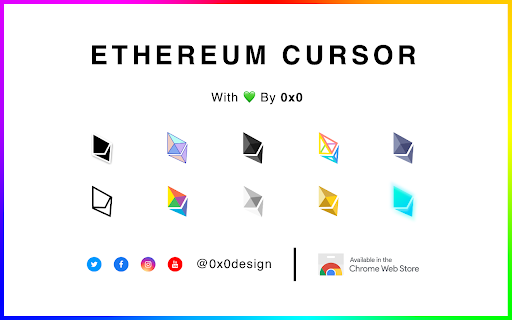

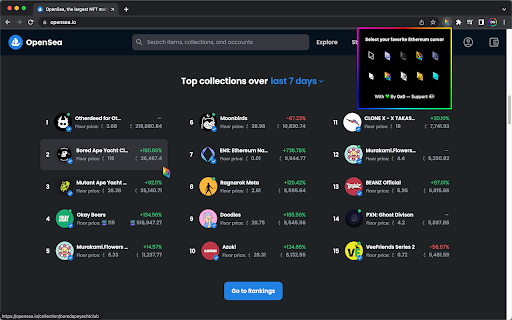

Choose your favorite Ethereum cursor to navigate the web Collection of Ethereum cursors to upgrade your web experience. It replaces your default cursor for the new Ethereum cursor. Available on all sites. Install ⮕ Pin the extension ⮕ Click on the icon to open the popup ⮕ Select your favorite Ethereum cursor ⮕ Enjoy! With 💚 By 0x0 Join the w3 evolution 🚀 @0x0.design ------------------- * Please rate ⭐⭐⭐⭐⭐ or contact support@0x0.design 🙏 * Note that Google’s policy prohibits the use of custom cursors on the Chrome Web Store, Google internal pages, and the Chrome home page, so visit any other web page to see the Ethereum cursor activated.

Animated Cursors Forever!
Chrome extension that brings animated cursors back to the web! Supports .ani and .cur files. Adds ~0.4ms to page loading. Animated cursors used to be a thing on the web until browsers discontinued them a decade ago. This brings back .ani support to the web. Long live animated cursors ✨ This collects absolutely no data and is open source. https://github.com/lettucegoblin/animated-cursors-forever-extension If a specific cursor doesnt work please link it in your feedback. This extension asks for Host and Storage permissions. Host is for injecting the cursor into every page you visit. Storage is for storing the cursor files.

Custom Cursor for Chrome™
Get custom cursors for Chrome. Replace your default mouse cursor with a cool custom cursor. Have fun with custom cursors for Chrome. The custom cursor extension for Chrome is a browser extension that allows users to change the appearance of their mouse cursor. The extension provides a collection of custom cursor images that users can choose from to replace the default cursor image. Once the extension is installed, users can easily activate it and browse through the available custom cursor images. They can preview each cursor image before selecting it and applying it to their browser. The custom cursor will then appear whenever they move their mouse within the browser window. This extension offers users the ability to personalize their browsing experience and add some fun or creativity to their cursor. It can also be useful for people who have difficulty seeing the default cursor or want a cursor that is easier to see or track on their screen. Overall, the custom cursor extension for Chrome is a simple and straightforward tool that adds a fun and personal touch to the browsing experience. Make your web surfing experience more enjoyable with this custom mouse cursor. It is suitable for people of all ages. Note. Please note that according to Google's rules, extensions can not work on chrome web store pages and internal pages of the Chrome browser, such as the home page, settings, downloads, etc. Also, the extension cannot customize the cursor on the browser navigation bar, such as tabs buttons, URL bar, toolbar, etc. Please open any other website (for example, google.com) after installing this extension and check how the extension will work on it.

Cool Cursors - Custom Cursor for Chrome™
Customize your experience of using the Chrome browser with cool free mouse cursors. Just click on the cursor you like and it will replace the default cursor. You can resize the cursor of your choice from 16x16 to 128x128 px. ✅ Minecraft cursors ✅ Sweet cursors ✅ Fun cursors and others. ------------------- ! After installing this extension, refresh the previously opened tab if you want to use it on this page. ! According to the rules of the Chrome Web Store extension can not work on the store pages and home page. Please open any other website (for example, google.com) after installing this extension and check how the extension will work on it. -------------------

Dark calculator
The Dark Calculator is a sleek and user-friendly calculator that can seamlessly integrate with any website. Its minimalistic design boasts a dark theme, providing a pleasing visual experience. Furthermore, the calculator is highly versatile and can be conveniently relocated and resized on the page, ensuring an optimized user experience.
