
ljjchnddoelkcjjfdoigbmjpdhnffcpd
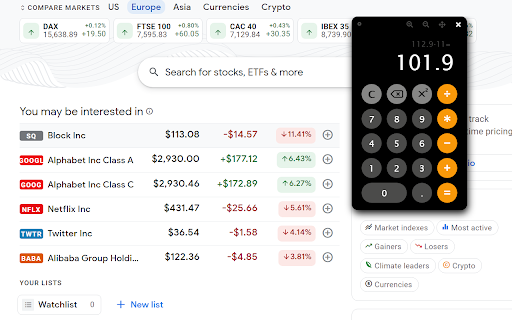
The Dark Calculator is a sleek and user-friendly calculator that can seamlessly integrate with any website. Its minimalistic design boasts a dark theme, providing a pleasing visual experience. Furthermore, the calculator is highly versatile and can be conveniently relocated and resized on the page, ensuring an optimized user experience.

Ethereum Cursor
Choose your favorite Ethereum cursor to navigate the web Collection of Ethereum cursors to upgrade your web experience. It replaces your default cursor for the new Ethereum cursor. Available on all sites. Install ⮕ Pin the extension ⮕ Click on the icon to open the popup ⮕ Select your favorite Ethereum cursor ⮕ Enjoy! With 💚 By 0x0 Join the w3 evolution 🚀 @0x0.design ------------------- * Please rate ⭐⭐⭐⭐⭐ or contact support@0x0.design 🙏 * Note that Google’s policy prohibits the use of custom cursors on the Chrome Web Store, Google internal pages, and the Chrome home page, so visit any other web page to see the Ethereum cursor activated.

Calculator
A simple calculator that remembers your last calculation. You can close it at any time, and reopen it without losing your work. A simple calculator for basic arithmetic. Adds a calculator icon to your browser toolbar. You can open the calculator while browsing any web page. It remembers your last calculation so you can close it at any time and reopen without losing your work. • Compact and available when you need it right from the Chrome toolbar • Remembers your previous calculation when re-opened • A selectable history records your last 10 calculations • Use the keyboard number pad for calculations • Enter key for "=" and "c" for clear • Del/Backspace key to edit calculation • Copy results or calculations to the clipboard • Re-sizable - remembers you setting when you close the calculator • It's Free! • Number Pad or 0-9 for Number Entry • Equals (= or Enter) • Clear ("c") • Delete (del/backspace) - removes last character you typed • Copy to clipboard (ctrl-c) • Divide (/) • Times (*) • Minus (-) • Plus (+) • Percent (% or F1). Examples: 50x20% means 20 percent of 50 (or use the shorthand 50%20) = 10 10-20% means subtract 20% of 10 from 10 = 8 10+12% means add 12% of 10 to 10 = 11.2 • Square Root (F2). Example, 9√ = 3, or 3+9√ = 9 • Square x² Example, 9² = 81 • Reciprocal ⅟x Example, ⅟4 = 0.25 • +/- (F3) - negates the value • Parentheses to control order of calculations. Example: (3+2)*4 = 20 without parenthesis the multiplication happens first: 3+2*4= 11 • Decimal point Changes: • 1.8.3 - Minor fixes • 1.8.2 - Improved layout for history menu • 1.8.0 - New functions squared and reciprocal, parenthesis to control order of calculations, user experience updates • 1.7.9 - update to manifest V3

Online Calculator
100% free online calculator to help you solve problems like calculating percentages, fractions, exponential functions and more. 100% Free Online Calculator Helps you solve problems such as calculating percentages, fractions, exponential functions, and more. Click the icon to open the calculator, and the interface design of the calculator is friendly. You can enter the keyboard to operate the calculation keys. The online calculator supports arithmetic operations: Such as: addition, subtraction, multiplication, division, square, percentage, positive and negative calculations, square root, power, fraction and other calculations. Online calculators are simple, easy to use, intuitive and fast.

Dark/Night Mode For Wikipedia
Dark/Night mode for Wikipedia and Wikipedia's sister projects. Instant Dark/Night mode for Wikipedia and it's sister projects such as MediaWiki, Meta-Wiki and Wikidata. Clicking on the extension to enable dark mode will automatically enable dark mode for all new Wikipedia pages.
