
lnddbhdmiciimpkbilgpklcglkdegdkg
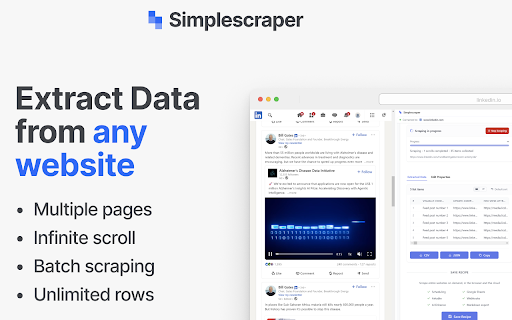


A web scraper that's fast, free and simple to use. Scrape website data and table data in seconds 💡 In a hurry? Watch the short video above to see how to scrape in seconds. 💡 Simplescraper 2.0 is web scraping as it should be: automatic list detection, multi-page scraping, scheduling, saved recipes, and built-in AI that names your columns and enriches your data. Available everywhere - browser, cloud, and API - for every scale of scraping task. Try it for yourself: 1. Open Simplescraper on any website and press "Detect Lists". 2. The extension will find the data you want automatically. 3. Confirm your selection, and watch the data appear instantly, right beside the page you're browsing. 4. Click "AI Enhance" to transform, clean, or extract structured information from your data. Any type of data - product lists, search results, contact lists, social media feeds - can be scraped and enhanced in seconds. Start for free with unlimited single-page scraping in your browser, plus free credits for multiple page and cloud scraping. For powerful automation and scheduling, scale up with our Cloud scraping and API offerings. Simplescraper is your all-in-one data extraction platform. ⚡ NEW AI Property Naming: Instantly transform columns like "sc-1x2y3z" into meaningful names like "product_title" and "price". ⚡ NEW Transform scraped data with AI. Extract structured information from unstructured text, summarize content, translate languages, or clean messy data. Works with any data you've collected. ⚡ NEW Automatic List Detection: One click is all it takes. Our smart algorithm instantly scans the page and identifies all scrapable data. No more tedious setup—get the data you need in seconds. ⚡ NEW Sidepanel Interface: Scrape data without interruption. See your results in real-time while you continue to browse. ⚡ Unlimited Free Browser Scraping: Scrape any single page, as many times as you want, for free. ⚡ Scrape Anything: Automatically capture data from tables, text, images, and links. ⚡ Flexible Export: Download your data as a clean CSV or JSON file with a single click. ⚡ Save & Re-run Scrape tasks: Save scraping recipes to run again with a single click, either in the Browser or the Cloud. ⚡ One-Click Integrations: Send data directly to Google Sheets, Airtable, Zapier, Make (formerly Integromat), and more. Power-Up with Cloud Features: ⚡ Pagination & Crawling: Automatically navigate through multiple pages and links. ⚡ Historical Data Snapshots: Access all previous versions of your scraped data. - E-commerce: Scrape product listings and let AI extract prices, ratings, and specifications into clean fields - Lead Generation: Scrape contact information and have AI extract emails, phone numbers, and job titles - Content Creation: Gather data from websites and use AI to translate or reformat for your needs - Market Analysis: Collect competitor data and let AI structure it for easy comparison - AI Property Naming: Turn default column names like "sc-1x-ProductCard" into useful names like "product_title" and "price" in one click! - AI Enhance: Transform your scraped data with AI. Extract structured data, summarize content, translate text, or clean messy information - all with a single click. - All-new sidepanel experience: The extension has been completely redesigned. Scrape any website without leaving the page for a faster, more intuitive workflow. - Automatic List Detection: Click one button to automatically find all the scrapable data on a page. - Unlimited Browser Scraping: You can now scrape across multiple pages, right in your browser. - Flexible Recipes: Saved recipes can now be run either locally in your browser or in the cloud, giving you more control over how you scrape. - Selecting which data to extract is now faster, more reliable and requires fewer clicks - AI Enhance allows you to ask your data anything using AI. See the new AI Enhance tab on your saved recipe for more info - Easier cookies - add cookies to your recipe directly from the extension for data behind a login (note: using this feature will request optional permissions in order to save the cookies) - Bulk editor: edit the schedule or cookie settings for all your recipes with one click - URL generator: easily create a list of URLs to extract data from based on a single URL - Scrape speed: choose your preferred rate of data extraction - Starred recipes: star a recipe to keep it at the top of your recipe list - Improved property selector - it's now even easier to select the data you need! - Crawler can now scrape up to 5000 URLs at a time - Updated Airtable integration to optionally save metadata - Added Airtable integration - scrape any data directly into Airtable! - Added a new recipe overview section to make managing multiple recipes easier - Improved credits - unused credits now carry over to the next month - Improved selection process: easily select a single element using the new 'only this' menu option - Improved next page selection process - Design and layout improvements - CSS editor - you can now edit the CSS selector when selecting elements

Data Scraper
extracts content from web pages, with the ability to navigate through multiple pages using pagination. Data Scraper is a powerful browser extension that enables you to easily extract content from web pages. With this extension, you can quickly and effortlessly scrape information from various websites without having to write any code. Whether you need to collect data for research, analysis, or any other purpose, Data Scraper can simplify the process and save you time. One of the key features of Data Scraper is its ability to navigate through multiple pages using pagination. This means that if you're trying to scrape data from a website that spans multiple pages, you can simply set up the extension to navigate through each page and collect the desired data. This feature is incredibly helpful if you're working with large data sets and need to automate the data collection process. Data Scraper also allows you to configure the specific data you want to extract from a web page. You can select which elements you want to scrape, such as text, links, images. The extension's user-friendly interface makes it easy to set up and run data scraping tasks. You can save and export your data in CSV format. With Data Scraper, you can streamline your web scraping process and focus on the insights and analysis that matter.

DataGrab
DataGrab allows you to extract data from web pages via a point-and-click interface, supporting a variety of use cases such as lead generation, price monitoring, data aggregation, real estate listings, and more. It is primarily designed for non-coders, but it still offers the flexibility for developers to tweak the generated CSS selectors. You can set up your scrapers using this extension, then it in your local browser or enable running it on our cloud platform at scale. Our cloud service offers monthly subscriptions for users with recurring data needs as well as the option to purchase credits in bulks (for occasional data needs). Bulk credits never expire. Features * Visual scraper setup * Pagination (next link, infinite scroll, or "load more" button) * Complex workflows to scrape any website * Javascript rendering * Proxy rotation * Google Sheets integration * Exporting data in CSV or JSON format * Data retention for 7 days

Easy web scraper by Databar
A simple, no-code extension to collect data from any website. The simplest way to collect data from any website. How it works: 1. Open any webpage and click the Databar extension 2. Select the data you want by clicking on elements 3. Watch as matching data is automatically detected across the page 4. Export your dataset or send it to your favorite tools Features: > Visual point-and-click selection — no CSS or XPath needed > Smart detection finds similar elements automatically > Extract nested data with sub-fields > Auto-scroll captures data from infinite scroll pages > Export to CSV instantly > Connect to Google Sheets, n8n, or your CRM Supercharge with Databar: > Send data directly to your Databar workspace and enrich it with 100+ third-party APIs — add contact info, company data and more to build complete datasets. > Built for individuals and teams. Free to use. Please ensure your use complies with the terms of service of any website you scrape. Users are responsible for using this tool ethically and legally.

Free Web Scraper: Fast, Simple Web Scraping
Blazing fast web scraping. Easily scrape any web page data into a spreadsheet table or CSV, for free. Free Web Scraper is the the ultimate web scraping tool for blazing fast data extraction from web pages! With Free Web Scraper, you can extract data from any website for free in record time, with just a few clicks. Here are some reasons why Free Web Scraper is the go-to tool for web scraping: ★ Lightning-fast data extraction - Free Web Scraper is the fastest way to get structured data from any website quickly and efficiently. No more clunky manual copying and pasting. ★ The friendliest interface - Free Web Scraper has a super simple interface, making it easy to extract data from any site without code. ★ Smart data scraping technology - Free Web Scraper uses smart data scraping technology to extract data from even the most complex websites, without any manual configuration required. ★ Customizable data extraction - With Free Web Scraper, you can customize your data extraction to extract exactly the data you need, without any unnecessary data cluttering up your results. ★ CSV and Spreadsheet Export - You can download your results as a CSV file or import into Data Blaze, the spreadsheet that lets you use your data anywhere. ★ Free to use - Free Web Scraper is completely free to use. Simply install the extension and start scraping! ★ E-commerce sites: Free Web Scraper can be used to scrape product data from e-commerce sites like Amazon, eBay, and Walmart. This data can then be used for price comparison, market research, and more. ★ Social media sites: Free Web Scraper can be used to scrape data from social media sites like Facebook, Twitter, and Instagram. This data can be used for social media monitoring, sentiment analysis, and more. ★ Job boards: Free Web Scraper can be used to scrape job postings from job boards like Indeed, Monster, and Glassdoor. This data can be used for job searching, applicant tracking, and more. ★ News sites: Free Web Scraper can be used to scrape news articles from sites like CNN, BBC, and The New York Times. ★ Real estate sites: Free Web Scraper can be used to scrape real estate data from sites like Zillow and Realtor.com. This data can be used for house hunting, property valuation, and more. ★ Stock trackers: Free Web Scraper can be used to scrape data from stock trackers like Yahoo Finance, Google Finance, and Nasdaq. This data can be used for stock market research, portfolio tracking, and more. Whether you're a seasoned web scraper or just getting started, Free Web Scraper is the ultimate tool for fast and efficient data extraction. Try it out today and see for yourself how easy web scraping can be!
