
lmhdkkhepllpnondndgpgclfjnlofgjl
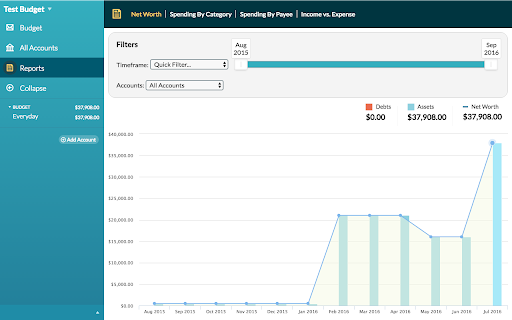


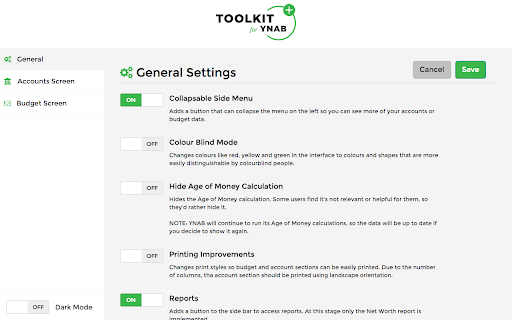
UI customizations and tweaks for the web version of YNAB. Toolkit for YNAB is a general purpose extension that adds features to YNAB and makes it more flexible. Have it your way! There are many different features available once installing the Toolkit for YNAB. You can see the full list here: https://github.com/toolkit-for-ynab/toolkit-for-ynab/blob/master/docs/feature-list.md All of these are configurable with options in the extension options page. Features under consideration and the general status of the project is on our Trello Board here: https://trello.com/b/EzOvXlil/ynab-enhanced-roadmap. Feel free to vote, comment and suggest new features. If you want to contribute, it's best if you can let us know so we don't double up on effort. You can see what is being worked on and by whom on the roadmap. This is an open source community developed and maintained extension. It is not affiliated with YNAB in any way (other than that we use it) and YNAB has not endorsed this at all. You Need a Budget and YNAB are registered trademarks of Steine LLC and/or one of its subsidiaries. This [app/plugin/script] is not officially supported by YNAB in any way. As such, your use of this [app/plugin/script] is risky. There is a very real possibility that using this [app/plugin/script] could introduce problems into your budget that YNAB, through its official support channels, will not be able to troubleshoot or fix. Please use at your own risk!

Readwise Highlighter
Save a page to Readwise Reader This is the official Reader browser extension made by and maintained by the Readwise team. You use the Reader Highlighter extension to: • Save articles to Reader – the first ever read-it-later app built for power readers. If you’ve ever used Instapaper or Pocket, Reader is like those, except it’s built for the modern era and brings all your reading into one place including: web articles, email newsletters, RSS feeds, Twitter threads, PDFs, EPUBs and more. You can get started with Reader here. • Highlight and annotate the open web. All highlights that you make using this extension will be synced with the Readwise ecosystem and, optionally, to your note-taking app of choice such as Obsidian, Notion, Roam Research, Evernote, Logseq, and more. Note: You must have an existing Readwise account to use this extension. If you are not already a subscriber, you can get a free 30-day trial with no credit card upfront. At the end of the trial, you will not be charged unless you choose to subscribe.

YNAB -> ProjectionLab Sync
Syncs YNAB account balances with ProjectionLab. Allows you to grow beyond Rule 4 with detailed projections and tax models. Keep your financial projections up to date! As a person who uses both YNAB and ProjectionLab you have likely spent a good amount of time keeping your account values in sync manually. This tool uses the YNAB API to help you update your ProjectionLab account values in a few clicks! The setup is simple: 1) Authorize your YNAB account. 2) Map YNAB accounts to ProjectionLab accounts. 3) Preview the new amounts before clicking "Sync Now". On future syncs the extension will remember your preferences, so you can skip straight to "Sync Now" unless you've changed accounts! We are not affiliated, associated, or in any way officially connected with YNAB, or any of its subsidiaries or its affiliates. We are fans of YNAB and made this to help ProjectionLab users quickly import their numbers. The official YNAB website can be found at https://www.ynab.com. The names YNAB and You Need A Budget as well as related names, marks, emblems and images are registered trademarks of YNAB.

Instapaper
Instapaper browser extension to save links for offline reading. Instapaper is a simple tool for saving web pages to read later on your iPhone, iPad, Android, computer, or Kindle. This browser extension may be used in place of the bookmarklet to save articles directly into your Instapaper queue. It works by saving the current tab to your Instapaper account . Users who aren't logged in will be taken to a login or signup page, after completing the process they will be redirected back to the original page with the original page saved in their queue.

1Password Beta – Password Manager
The best way to experience 1Password in your browser. Easily sign in to sites, generate passwords, and store secure information. 🐞 The 1Password beta is for adventurous folks who enjoy living on the cutting edge. Be the first to get the latest features. This extension requires a 1Password membership. If you don't have one yet, you can sign up when you install the extension and try one free. 1Password is a password manager that keeps you safe online. You want to use different passwords for every website, but it can be hard to keep track of them all. With 1Password you only ever need to memorize…one password. All your other passwords and important information are protected behind the one password only you know. 1Password manages everything for you: generating, saving, and filling your passwords. Get to know 1Password in your browser: **About your privacy** 1Password was designed with a deep respect for your privacy. The data you save is encrypted and inaccessible to us. Anything else is only ever used to provide you with service and support. We believe strongly that your data is yours, and we don't want to know anything about it. This is one of the fundamental beliefs 1Password was built upon. That's why our privacy policy is simple: your data is your data. We don't use it, we don't share it, and we don't sell it. You're our customer, not our product.
