
lliifkldpflpgmjkpdoolkfpafbdbkoh
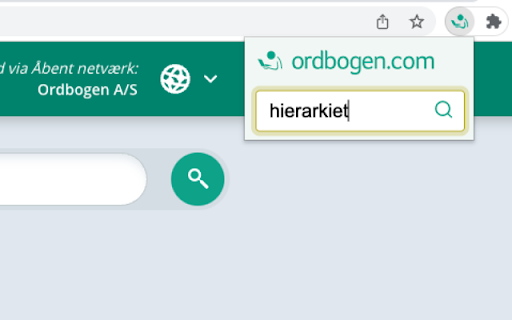

Ordbogens officielle Chrome extension. Føj Ordbogens officielle Chrome-extension til din Google Chrome-browser og oplev den ultimative bekvemmelighed med lynhurtig adgang til ordbøger online! Når du slår et ord op, vil det automatisk åbne i en ny fane med ordbogen.com. Og hvis du allerede har en fane åben, vil vores smarte extension benytte den, så du kan fortsætte din aktuelle browsingoplevelse. Prøv Ordbogens officielle Chrome-extension og få en ordbog direkte i din browser!

Chrome Notes
A simple notepad extension for Google Chrome NEW: You can now use speech to text NEW: You can now open Chrome Notes with Ctrl+Shift+X (Command+Shift+X on mac) NEW: You can now download and upload complete backups NEW: Chrome Notes adds a right click menu option to send the selected text to a new note! NEW: You can now have multiple notes! NEW: You can now customize the font size! A simple notes extension, right in your browser! Easily copy around a few words to and from different browser windows and other apps. Thank you for over 100,000 users, 100 ratings and 4.5 stars! Chrome Notes remembers your notes and mode, even after closing your browser or restarting your computer! Notes are stored in local storage, so nobody else will ever see them, not us, and not Google, Microsoft, or Apple. Features: * Resizable notepad * Shortcut buttons for cut, copy, paste, and select all * Normal keyboard shortcuts work too * Save as a .txt file * Open in new window * Speak selected text out-loud * Remembers last notepad size for you next time * Store multiple notes, and quickly create, edit, share, or delete * Focus mode for distraction free writing * Adjustable font size * Right click and send selection to new note * Download and upload full backups * Speech to text (click the mic and speak to put your words on the notepad) * Keyboard shortcut Ctrl+Shift+X (Command+Shift+X on mac) to open Chrome Notes is the smart, simple notepad built for you 😊

Chrome Dice
A simple dice rolling extension for Google Chrome Chrome Dice is a simple dice rolling extension for Google Chrome. Simply click the button and click a die to roll, wherever and whenever. * Ad-free * Works offline * Very small (less than 0.1mb) * No permissions and no data

Hangul
A Korean vocabulary building Chrome extension. Learn Korean with style! Make every New Tab a daily lesson with a new Korean Word of the Day. The ultimate low effort, high value language extension tool! Flip the card daily to learn a new Korean in the simplest way. Native Korean pronunciations included with each word and a descriptive sentence to aid to learning. The card refreshes every 24 hours with a new beautiful Korean background!

aB Spider
The aBowman Spider Chrome extension. Here is a small pet spider that you can access now and then when you're bored. You can change the colors, the size, and the speed of the spider in the settings.
