
lkkjbcdhcomlhjlcigdcobogiloekjbj
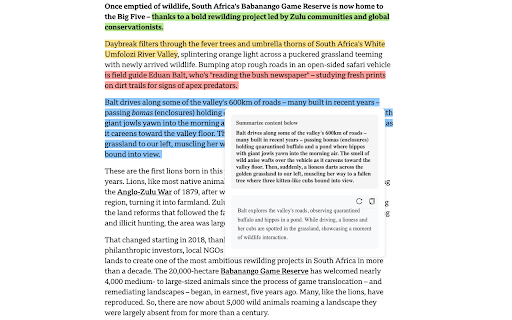


Free and easy to use The ultimate highlighting tool for web researchers, students, and professionals. Highlight text, organize notes, and collaborate across websites and PDFs—all with powerful AI assistance. ⭐ KEY FEATURES ⭐ ✨ Powerful Highlighting Effortlessly highlight text on any webpage or PDF with multiple colors. 🤖 AI Research Assistant Ask questions about selected text for instant insights or use custom AI prompts to analyze your highlights. 📚 Complete PDF Support Annotate, highlight, and organize your PDF research—all in one place. 🔄 Sync & Access Anywhere Your highlights stay with you across all devices in a team. 🔍 Smart Organization search, and filter your research collection for easy retrieval. 👥 Collaborative Research Share and discuss highlights with peers, making team research effortless. 📱 Website History Timeline Visually track and revisit your research journey with an intelligent browsing history. 💡 WHY CHOOSE WEBSCRIBE? ✅ Works Instantly - No complex setup or learning curve ✅ Persistent Highlighting - Your marks stay visible even after refreshing ✅ Distraction-Free Reading - Focus mode eliminates clutter ✅ Privacy First - Your research data belongs only to you 🔥 GET STARTED IN SECONDS 🔥 1. Select text on any webpage or PDF 2. Choose a highlight color 3. Add notes or AI analysis 4. Access your research library anytime

Immersive Translate: AI Web, PDF & Video Translator
📣 The Website Translation Extension with Explosive Word of Mouth Across the Web [Immersive Translate (沉浸式翻译)] ⭐⭐⭐⭐⭐ 📣 Trusted by 20M+ users worldwide with a privacy-first design. Recognized as Chrome’s 2024 Best Extension. 💻 The Functional Features Are as Follows: - 🚀 Offers bilingual website translate by smartly identifying the main content area of web pages, thus reducing the "intrusiveness" on the original webpage. This brings a better foreign language webpage translation and reading experience, hence it is named [Immersive Translate]. - 🚀 Optimized for Major Websites: Deeply customized for a seamless translation experience on Google Search, top social media platforms (Twitter, Reddit, Facebook), and renowned news websites. Whether you are searching, socializing, or gathering information, your browsing experience will be smoother and highly efficient. - 🚀 Features a mouse hover translation function, allowing you to simply hover the mouse over any paragraph on any webpage, and the corresponding translation will instantly appear below the paragraph. In the [Immersive Translate] design concept, paragraphs are considered the smallest unit, preserving their context, enabling a true understanding and learning of foreign languages. - 🚀 Introduces web page input box translation, where typing in your native language followed by a triple space in any web page's input box (immediately translates your input into the target language you've set). This unlocks a bilingual real-time conversation experience across languages with tools like Google Search, ChatGPT, and others. - 🚀 Hover Translation: Hover over text and use shortcut keys to instantly reveal paragraph translations. Read translations directly beneath the original content for smooth, effective, and immersive bilingual reading. - 🚀 Translate on Text Selection: Select any word or phrase to instantly view AI-powered translation and pronunciation—without leaving the page. - 🚀 Translate PDF(retaining the original document's format and layout), the advanced version supports all kinds of complex formula recognition, table recognition, and picture OCR recognition in PDFs. This ensures the translation maintains the original format and layout as much as possible. Applicable scenarios include, but are not limited to, PDF translation of foreign literature, academic papers, product manuals, etc. - 🚀 Also supports one-click translation of EPUB eBooks, TXT documents, HTML, and subtitle files (ASS/SRT). - 🚀 Automatic bilingual subtitle translation for mainstream online video sites (including YouTube, Netflix and dozens more), allowing one-click translation to break language barriers and enable the exchange of cultural ideas in various languages globally. - 🚀 Enable real-time translation for multilingual meetings on Zoom, Google Meet, and Microsoft Teams. Communicate clearly across languages and collaborate without barriers. - 🚀 Instantly translate Japanese manga, Korean webtoons, and Western comics, so you can read the latest chapters as soon as they’re released—without waiting for official translations. - 🚀 Immersive Translate supports both local image translation and one-click translation of web images—without interrupting your browsing experience. Powered by advanced OCR and inpainting technology, it preserves original layouts and visual styles for a seamless, immersive reading experience. - 🚀 AI Expert: Assign AI specialized industry roles to deliver more professional translations for specific domains. - 🚀 AI Term: Use pre-built terminology libraries to maintain consistent, accurate translations. You can also create and customize your own. - 🚀 Context-aware Translation: Powered by customizable AI terminology. Leverage domain-specific AI expertise and tailored term libraries to achieve more accurate translations across websites, PDFs, and online video subtitles. 🔐 Built with Privacy First Trusted by 20M+ users worldwide. Recommended by major browsers and recognized as Chrome’s 2024 Best Extension. - 🛡️ Zero content retention - 🛡️ No data used for model training - 🛡️ End-to-end encrypted requests Your translations stay yours. - 🚀 Powered by Top-Tier Translation Engines: Currently supports integration with over a dozen global mainstream machine translation services and cutting-edge AI Large Language Models (LLMs), including DeepL, OpenAI (ChatGPT), Gemini, and Claude, perfectly fulfilling your diverse translation needs across any scenario. The Immersive Translate extension is free to use. We hope it helps everyone break language barriers, allowing for an easy, enjoyable, and elegant way to access a wealth of foreign language information on the Internet. ❤️

Souli - PDF & Web Highlighter with Notes
✏️ One-Click Highlight & Note-Taking! Annotate, underline, highlight, add sticky notes & capture ideas on any webpage/PDF… Take notes your way, as smooth as pen on paper! 🔄 Refresh Without Fear! All annotations auto-restore—your knowledge never gets lost! 📁 Dedicated Data Management Panel: Easily organize & find your notes. 🔒 Local Data Processing: Ensures maximum privacy and instant speed! 🤖 AI-Powered Assistant: Get smart summaries & instant answers—build your ultimate productivity toolkit! - 🔥 Seamless highlighting on web pages, PDFs (including local files), and images - 🔥 Layered annotations - add multiple highlights on same text segments - 🔥 Multi-color & multi-brush options for enhanced reading experience - 🚀 Smart URL resolution for content appearing under different URLs - 🚀 Comment system & sticky notes for capturing reading insights - 🚀 Keyword search & auto-highlighting for important content identification - ❤️ Backend management: edit notes, add tags, organize by folders - ❤️ Markdown-compatible input integrates smoothly with AI tools - ❤️ A hotkey system that just works — powerful, yet dead simple - 🔥 Page/notes explanation & summarization with interactive Q&A - 🔥 Flexible AI provider configuration (OpenAI, Ollama, etc.) - ❤️ Custom prompt templates enhance reading workflows during highlighting - 🔥 Encrypted synchronization for secure data handling - 🚀 Export options: plain text, Markdown, OpenAPI integration - 🚀 Third-party compatibility with apps like Obsidian

Web Highlights: PDF & Web Highlighter + Notes & AI Summary
Productivity Highlighter & Annotation Tool for Websites & PDFs with AI Summary - free, easy to use, no sign-up required. Stay organized online with Web Highlights — a powerful Chrome extension to highlight text on websites, annotate PDFs, take notes, manage bookmarks, and generate AI summaries of your content. Whether you're a student, blogger, developer, researcher, or lifelong learner, Web Highlights helps you stay productive, save, organize, and revisit what matters — all in one place. Use it as your personal text highlighter for Chrome with smart note-taking, PDF annotation, tagging, full-text search, and AI-powered content summarization. Choose offline use or sync everything to the cloud via the web app. 🟢 Highlight websites and PDFs (including local files) 🎨 Multiple highlighter colors ✍️ Take notes and connect them with your highlights 🤖 AI Summary - Generate smart summaries of your highlights and websites 💬 AI Chat - Our AI understands the full context of the website, so you can chat with it and ask questions. 🔖 Save pages as bookmarks or use as a read-it-later web clipper tool 🏷️ Tag your highlights & bookmarks for easy filtering 🎥 Youtube Highlighting - Highlight & annotate Youtube video transcripts 🔄 Sync across devices and access highlights anywhere * 💻 Web app & sidebar with an overview of all your highlights, bookmarks, and notes 📖 Reader mode for focused and distraction-free article reading & annotating 🗂️ Import all your existing Chrome bookmarks 🔍 Powerful full-text search to find anything instantly 📷 Highlight images and visual elements * 𝐓 Highlight in various formats (headings, paragraphs, etc.) * 🧠 Daily recap of your highlights for better retention ⚡ Use keyboard shortcuts for ultimate productivity 📄 Export to Notion, Obsidian, Capacities, and other popular note-taking tools 📑 Copy to HTML and Markdown 📁 Export to PDF and HTML files * 📱 Bookmark on mobile with our web app * ⏰ Set email reminders for specific pages * 📚 Import Kindle highlights easily 💾 Backup and download your research * 🔗 Share your highlights * 👥 Discover content from others ✅ It just works – Highlight text in multiple colors on any website or PDF with a simple click. ✅ Persistent highlights - Your highlights stay visible even after reloading the page. ✅ Works offline – No account required for basic use. ✅ Sync across devices - Create an account to access your highlights anywhere from the web app. ✅ Unlimited AI summaries – Unlike other tools, we don’t place any limits on AI features. ✅ Reader Mode – Enjoy clean, distraction-free reading and keep a simple copy of articles. ✅ Integrate with Notion, Capacities, Obsidian, and other note-taking tools. ✅ Export your research — PDF, HTML, Markdown, or clipboard. ✅ Perfect for online deep work & and efficient research management. ✅ Help children learn - We proudly support the Save the Children charity and other great causes. You can use Web Highlights completely free without an account. Highlight, bookmark, and take notes offline anytime. Create a free account to enable cloud sync and unlock all features with a 7-day trial. Afterward, continue using the free offline version with basic features or upgrade for seamless access across all devices. Check out the current pricing here: https://web-highlights.com/pricing. ➡️ Enable/disable the highlighter popup via the settings and highlight using keyboard shortcuts or by right-clicking text. ➡️ Customize keyboard shortcuts at chrome://extensions/shortcuts ➡️ Some websites may have limited compatibility. ➡️ Local PDF support requires access to file URLs (see PDF setup guide: https://web-highlights.com/blog/how-to-highlight-pdfs-using-web-highlights). ➡️ Right-click images to save them to your sidebar of highlights & notes. ➡️ Use as a web clipper – Click the bookmark icon or right-click any website to save pages and add tags like "ReadingList" for easy reference later. ➡️ Disable extension on specific websites: Click the power icon in the sidebar to disable the highlighter on a site. You can also configure a blacklisted domain list with patterns in the settings under "Excluded" domains. ➡️ Sort highlights manually: Highlights should appear in the same order as on the page. If not, use the drag & drop or arrows in your annotation sidebar to rearrange them as needed. ➡️ Customizable Sidebar: Change the sidebar width by dragging its edge, and align it on the left or right side of the page for a personalized experience. ➡️ Switch to Advanced Highlighter Mode in settings to organize highlights with headings, paragraphs, and more in the sidebar. ➡️ Multiple Colors: Choose from predefined standard and pastel shades or click the plus icon to add your own custom color. ➡️ Note Taking: Use standard keyboard shortcuts like CMD + B for bold, CMD + U for underline, etc., in the note-taking editor for efficient formatting. ➡️ Reader Mode: Click “Open in Reader” to view any article in a clean, distraction-free layout with customizable fonts, colors, and spacing. A copy of the article is saved so you can read and highlight it with full focus — even if the original changes or disappears. ➡️ Focus highlights on website: Click on a highlight in the sidebar, and the page will scroll directly to the highlighted section for quick access. ➡️ Color Mode: Switch between dark and light mode by clicking the sun/moon icon in the sidebar. ➡️ Your data is always private unless you choose to share it. ➡️ You may be exposed to affiliate links on sites you visit while using this extension, and you may be encouraged to click on them, but you are never required to do so. 🔐 YOUR PRIVACY MATTERS We believe your data belongs to you. ✔️ Your highlights, notes, and bookmarks are private by default ✔️ Nothing is ever sold or used to profile you ✔️ Secure sync and export, only accessible with your account We never use your data for advertising, lending, or unrelated purposes. By installing the extension or signing up with an account, you agree to Web Highlights Terms of Service and Privacy Policy which you can find here: https://web-highlights.com/legal/terms-of-service ❤️ This is a one-person project I’m building with love and late nights. I hope you enjoy using this tool as much as I do. Feel free to share your feedback with me:

Notate — Research Highlighter & Web Clipper with AI
Highlight webpages, PDFs & YouTube. AI explains your highlights or web page. Summarize Youtube with AI. Syncs to Notion & Obsidian. Notate is the browser toolkit that turns what you read and watch into lasting knowledge—highlight, chat with AI, and export to Notion or Obsidian. Capture text from any webpage, video timestamps from YouTube, or selections from PDFs. Add notes, ask AI questions about what you've found, and sync everything to your knowledge base. One workflow for all content. - Highlight anything: Save text passages from web pages, timestamped video segments from YouTube, PDF selections, or screenshot any region—all with full source context preserved. - Built-in AI chat: Select any text and ask GPT-4o questions about it instantly. Deep Dive fetches relevant resources to expand your understanding. - Notes on the fly: Add quick notes to any highlight while the context is fresh. - Collections: Group related highlights and notes into organized sets. - Trail recording: Capture a sequence of highlights across multiple pages in one session, then export the whole trail. - Export to Notion & Obsidian: Sync highlights directly to your Notion databases or Obsidian vault—structured and ready to use. - Screenshots with context: Capture any region of a page, annotate it, and save it alongside your highlights. - Keyboard-first: Cmd/Ctrl shortcuts for highlighting, notes, AI chat, and screenshots. Built for speed. Works with - Web pages - YouTube and video platforms - PDFs (native and embedded) - Screenshots from any site Perfect for - Researchers and students who need accurate citations and organized references - Knowledge workers building a personal wiki from daily browsing - Anyone who wants to ask AI about content they're reading, right where they found it 1. Highlight: Select text, a video moment, or a PDF passage. 2. Enhance: Add a note, ask AI a question, or file it in a collection. 3. Export: Sync to Notion or Obsidian, or return to the exact source later. - Capture without context-switching: Highlight and annotate without leaving the page. - AI where you need it: Ask questions about selected text immediately—no copy-paste to ChatGPT. - Your knowledge, your tools: Export to Notion or Obsidian, not a proprietary silo. - Your data stays yours. No ads, no data selling. - Local-first with optional cloud sync. - Fast, reliable, and respectful. - Install Notate, highlight something meaningful, and click once. - That’s it -- clip, think, return, faster.
