
jkhlljnilbhpeoaijknfjbcanafcohbd
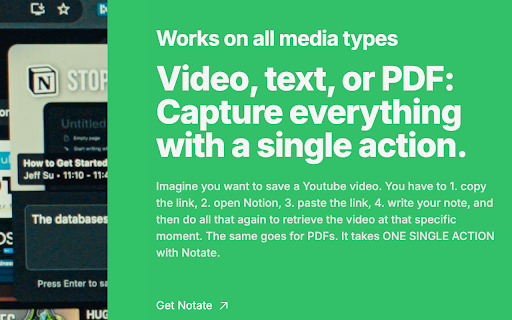


Highlight webpages, PDFs & YouTube. AI explains your highlights or web page. Summarize Youtube with AI. Syncs to Notion & Obsidian. Notate is the browser toolkit that turns what you read and watch into lasting knowledge—highlight, chat with AI, and export to Notion or Obsidian. Capture text from any webpage, video timestamps from YouTube, or selections from PDFs. Add notes, ask AI questions about what you've found, and sync everything to your knowledge base. One workflow for all content. - Highlight anything: Save text passages from web pages, timestamped video segments from YouTube, PDF selections, or screenshot any region—all with full source context preserved. - Built-in AI chat: Select any text and ask GPT-4o questions about it instantly. Deep Dive fetches relevant resources to expand your understanding. - Notes on the fly: Add quick notes to any highlight while the context is fresh. - Collections: Group related highlights and notes into organized sets. - Trail recording: Capture a sequence of highlights across multiple pages in one session, then export the whole trail. - Export to Notion & Obsidian: Sync highlights directly to your Notion databases or Obsidian vault—structured and ready to use. - Screenshots with context: Capture any region of a page, annotate it, and save it alongside your highlights. - Keyboard-first: Cmd/Ctrl shortcuts for highlighting, notes, AI chat, and screenshots. Built for speed. Works with - Web pages - YouTube and video platforms - PDFs (native and embedded) - Screenshots from any site Perfect for - Researchers and students who need accurate citations and organized references - Knowledge workers building a personal wiki from daily browsing - Anyone who wants to ask AI about content they're reading, right where they found it 1. Highlight: Select text, a video moment, or a PDF passage. 2. Enhance: Add a note, ask AI a question, or file it in a collection. 3. Export: Sync to Notion or Obsidian, or return to the exact source later. - Capture without context-switching: Highlight and annotate without leaving the page. - AI where you need it: Ask questions about selected text immediately—no copy-paste to ChatGPT. - Your knowledge, your tools: Export to Notion or Obsidian, not a proprietary silo. - Your data stays yours. No ads, no data selling. - Local-first with optional cloud sync. - Fast, reliable, and respectful. - Install Notate, highlight something meaningful, and click once. - That’s it -- clip, think, return, faster.

Text to Notion
Boost your productivity with this powerful Chrome extension designed to streamline your research and content organization process.… Boost your productivity with this powerful Chrome extension designed to streamline your research and content organization process. With just one click, you can instantly copy any selected text from a webpage along with its source URL and send it directly to your Notion workspace. Whether you're gathering information for projects, collecting quotes, or organizing web content, this extension eliminates the hassle of manual copying and pasting, saving you valuable time. Perfect for students, researchers, writers, and professionals who use Notion to stay organized, this tool ensures that you capture not only the content but also the source for easy reference later. Say goodbye to juggling between multiple tabs or losing track of your web sources—this extension keeps your workflow efficient and your notes well-structured

Fabric web clipper - save anything from the web
🍱 All your stuff in one place. 👋 Collaborate on anything. **Get started free with your Fabric account A beautiful personal explorer for your digital world, trusted by 300k+ researchers, creators, and thinkers. Save your inspiration and research to fabric — an intelligent workspace for collecting, organizing, and discovering web content. Find anything instantly with AI search and collaborate in real-time. UNIVERSAL SAVE 🌎 – Save anything: articles, images, videos, PDFs, and entire web pages – More than a bookmark manager — capture complete content with visual previews SMART ORGANIZATION ⚡️ – AI-powered automatic tagging and organization – Spaces, custom tags, and filters keep everything findable AI SEARCH & DISCOVERY 🔍 – Natural language search across all your content – Just describe what you're looking for — it's like having a perfect memory – Get AI summaries and insights from your saved content REAL-TIME COLLABORATION 👥 – Work together with live updates and shared cursors – See instant notifications as your team contributes – Skip the back-and-forth of email chains and group chats AI CHAT ASSISTANT 💬 – Chat with your knowledge base using natural language – Get answers and insights from your saved content – Connect with Google Drive, Notion, and more [Coming Soon] CROSS-PLATFORM ACCESS 📲 – Use Fabric anywhere — browser, mobile, desktop – Everything syncs automatically across all your devices • • • PERFECT FOR • • • – Finding inspiration & references for creative projects – Organizing research materials and sources – Building a searchable team knowledge base – Saving articles to read later with AI summaries – Creating visual collections for any project Your data security is our priority. All content is encrypted at rest (AES-256) and in transit (SSL/TLS). Learn more about our privacy commitment: https://fabric.so/privacy – Works with Chrome, Edge, and other Chromium browsers. We don't officially support Arc, Dia or Brave yet. – Compatible with Windows, Mac, and ChromeOS – Mobile apps available for iOS and Android • • • CONNECT WITH US • • •

Obsidian Easy Clipper
Clip web content to Obsidian with auto YouTube subtitle transcription and one-click saving for X (Twitter) and Reddit posts. Save web pages, YouTube transcripts, X posts, and Reddit posts to Obsidian in clean Markdown with one click. Obsidian Easy Clipper helps you capture articles, selections, videos, and social posts without clutter. It removes ads and distractions, preserves formatting, and saves content directly to your Obsidian vault so your notes stay clean, readable, and organized. New in this version: • A more flexible, less intrusive Sidebar Icon experience with three display modes: Auto-hide, Peek, and Hidden • New bottom-right and bottom-left position options • Hidden mode still supports quick saving via the right-click menu or keyboard shortcut Key Features: • Smart Content Extraction - Automatically removes ads, clutter, and irrelevant page elements • Clean Markdown Conversion - Preserves headings, lists, tables, links, code blocks, and LaTeX equations • Social Post Saving - Save posts from X (Twitter) and Reddit to Obsidian in a clean, readable format • YouTube Support - Embed YouTube videos with one click • YouTube Transcript Capture - Automatically save video transcripts to Obsidian with timestamp-based navigation • Selective Saving - Save an entire page or just the content you select • Metadata Extraction - Automatically captures title, author, publish date, and source URL • Smart Floating Button - Appears only when needed and reveals the save menu on hover • Quick Save Vaults - Customize quick-save vault options for faster saving to your preferred Obsidian vaults • Quick Tags - Add tags instantly before saving for better organization • Custom Properties - Add and manage custom Obsidian properties in Settings for more structured note organization • Multi-language Support - Supports multiple interface languages and automatically matches your preferred language 1. Move your mouse to the right edge of the browser 2. The floating button appears automatically 3. Hover over the button to open the save menu 4. Choose a vault and destination folder, add tags if needed, and save directly to Obsidian

myReach Web Clipper
Save the things that matter on the web in an interconnected network Introducing myReach: Unleash Your Productivity with AI-Powered Superpowers Discover the browser extension that revolutionizes how you save, organize, and access your digital knowledge. myReach is your second brain, seamlessly integrating with your browser to empower you with AI-driven intelligence and effortless retrieval of information. 📚 Save Anything, Find Everything: Capture websites, files, images, notes, and contacts effortlessly, and connect them to relevant tags. No more struggling to remember where you saved that important document or the name of a website – myReach lets you search based on your personal context, empowering you to find what you need quickly and effortlessly. 💡 AI-Assistant at Your Fingertips: Meet your smart AI-Assistant powered by myReach. Simply ask any question about your saved items, and it will instantly provide answers. Whether you need contract details, summarized articles, or reminders from your past conversations, it has the knowledge to assist you effortlessly. No more tedious searching or reading through endless pages – just ask and get instant answers. 🗂️ Organize Your Way: Say goodbye to traditional folders and embrace the freedom of myReach’s flexible workspaces. Create customized workspaces to separate business and personal matters, ensuring efficient organization and effortless collaboration for teams. With myReach, everyone can find the same document using their own context, eliminating the need for extensive training or navigating complex folder structures. 🔍 Intelligent Search, Even in Images: Extracted text from images and files makes every piece of content searchable, delivering unparalleled convenience and efficiency. Locate information buried within images effortlessly, saving you time and frustration. ⚡️ Enhance and Integrate: Customize your saved items with properties like rating, description, cost, and more, allowing for deeper organization and personalization. Seamlessly integrate myReach with your favorite tools, including Evernote, Zapier, Twitter, Google Maps, and more, expanding its capabilities and streamlining your workflow. Welcome to your personal knowledge hub, designed to boost productivity and streamline information retrieval. With myReach, your browser gains superpowers, empowering you to save, connect, and access your digital world effortlessly. Embrace the future of intelligent organization and download myReach today. Get myReach, and unlock a world of limitless knowledge at your fingertips
