
lkcdaeebcobbkbfgcgcciphmoolcijlf

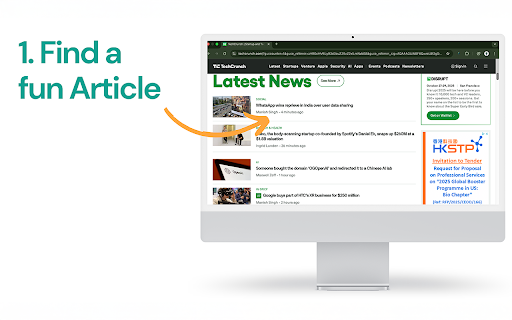


Dr. Read Chrome Extension Elevate Your Reading with Dr. Read's AI-Powered Literacy Tools Dr. Read, your personalized reading assistant, is designed to help readers of all levels improve their skills through cutting-edge AI technology. From pronunciation evaluation to AI-driven context explanations, Dr. Read is here to make reading accessible, engaging, and effective for everyone. With Dr. Read, you can practice reading, strengthen comprehension, and track your progress—all in one seamless platform. Start your journey toward becoming a stronger reader today! 🔑 Key Features 🪄 AI Reading Tools Save time and improve literacy with our advanced AI-powered tools. Dr. Read listens to you as you read, identifies where you’re struggling, and provides personalized support to help you practice and improve. Whether you're decoding new words or refining your fluency, Dr. Read is the perfect companion for your reading journey. ✅ Pronunciation Evaluation Dr. Read provides real-time feedback on your pronunciation, helping you fine-tune your reading skills: ➡️ Spot mispronunciations ➡️ Receive tailored suggestions ➡️ Improve fluency and accuracy ✏️ AI Context Explanations Stuck on a tricky word or phrase? Dr. Read’s context explanation tool simplifies complex sentences and helps you understand the text with ease. ⚙️ How It Works 1. Download the Dr. Read app to get started. 2. Begin reading a text of your choice while Dr. Read listens and evaluates your performance. 3. Get instant, actionable feedback to strengthen your reading skills over time. It’s that simple—AI-powered literacy at your fingertips! 💡 Perfect for Any Reader 🧑🎓 Students: Improve reading fluency and comprehension with guided practice. 👩💻 Professionals: Hone your reading skills to understand technical documents and reports. 📚 Parents: Support your child's literacy journey with personalized AI tools. 👤 Personal Use: Enhance your reading experience with feedback tailored to your needs. 🌟 Why Dr. Read Stands Out Dr. Read is your ultimate AI-powered reading assistant. Here’s why readers around the world love it: ✅ User-Friendly Interface: Enjoy a simple and intuitive design that makes reading practice fun and engaging. ✅ Personalized Feedback: Get custom recommendations to address your unique challenges. ✅ Read What YOU Like: Reading what you like makes you read more, which makes you better. ✅ Accessible Anywhere: Use Dr. Read wherever you are — perfect for learning on the go. ✅ Commitment to Literacy: Our mission is to expand access to reading tools for underserved communities worldwide. 🔍 Our Reading Tool Includes 🧩 Features: ➤ Real-time pronunciation evaluation ➤ AI context explanations for tricky words and sentences ➤ Personalized practice recommendations ➤ Tex-to-Speech to listen when reading gets tiresome ➤ Timer feature to track your daily reading practice ➤ Dictionary to look up new words ➤ Dark Mode / Light Mode ➤ Customizable layout, adjust it to your preferences 🔐 Privacy and Data Safety At Dr. Read, we take your privacy seriously. Your data is securely stored, and we never sell your information to third parties. Learn more in our Privacy Policy at www.drread.com/terms-and-conditions/ or contact us at info@drread.com with questions. Join readers worldwide who are transforming their literacy skills with Dr. Read. Install our Chrome Extension today and experience the power of personalized AI reading support!

Ask The Video
AI-powered Chrome extension that summarizes YouTube videos, saving time & boosting productivity. Get key points in a click! Ask The Video is a powerful and user-friendly extension designed to enhance your YouTube experience by providing concise summaries of videos, allowing you to quickly grasp the key takeaways and main points without watching the entire content. 1. News Summary: Get concise breakdowns of news videos, helping you stay informed without watching lengthy content. 2. Question & Answer: Enter your query, and the extension finds the relevant information within the video, saving time. 3. Write tweet: Automatically generate and share engaging tweets based on the video's highlights.

AI English Speaking Practice
Practice English speaking with real-time AI feedback 【Short Description】 Practice English speaking with real-time AI feedback. Get instant grammar and pronunciation guidance for effective learning. 💡 Advantages - Practice anytime, anywhere - Instant feedback for rapid improvement - Personalized algorithm recommendations - Completely free to use - Clean, intuitive interface 🎯 Perfect For - English learners - Business professionals - Test preparation - Teachers and students - Self-learners ✨ How to Use 1. Click the extension icon 2. Press the microphone button 3. Get AI analysis and suggestions 4. Practice and improve 🎁 Get Started Install now and begin your AI-powered English speaking journey!

Shortcuts
Add More Shortcuts to Google Chrome New Tab Page. • 🔥 Purely Shortcuts with Drag and Shuffle • ✅ No Popups, No Weird Data Permissions • 👍 Everything is Done Locally (Opensource Code) (Works even without internet connection) If you found a shortcut with broken icon (or any other bugs) please report it in the comments, we'll get it sorted out in the next update. (Thank you for using Shortcuts). This product is not affiliated with Google or Google Chrome. The Design was inspired by Google's latest products. See the code on Github: https://github.com/Xrilion/shortcuts By me a coffee if you feel like it: https://buymeacoffee.com/jabez

read-this.ai
Transform any articles into podcast-quality audio with just a click. Rediscover the Joy of Reading with Read-this.ai Do you constantly feel like you should read more substantive content, but can never find the time or focus? Are you tired of wasting time on empty social media instead of enriching your mind? The Read-this.ai Chrome extension turns any online article into an immersive audio experience with just one click. Our AI assistant instantly converts text into natural, human-quality narrations so you can absorb more content hands-free. Listen to long-form articles during your commute, workout, or while plowing through emails. Rediscover the joy of reading without the eye strain. I built Read-this.ai out of frustration with robotic text-to-speech services. Our smooth narrations bring the written word to life and let you get lost in the content. Using Read-this.ai is effortless and intuitive, designed to fit seamlessly into your web browsing routine: - Simply hold "r" + "t" (as in 'read this') on any web page. Our smart reader will instantly read the entire page or the text you've selected, bringing the content to life with high-quality voice narration. - Right-click on any page or selected text. Our extension will then read the whole article or just the selected text, based on your preference. This feature is perfect for when you need a quick summary or specific information from a lengthy article. - Or just click on the Read-this.ai extension icon. It will activate the speech synthesis for the entire page, transforming the text into an audio format. Whether it’s long-form articles, blog posts, etc, With Read-this.ai, the convenience extends beyond your browser. Every piece of audio generated by our Text-To-Speech Chrome Extension can be effortlessly downloaded through our website. This feature allows you to save narrations for later, making it perfect for offline listening or archiving important articles. But that's not all – for an even more versatile experience, take your audio narrations on the go with our dedicated iOS and Android apps. Whether you're commuting, exercising, or just relaxing, our apps ensure that your favorite articles are always just a tap away. Listen to high-quality voice narrations anytime, anywhere, bringing a new level of flexibility to your content consumption. Embrace the future of web interaction with Read-this.ai. From seamless integration in your Chrome browser to portable audio access across devices, we're redefining the way you experience the web – one article at a time.
