
feplidoinpnbiocfcodpnfhipdfnhjbp
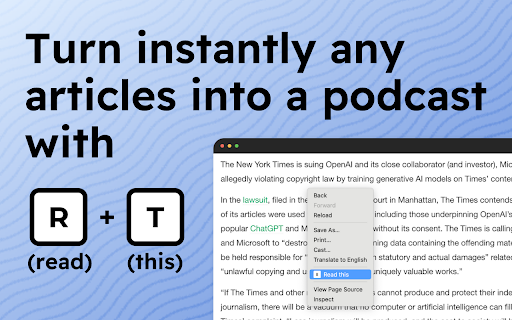
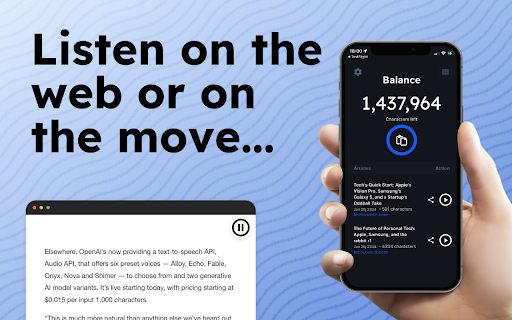
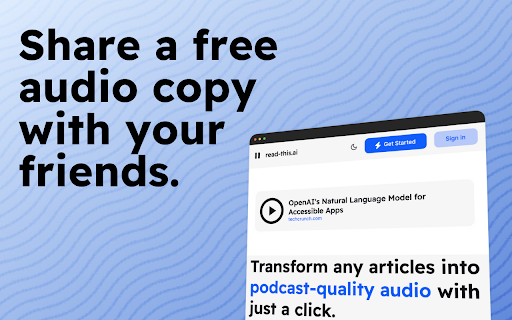

Transform any articles into podcast-quality audio with just a click. Rediscover the Joy of Reading with Read-this.ai Do you constantly feel like you should read more substantive content, but can never find the time or focus? Are you tired of wasting time on empty social media instead of enriching your mind? The Read-this.ai Chrome extension turns any online article into an immersive audio experience with just one click. Our AI assistant instantly converts text into natural, human-quality narrations so you can absorb more content hands-free. Listen to long-form articles during your commute, workout, or while plowing through emails. Rediscover the joy of reading without the eye strain. I built Read-this.ai out of frustration with robotic text-to-speech services. Our smooth narrations bring the written word to life and let you get lost in the content. Using Read-this.ai is effortless and intuitive, designed to fit seamlessly into your web browsing routine: - Simply hold "r" + "t" (as in 'read this') on any web page. Our smart reader will instantly read the entire page or the text you've selected, bringing the content to life with high-quality voice narration. - Right-click on any page or selected text. Our extension will then read the whole article or just the selected text, based on your preference. This feature is perfect for when you need a quick summary or specific information from a lengthy article. - Or just click on the Read-this.ai extension icon. It will activate the speech synthesis for the entire page, transforming the text into an audio format. Whether it’s long-form articles, blog posts, etc, With Read-this.ai, the convenience extends beyond your browser. Every piece of audio generated by our Text-To-Speech Chrome Extension can be effortlessly downloaded through our website. This feature allows you to save narrations for later, making it perfect for offline listening or archiving important articles. But that's not all – for an even more versatile experience, take your audio narrations on the go with our dedicated iOS and Android apps. Whether you're commuting, exercising, or just relaxing, our apps ensure that your favorite articles are always just a tap away. Listen to high-quality voice narrations anytime, anywhere, bringing a new level of flexibility to your content consumption. Embrace the future of web interaction with Read-this.ai. From seamless integration in your Chrome browser to portable audio access across devices, we're redefining the way you experience the web – one article at a time.

Read It To Me
Read It To Me: read aloud any text. The TTS reader converts text to speech. Read It To Me is your ultimate text reader. Introducing the Read it to me app, your ultimate tool for converting text to speech effortlessly. Whether you're reading articles, documents, or any web content, Read it to me text reader helps you. With features like read alouds, this extension is perfect for anyone who prefers auditory input. Key Features of Read it to me: 🚀 Instantly read text out loud 🚀 High-quality voices 🚀 Customizable reading speed 🚀 Pause and resume functionality Using the Read it to me text reader, you can convert text into spoken words instantly. This text to voice app integrates with your browser, allowing you to have web content read aloud to you. Whether you need to read pdf aloud, this text to speech extension works for you. 🟢 With Read It To Me, you can read text aloud from multiple sources. 🟢 You can use the text to speech Google Docs feature for your documents. 🟢 It integrates with Google Play Books for listening to your favorite books. 🟢 This read aloud extension will read your Kindle content to you. 🟢 For pdf files, it provides pdf audio support and can read pdf aloud. 🟢 It supports Epub files, requiring an extension from epubread.com. Read it to me is designed to provide a seamless read aloud experience. With online tts reader functionality, you can enjoy free text to voice services that make reading accessible. The Read it to me feature ensures easy browser integration with a user-friendly interface. How Read it to me works: 🔺 Install the Read It To Me TTS reader from the Chrome Web Store. 🔺 Customize settings for a personalized experience. 🔺 Listen as the TTS reader reads aloud to you. Read it to me supports Google text to speech, ensuring accurate and natural readings. Its interface makes it easy to customize your listening experience. This ttsreader tool is perfect for users looking for a reliable text to speech extension. Additional Benefits: 1️⃣ Versatile capabilities 2️⃣ High-quality voices 3️⃣ Integration with popular platforms The Read It To Me tts reader offers text to speech services. This read aloud extension integrates with various platforms and provides text to audio free of charge. As a versatile tool, it easily adjusts to various content types. With text to speech Google Docs feature, this extension is valuable for personal and office use. ✔️ Experience clear, natural speech with advanced TTS technology. ✔️ Streamline your workflow with a tool that adapts to your reading habits. ✔️ Optimized for ease of use and reliable performance. ✔️ Flexible for both casual and professional reading needs. By using the Read it to me extension, you can access read aloud features in text to speech Google Docs. It also allows you to enjoy content on Google Play Books or Amazon Kindle, making reading more enjoyable. ☀️ Have any selected content spoken out instantly. ☀️ This tool reads content clearly and naturally for document review. ☀️ Designed to read for you while multitasking. ☀️ For those needing to read pdf out loud, it integrates with pdf files. This text to speech extension is perfect for those who need text read out loud pdf reader. For better comprehension, the tool allows you to adjust reading speed to suit your preferences. Read it to me settings: Adjust reading speed Choose from multiple voices Personalize voice pitch Customize display settings Enable/disable pause and resume feature Try Read it to me tts reader today. Enjoy having text read aloud to you. Make the most of your time with this powerful text reader.

Storywiz: AI Reading Assistant
Storywiz instantly converts any text articles into immersive visual Stories and bite-sized AI Summaries. Storywiz instantly converts any text articles into immersive visual Stories and bite-sized AI Summaries so you can get through the information faster, and thoroughly enjoy your reading process. Use the free Storywiz Chrome Extension to get visual stories and summaries for any text articles you read online, within seconds. ⭐ Key Features ⭐ Here are the top features offered by the Storywiz extension powered by AI: 1️⃣ Captivating Visual stories from text articles Convert any traditional text article into a visually-stunning social story format that we all enjoy. The combination of text and visuals has been proven to help retain information. We used that concept, powered by AI, to help our users read through lengthy articles within seconds with stories. Immerse into your reading with our innovative visual stories. 2️⃣ High quality AI-powered summary from stories Instead of struggling to stay focused on long paragraphs, get a bite-sized summary and gain information faster. The AI summaries will get rid of the fluff so you can focus on reading the information that really matters. It’s like your own reading assistant that summarizes articles for you so you can read faster and read more. 3️⃣ Truly enjoyable and productive reading experience Save hundreds of hours every year while reading online by absorbing information faster and more effectively through a combination of AI summaries and visual stories. The visually stunning stories allow you to immerse in the content and truly enjoy your reading experience, while also saving a lot of reading time. ⭐ Benefits of using Storywiz ⭐ ✅ Boost your reading productivity by gaining key information faster ✅ Have a more enjoyable reading experience with visual stories ✅ Efficient reading with bite-sized and high-quality AI summaries ✅ Gain productivity and save hundreds of hours every year in online reading ✅ Skip the clutter of poor website experience and focus on the content ✅ Stay ahead in your field by effortlessly consuming information faster 🏁 Steps to Get Started 1️⃣ Hit the "Add to Chrome" button at the upper right corner and Install extension 2️⃣ Signup for Storywiz account, if you haven’t already, and log in to the Storywiz site 3️⃣ Click the Storywiz bubble on the bottom-right of any article page and view AI story ℹ️ FAQ (Frequently Asked Questions): 🤔 Does Storywiz offers a free plan? 👉 Yes, you can sign up for Storywiz Starter plan without adding card details and it offers 20 story credits for free. 🤔 How do I use the Storywiz Chrome Extension? 👉 Simply install the Chrome extension and pin it on your browser toolbar. On every article page you’ll see the Storywiz bubble on bottom-right section of the page. Simply click on it and use the extension 🤔 Why is the extension asking for all websites permission? 👉 Storywiz extension processes the articles and stories in your browser to generate the visual story and AI summary. In order to do this it needs access to the page URL and content. That’s why the extension needs access to all website permission, so that it works seamlessly on any website. 🤔 Do you collect any data? 👉 No, we do not collect any user data or analytics from the Chrome extension. The extension does not have access to any of your personal data saved in your browser. 🤔 Storywiz extension is not working for me, what should I do? 👉 Storywiz extension works best on web page with articles, stories, and longer text content. Sometimes, the web page may obstruct seamless working of the extension and in most cases re-opening the webpage in your browser will solve the issue. If you face any issues while using Storywiz, feel free to write to us through feedback form on the web app or write to us at support@storywiz.io

Reazy - Text to Speech
Listen to any webpage with one click. Save articles to a clean reader view. Free, high-quality… Listen to any webpage with one click. Save articles to a clean reader view. Free, high-quality text-to-speech (read aloud) for Chrome. Boost your reading comprehension and focus. Reazy transforms any webpage into clear, natural-sounding audio with one click. Perfect for deep work sessions—listen while taking notes, researching, or processing complex information. The combination of audio and visual highlighting helps you absorb and retain more, whether you're studying, working through reports, or catching up on industry news. Turn Reazy into your personal productivity tool and screen reader. Give your eyes a rest while staying engaged with your content. ===[ THE FREE CHROME EXTENSION ]=== The Reazy extension is 100% free with unlimited listening. 🎧 Instant Text to Speech Click the play button on any page. Reazy starts reading immediately with a high-quality, human-like voice. No setup needed. 🎯 Focus Highlighting Stay engaged and improve comprehension. Reazy highlights the sentence it's currently reading, keeping you perfectly in sync with this audio reader. ✨ Save for Later Found a great article but don't have time? One click sends it to our clean, distraction-free Reader View. Your first 3 saved articles are on us. 📸 Quick Screenshot Capture Need text from an image? Select any region of your screen and Reazy instantly converts it to speech-ready text. Perfect fallback when copy/paste doesn't work. ===[ UPGRADE FOR UNLIMITED ACCESS ($8/mo) ]=== For power users who want to build a permanent audio library. Lock in this price now—it will never increase for you, even as we add more features. 📚 Unlimited Library & Listening Save as many articles as you want and listen without limits. Read articles aloud anytime with your personal audio library. 📁 All Your Documents PDFs, Word, PowerPoint, Excel, images, text files, and web pages. Plus text recognition for scanned documents and images. Upload anything and start listening. 1. Install & Pin the Reazy icon to your toolbar. 2. Click the Reazy icon to add Reazy to the web page. 3. Sign up for a FREE Reazy account 4. Click ▶ on any page to listen. 5. Click the bookmark button on the Reazy interface to send the article to your Reazy library. ===[ BUILT FOR ]=== • Students & Researchers Absorb readings and papers faster with audio + visual highlighting to boost retention. • Professionals Power through reports and briefs while focusing on comprehension, not just skimming. • Anyone who Prefers Listening A simple, effective screen reader for dyslexia, eye fatigue, or anyone who prefers listening.

ReadText (Text to Speech Reader)
Single-click text-to-speech magic directly in your browser. Multi-task and customize in 30+ languages, effortlessly and for free. Ever feel like there's just too much to read and not enough time? I get it. That's why I created ReadText during my weekends – to help folks like us who love to learn, want to get work done faster, and hate the eyestrain. == Here's what ReadText can do for you == ➤ Turn any webpage into your personal audiobook Just click the ReadText icon, and boom – your browser starts reading to you. It's like magic, but without the pointy hat. ➤ Jump around the text like a pro See an interesting bit? Hover, click, and ReadText starts right there. No more losing your place or scrolling endlessly. ➤ Make it sound just right Speed it up when you're in a hurry, slow it down when you need it to. Change voices when you get bored. It's all right there in the reading bar. ➤ Your browser just learned new languages With over 30 languages and 100 accents, ReadText is ready for your next international adventure. (Also, there is way to add new languages seamlessly by you) ➤ All the good stuff, none of the bad Everything's free. No ads, no sneaky upgrades, no "premium" features. Just straightforward, helpful tech. ➤ Your secrets are safe with You! We don't know what you're reading, and we don't want to. Your data stays on your computer where it belongs. Also!, I'm just one person working on this in my spare time because I believe reading should be easier for everyone. If you run into any problems or have ideas to make ReadText even better for you and your friends, let me know! I'll do my best to fix issues and add cool new stuff as quickly as I can.
