
ljokfgphjbhjheflldgfmjligcmcmhmn

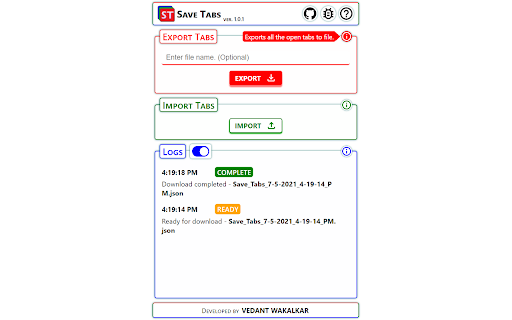
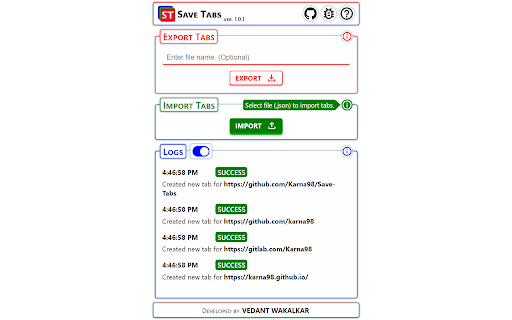

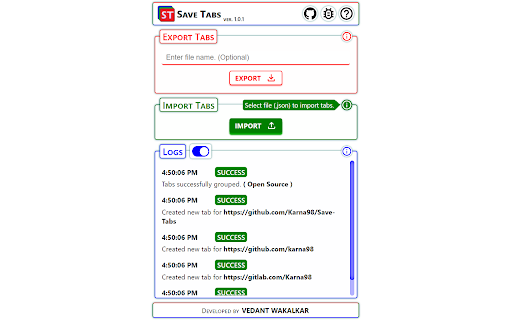
Export and Import Tabs. Save Tabs allows users to export all the tabs currently opened in the browser to a file and easily import it whenever they want to continue with the same set of browser tabs. For whom? One who open lots and lots of tabs in a single browser and want to revisit the same sets of browser tabs after a while Features : 1. Easy Export and Import of Tabs. 2. Export tabs with a custom name. 3. Grouped tab support. 4. Logs Section. 5. Cross Browser Support (as of now for Firefox) Data & Privacy: This extension does not collect any data in any form. All data processed is stored on the user's local storage and deleted after 10 min from the last usage.

Save All Tab URLs
Get the raw URLs of all your open tabs! When clicked, this extension shows all the URLs of your open tabs in a convenient way for you to copy/paste and save wherever you want, allowing you to re-visit all the open tabs you had the last time you used your browser!

Save my tabs!
An open source browser addon/extension to bookmark at once all open tabs to a folder in the Bookmarks Toolbar. I wanted a simple and easy way to dump lots of open tabs to a folder, so that I can reopen them all at a later time. Anyone doing online research ends up eventually with a lot of content open across multiple tabs. As it usually happens, many of these tabs are kept open just as a placeholder for review, which may not happen right away. If you cannot keep your browser open forever, or if you have multiple research projects going on at the same time, it can be convenient to just dump the current tabs on a bookmark folder, which makes it easy to resume the research activity at a later time. In fact, you can use the Open All in Tabs option on the folder to reopen all tabs.

Export Tabs URLs
List the URLs of all the open tabs and copy that list to clipboard or export it to a file.

Browser Sessions
Manage, save and restore tabs with one click. Access your browsing sessions when you need it. Manage, save and restore tabs with one click. Access your browsing sessions when you need it. Features: ⭐️ enhanced UI ⭐️ Better animations ⭐️ Confirm deletion for sessions ⭐️ Universal Search: Search through every session and find tabs. ⭐️ Quick Save: Save a session without typing a name. ⭐️ Open sessions on a new browser window. ⭐️ View tabs from every session to find the right one. ⭐️ Save as many tabs as you need for later. ⭐️ Tabs remain saved even if you close your browser or restart your computer. ⭐️ Save tabs from different windows and their tabs arrangement. ⭐️ Automatic dark and light mode. ⭐️ Select if you save tabs that belong to the browser (Ex: History, Downloads) ⭐️ Rename Sessions
