
ljidjfoleldhapkoglifniajafhhphpp
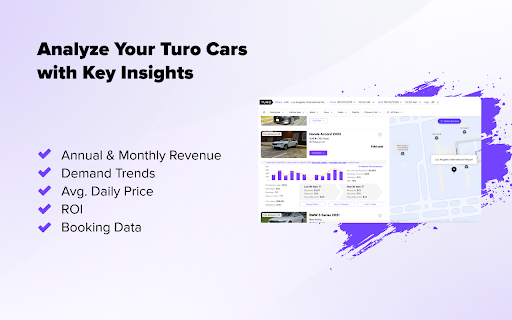


Analyze any car on Turo. See earnings, demand, market value, depreciation & more — directly inside the Turo website. CarPulse reveals the real numbers behind every car listing on Turo, so you can stop guessing and start making smart, confident decisions. No more hours of spreadsheet hunting or blind investing — just open a Turo listing, click the CarPulse button, and unlock instant insights. ⚡ What You’ll See: 📊 Actual Revenue from the past 90 days 📅 Projected earnings, demand, and pricing for the next 30 days 🛡️ Host protection plan, reviews, days on Turo, favorites 💸 Current market value and future depreciation 📈 12-month graphs for revenue, demand, and ROI 🗓️ Host’s availability schedule by day of the week 🚘 Entire host fleet in one simple table 💡 Designed for Turo Hosts Who Think Like Entrepreneurs CarPulse is built for hosts who want to scale smarter — not harder. Whether you're launching your first listing or managing ten, we give you the data edge to grow confidently. Start exploring in seconds. Install CarPulse now and turn listings into insights.

InfoSE
Quickly access relevant information for selected word Introducing "InfoSE," the ultimate extension for lightning-fast access to relevant information right at your fingertips. With InfoSE, effortlessly explore top relevant results for selected word, neatly organized within accordion-style panels, each offering a concise summary for quick insights. Key Features: Effortless Access: Simply highlight any word or phrase on your browser, and InfoSE springs into action, fetching relevant information instantaneously. Accordion Interface: InfoSE presents search results in a sleek accordion format, allowing you to expand and collapse each panel effortlessly. This intuitive design enables efficient browsing without cluttering your screen. Comprehensive Summaries: Dive into succinct summaries within each accordion panel, providing essential details without overwhelming you with excessive information. Whether it's definitions, explanations, or background context, InfoSE delivers the highlights at a glance. Wikipedia Integration: Seamlessly explore Wikipedia entries directly within InfoSE. With a single click, delve into comprehensive articles, gaining in-depth understanding on your chosen topic without leaving your browsing session.

TestFiltering+
TestFiltering+ automatically monitors your internet connection to ensure your filter is correctly blocking illegal/harmful content We work with specific partners to host test URL's on various lists and have test pages hosted where they will be blocked. This service was setup in response to the introduction of statutory guidance for schools in the UK about appropriate levels of filtering and monitoring of school internet connections. The UK Safer Internet Centre first published its filtering and monitoring definitions in 2016 to help both schools and providers understand what should be considered as ‘appropriate’.

Turostats - Turo Analytics
Turostats is a browser extension that provides analytics for Turo market and listings in your area. Unlock the power of data with TuroStats, a powerful browser extension designed to provide in-depth analytics for Turo listings. Whether you're a host looking to optimize your offerings or a user interested in the market trends, TuroStats has got you covered. 📊 Market Analysis: Gain insights into the Turo market with detailed analytics. Understand demand patterns, seasonal trends, and pricing strategies to stay ahead of the competition. 🚘 Popular Cars: Discover the most popular cars in your area. See which models are in high demand and adjust your fleet accordingly. 🧙 Host Insights: Get comprehensive data on hosts, including their ratings, reviews, and listing performance. Learn from the best and improve your hosting strategy. 👥 User Behavior: Analyze user behavior in your area. Understand what users are looking for, their booking patterns, and preferences to tailor your offerings. With TuroStats, make data-driven decisions to maximize your earnings and enhance your Turo experience. Install now and take your Turo game to the next level!

Raptor Explorer - Car Rental Analytics for Turo
Discover the ROI of the most profitable cars on Turo. Go beyond a Turo calculator with pro analytics for hosts. 🚀 Raptor Explorer: Advanced Analytics for Turo Hosts Maximize your Turo earnings with data-driven insights. Whether you're a seasoned host, just starting out, or planning your Turo business, Raptor Explorer delivers the key metrics you need to make smarter decisions and increase profitability. Get real-time numbers to power your calculations! 📊 Market Research Tools 🔹 Discover the most profitable cars in your area 🔹 Find the best vehicles to list on Turo 🔹 Track competitor pricing and performance 🔹 Identify market gaps and opportunities 💰 Revenue & ROI Analysis 🔹 Get average monthly earnings and ROI for any car 🔹 Track monthly revenue trends and utilization rates 🔹 Analyze protection plan rates and pricing strategies 🔹 Compare earnings across different car models 🎯 Host Success Tools 🔹 Monitor vehicle utilization rates 🔹 Track booking patterns and seasonal trends 🔹 Export data for detailed analysis ✨ Key Features ✅ One-click data collection ✅ Revenue calculator for Turo hosts ✅ Market value estimates ✅ Booking history analysis ✅ CSV export functionality ✅ User-friendly interface 💡 Make Smarter Business Decisions 🚗 Find the most rented cars on Turo 📊 Calculate potential ROI before buying 📈 Optimize your pricing strategy 📌 Understand market demand 🏆 Perfect for: 🔹 New Turo hosts starting their business 🔹 Experienced hosts expanding their fleet 🔹 Investors analyzing market opportunities 🔹 Hosts optimizing their existing listings ❓ Common Questions 🤔 Is Turo profitable? 💰 Many successful hosts earn $500–$4,000 monthly per car 📊 Analytics help you identify the most profitable opportunities 📈 Track ROI and performance metrics 🚘 What are the best cars for Turo? 🔎 Use analytics to find top-performing vehicles 📊 Compare revenue potential across different models 📌 Identify the most rented cars in your market 💵 How much can you make on Turo? 🔹 Calculate potential earnings before investing 🔹 Track actual performance metrics 🔹 Analyze market-specific revenue data 🌐 Turo is available in the United States, Australia, Canada, France, and the United Kingdom. Step 1: Search & Collect Data 🔎 Open Turo.com and search for vehicles in your area 🖱️ Click the Raptor Explorer button above search results 🔐 Sign in with Google to start collecting data 🗺️ Move the map to gather listings from different areas 📊 Watch as vehicles are automatically added to your table Step 2: Analyze Performance 📌 Click "Enrich vehicle data" to gather detailed metrics 📈 View monthly revenue trends and booking patterns 📊 Compare vehicle performance and market values 🚗 Track utilization rates and guest reviews 🔎 Identify top-performing cars in your market Step 3: Make Data-Driven Decisions 📄 Export comprehensive data to CSV for analysis 💰 Calculate potential ROI before investing 📊 Optimize your pricing strategy using market data 🚀 Choose the most profitable cars for your fleet 📈 Scale your Turo business with confidence Raptor Explorer is not affiliated with Turo Inc. "Turo" is a registered trademark of Turo Inc. Use of this name is solely for reference and does not imply any affiliation, endorsement, or partnership with Turo Inc.
