
ljgojnecbnombmmcjmmgbcgnmpokdmoi
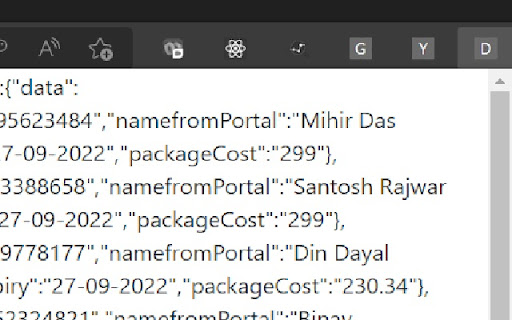
This is a personal project for reading data from certain columns of a table from a particular site. Only the user of the particular site will use it.

Web Data Scraper
A powerful web scraping tool with element picker Overview Web Data Scraper is a powerful browser extension designed for users who need to extract content from web pages. It allows users to scrape entire web page content with a single click or to pick specific elements on the page, making data collection highly customizable and efficient. With a user-friendly interface and intuitive interaction, Web Data Scraper simplifies the data extraction process. • Full Page Scraping Mode: Quickly scrape the entire content of a web page, ideal for users who need comprehensive data in one go. • Selector Mode: Manually select specific elements on the page for precise data extraction, capturing only what you need. • Data Preview: View the scraped data in a preview window to ensure accuracy before exporting. • Multiple Export Formats: Supports exporting scraped data as CSV and JSON files, facilitating further data processing and analysis. 1. Research & Analysis: Quickly extract data from web pages for academic research or data analysis. 2. E-commerce Management: Scrape essential data like product information and prices for market analysis. 3. Content Gathering: Easily capture news articles, blogs, and other content for curation and sharing. • Easy-to-Use Interface: Intuitive design allows users to start scraping with minimal setup. • Real-Time Data Preview: See selected elements in real-time, enabling quick adjustments. • Flexible Export Options: Supports both CSV and JSON export formats, catering to diverse data needs. Web Data Scraper is an essential tool for anyone looking to quickly gather and organize web content, making it ideal for research, market analysis, content curation, and more.

Extension Data
Quickly see stats for any chrome extension Take your Chrome extension experience to the next level with Extension Stats Analyzer! This powerful Chrome extension acts as your comprehensive metrics dashboard, providing valuable insights into the world of Chrome extensions. Empowering Extension Ecosystem: Extension Stats Analyzer is committed to making Chrome extension metrics more accessible to everyone. It opens doors for competitive analysis, supports ethical extension development, and helps users make informed choices. For Developers: We offer extension developers a chance to shine in the crowded marketplace. Our friendly tools assist in analyzing extension performance in the Chrome Web Store, allowing developers to refine their products and compete effectively. For Users and Organizations: Regain control over your browsing experience with insights into the risk factors associated with each extension. Quickly identify high-risk extensions and make informed decisions to enhance your digital security. Whether you're a developer aiming for success in the Chrome Web Store or a user looking to optimize your browsing experience, Extension Stats Analyzer is your trusted companion. Make informed decisions, support quality extensions, and ensure your Chrome browser is performing at its best. Download Extension Stats Analyzer today and embark on a journey to understand, enhance, and secure your Chrome extension ecosystem!

TweakSync
TweakSync lets you style web elements in real-time from Chrome and sync changes with VS Code for a smooth development experience. TweakSync is a powerful tool designed for front-end developers and web designers who want to streamline their styling workflow. This Chrome extension enables real-time styling of web elements directly within Chrome, allowing you to see changes instantly as you tweak styles. Real-Time Styling: Easily select any element on a webpage and adjust its styles on the fly. With live previews, you can see the impact of your changes immediately, making the styling process more efficient and intuitive. Seamless Integration with VS Code: TweakSync syncs your style changes directly with your VS Code environment. This integration allows you to apply and save your CSS changes effortlessly, ensuring that your development process remains smooth and uninterrupted. Efficient Workflow: By bridging the gap between your browser and your code editor, TweakSync eliminates the need to switch back and forth between tools. This results in a more streamlined workflow, saving you time and effort. Boost Your Efficiency: Save time with instant style updates and seamless integration with VS Code. TweakSync helps you make changes faster and more accurately. Improve Your Design Process: Experience a smoother design workflow with live previews and direct synchronization between Chrome and VS Code. Streamline Your Development: Minimize context-switching and keep your development process focused with TweakSync is real-time styling and VS Code integration.

Boost Editor -Right Click in SM Post Text Box
Your Chrome extension to copy text from Social Media Post textbox and Boost in Boost Editor Simply right-click on your favourite social media platform to continue editing in Boost Editor (https://boosteditor.com). By selecting the "Edit in Boost Editor" button, you can continue editing your post without losing any previously typed content. The Chrome extension will automatically copy and paste your text into the AI-powered Boost Editor for a smooth editing experience to boost your social media game. Boost Editor is an AI powered Unicode Text Editor that lets you easily create your social media content and format the text, add fancy fonts and a whole lot more! Boost Editor Empowers You to Stand Out from the Crowd and make a Lasting Impact ... BoostEditor allows you to break free from the limitations of social media platforms like LinkedIn, Twitter, or Facebook. Now, you can effortlessly add style to your posts by using 𝗯𝗼𝗹𝗱, 𝐼𝑡𝑎𝑙𝑖𝑐, and u̲n̲d̲e̲r̲l̲i̲n̲e̲ text, along with thousands of eye-catching 𝓕𝓸𝓷𝓽𝓼, Emojis 😀 , AI powered Emoji Selection and Hashtag Generator, all available within a powerful Unicode text editor. Boost Editor is the best 𝓕𝓪𝓷𝓬𝔂 Font Generator... Boost Editor offers a seamless and user-friendly experience, making it the ultimate choice for transforming your plain text into captivating and stylish content, guaranteed to leave a lasting impression.
