
ljemoeeinmimkamnneillooodljolhfd

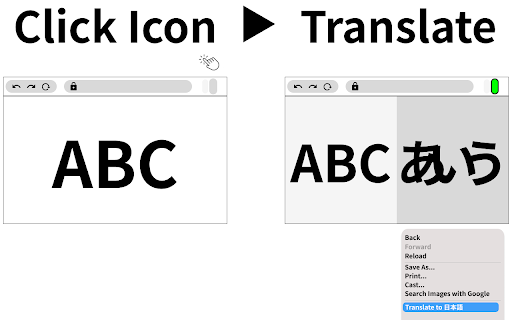
This extension creates an additional window for translation. Check source text and translated page side by side. This extension creates an additional window for translator. Check source and translated page side by side. This feature helps you with translation. Usage - Navigate to the web article you want to translate. - (Optional) Pin the this extention icon to your toolbar to make your experience more great! - Click the extension icon in your browser toolbar to activate the split pane for translation. - Alternatively, right-click on your page and click on the icon in the context menu. - Translate whole web page with Google Translator or DeepL ,etc. - Enjoy an enhanced reading experience with side by side translation! v0.0.10-12 Fix minor bugs v0.0.9 Add aligning src/dst height feature as possible & support button v0.0.8 minor env update v0.0.7 Support local files (Allow access to file URLs in the extension details)

CodeToSpan for Translation
Improves machine translation of programming docs by protecting inline code and reducing layout issues. CodeToSpan for Translation helps programming learners read translated documentation more comfortably. Programming documentation often contains inline code, keywords, and short code fragments. Browser translation can sometimes distort those parts or break the layout. CodeToSpan reduces these issues by replacing eligible code tags with span tags before translation. Main features: - Converts eligible code tags to span tags. - Turns processing ON or OFF from the popup. - Lets you configure which code elements are processed from the Options page. - Skips pages whose language appears to match the browser language. - Excludes specific hostnames from processing. - Shows the current tab hostname from the popup with Check Domain. - Adds the current hostname to Exclude Domains from the popup. - Shows an R badge when an already open tab needs reload after settings change. - Shows "Outdated Settings Detected." in the popup when the current tab is using old settings. Important notes: - Already open target tabs need to be reloaded after settings changes. - When RUN / STOP is changed, CodeToSpan asks whether to reload the current tab. Automatic reload can be enabled in Options. - Exclude Domains uses exact hostname matching. example.com does not match sub.example.com. - Some dynamic web apps may behave unexpectedly if code elements are rewritten. If buttons or links become unresponsive, stop the extension for that page or add the hostname to Exclude Domains, then reload the page.

GuardExt
Detect and alert on malicious browser extensions A Chrome extension that scans your installed browser extensions and flags potential security risks. Features: ◾️Permission analysis — Detects dangerous and sensitive permissions (webRequestBlocking, debugger, cookies, clipboardRead, etc.) and broad host access patterns (, *://*/*). ◾️Install type checks — Flags sideloaded and developer-mode extensions that weren't installed from the Chrome Web Store. ◾️Malicious ID blocklist — Cross-references each extension against a bundled list of known malicious extension IDs. Matches are tagged with a BLOCKLISTED badge and the specific reason. ◾️Risk scoring — Each extension receives a composite score and is categorized as Safe, Warning, or Danger. ◾️Auto-updating blocklist — the extension can fetch the latest blocklist at scan time with a local fallback.

JA/EN Url Toggler
Toggle language code (ja-JP/en-US) in current URL by one click. ブラウジング中に、ページの言語を切り替えます。 煩わしい設定なしに、拡張機能のアイコンをクリックするだけで切り替わります。 以下のような状況に最適です。 * 日本語ページの翻訳が微妙なので、英語のページを表示したい。 * 日本語ページを表示したかったが、英語のページが表示されてしまった。 URL中に 以下の文字列があれば、クリックでこれらを入れ替えたURLにアクセスします。 ja-JP en-US ja en よって、URL中に言語コードが含まれていないページでは動作しません。 MDNとMicrosoft technical documentationページでは動作することを確認しています。

Parallel Text
Your language learning co-pilot Translate languages to the sidebar To use on Safari for iPhone, iPad, and Mac: * Install Parallel Text from https://apps.apple.com/app/parallel-text/id6446043517 Note: Use only on Chrome, Safari, and Chrome-compatible browsers, except Microsoft Edge. Microsoft Edge does not have a capability to translate a portion of the page only, it always translate the whole page, which makes creating parallel text not possible
