
lioogclggbgabjfapimolnflapobhmak
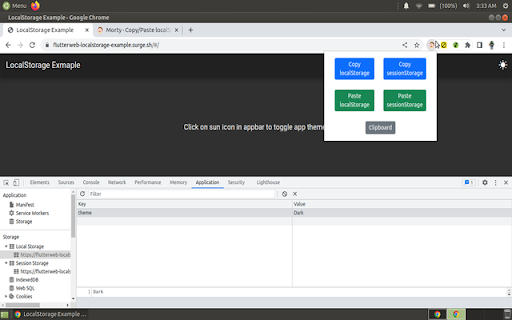
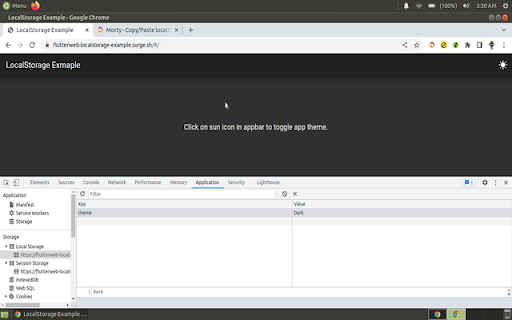
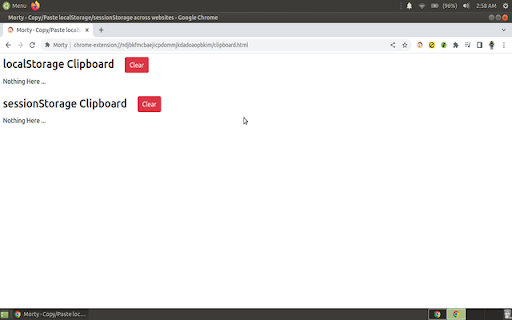
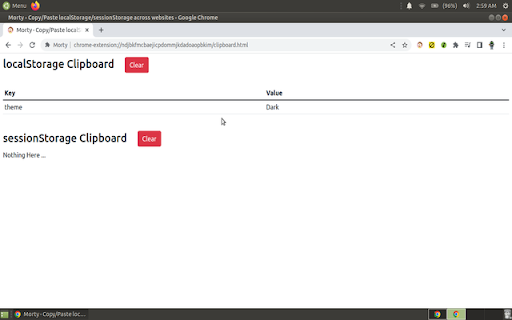
This extension offers quick and hassle-free (1-click) copy/paste of localStorage/sessionStorage data across sites. Quickly and Easily copy/paste data from localStorage or sessionStorage between different websites. Copy data from local-Storage/session-Storage of one website, and paste data to local-Storage/session-Storage of another website. There is an easy-to-access clipboard to view the copied stuff. There are clear buttons as well.

ReadAnything
Read anything with the power of AI Are you bothered by long and tedious papers filled with jargon? Are you frustrated by bad writing that seems to prevent you from understanding? Don't worry, let's harness the power of GPT to help us read anything!

Active Tab Tools
The easiest way to manage active tab local storage, behavior and other actions. The easiest way to manage tabs local storage, behavior and other actions 1. Install the Tab Tools extension in your browser -- To uninstall the extension -- - Right click on the extension icon and select "Remove from Chrome" - Is Tab Tools backing up my local storage automatically? No, your local storage data is only backed up when you choose to export it. - What type of file does Tab Tools use for import? Any text based file containing a typical JSON object - I imported my local storage file, what's next? Local storage content are instantly available to use on the website pages - A tab is refreshing or closing without asking me, what should I do? Make sure you have engaged with the tab and applied the rule to it or all tabs. Rule only works for tabs that has had at least one user interaction. - ActiveTab - to access background setting for the current tab you are on. - Scripting - to create and manage file export and import for local storage data. - Storage - to store and manage the tab specific settings and rules.

Auto Bookmark
Keeps a pinned bookmarks page open to prevent the browser window from closing when the last tab is closed. [Overview] A simple extension designed to prevent browser windows from accidentally closing when you close your tabs. ・Automatic Pinning: Automatically opens and pins the bookmarks page (or favorites page) at the far left of every normal window. ・Prevent Window Closure: Even if you close the last active tab, the pinned bookmarks page remains open, preventing the entire window from closing. ・Duplicate Cleanup: If multiple bookmarks pages accidentally open, it automatically cleans them up and keeps just one. The extension monitors tab states in the background to ensure that at least one pinned bookmarks page is always safely maintained.

Character Input
Press Insert key, then: aXXX for an Alt Code, XXXX for Unicode, c for (c), or HTML entity reference. Designed for Ex Libris Alma. Allows entering of symbols and diacritics into the Alma Metadata Editor (MDE) using Unicode, Alt-key codes, or HTML entity codes. It is designed to make the input of diacritics and symbols easy without needing to use a separate application or copy and paste from a website. It supports 4-digit Unicode hex codes, almost all HTML entity references, as well as Alt-key codes; it also allows quick entry of the copyright symbol. - aXXX for an Alt Code (e.g. a130 for é) , - XXXX for a Unicode code (e.g. 00e9 for é) - Any valid HTML entity (e.g. eacute for é) except IJ - c for a copyright symbol ©. Note that a0169, 00a9, and copy also work. Note that HTML entity references do not need the & and ; to be entered. Where possible some fuller and alternative names for accents are permissable, e.g. ehacek and ecircumflex will work although the correct codes are ecaron and ecirc. Codes can be all lower case although capital letters need to be entered properly, e.g. Eacute for É. Designed for Ex Libris Alma. Entering uXXXX for Unicode is deprecated from version 4.
