
linfnieoinjkmimnhjdfhbkmbnmjfacn
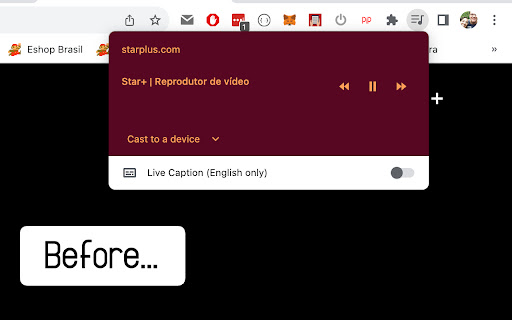

A simple extension that removes the disablepictureinpicture attribute from all elements in a page, enabling the default Chrome's built-in Picture-in-Picture feature. Just click the icon, or hit the keyboard shortcut (defaults to Ctrl+Shift+P or Cmd+Shift+P if on mac) and the magic happens.

Picture-in-Picture Anything - Place Any Element on Top of your screen
An extension that allows you to use Picture-in-Picture mode on any element of any website. This extension allows you to place any web page element into an Always-on-Top window, similar to video Picture-in-Picture mode, but now for any element. It utilizes a new Document Picture-in-Picture API (https://developer.chrome.com/docs/web-platform/document-picture-in-picture) and works natively in Chrome, Edge, and Opera browsers for desktop. Whether you want to have a video with proper controls and subtitles on top of your screen or an article that you are taking inspiration from before your eyes, this extension will help you. Press a keyboard shortcut (Ctrl-Shift-P) or Click on the extension icon in the toolbar or Right-click on the page and select "Picture-in-Picture Anything" to open the Element Selection Overlay Select an element by clicking the left mouse button on it. Holding a Shift button when selecting an element will open a Precise Selection Panel. There, you can navigate the element tree and select precisely an element you want. Pressing ESC before selecting an element will close the window. Sometimes, you may want to play around with the element you choose to achieve the desired effect (selecting either a parent or child element may help you if an element doesn't behave correctly). Please let me know if something needs to be fixed or if you have ideas for improvement.

Picture-in-Picture Everywhere
PiP Everywhere is a modern Google Chrome extension that lets you enable Picture-in-Picture (PiP) mode on any video, any website, anytime. Simply hover your cursor over a video, and a convenient button will appear to display the image in a separate mini-window on top of all other windows. The extension is fully compatible with YouTube, Vimeo, Netflix, Twitch, social media, educational platforms, and any other websites with video players. Now you can watch videos while working in other tabs or apps. Works on all websites, regardless of the embedded player type. Even if a website blocks PiP, the extension automatically bypasses the disablePictureInPicture attribute and unblocks the feature. Just hover your cursor over the video, and a floating button with a PiP icon will appear in the upper right corner. Click it, and the video will instantly open in a separate window, above all other videos. Press Alt + P to toggle PiP mode for the largest video on the page. Works on any website, without opening a popup menu. The extension constantly monitors new videos appearing on the page and automatically adds a PiP button for them—perfect for dynamic websites (YouTube, Twitter, TikTok, etc.). The popup window is designed in the Tailwind CSS style: • Light and dark themes; • Gradient buttons, responsive layout; • Displays the number of videos found on the current page; • "Activate PiP" and "Exit PiP" buttons; • Theme switcher (System / Light / Dark). Full support for 3 languages: The interface automatically selects the browser language or allows you to change it manually. ⚙️ Theme settings and saving The selected theme (light, dark, or system) is saved via the Chrome Storage API, ensuring your interface looks the same every time you launch it. The code is optimized—the extension doesn't impact browser performance, doesn't collect data, and doesn't create unnecessary background processes.

Picture in Picture Player - Floating Video
Keep your videos visible at all times while doing something else! PiP mode on all videos. Picture in Picture for Chrome - allows you to watch videos in a floating window (always on top of other windows) so you can keep track of what you are watching when interacting with other sites or applications. Just click on the extension icon to display the video player on YouTube, X or any other websites on the Web. This window will play the video on all pages of the browser on which there is a video resource. Features: • Floating video window • Pop out videos from any website • Works with YouTube, Netflix, Twitch and more • Move and resize the mini video player • Watch videos while browsing other tabs Try real multitasking with a floating mini player that simplifies your life on the Web! Watch videos in picture-in-picture mode on popular sites. Note: YouTube is a trademark of Google Inc. Use of this trademark is subject to Google’s permission. PiP video player is not created, is not associated or not supported with Google Inc. This PIP extension is completely free, safe, fast and easy to add to your Chrome browser. We will be glad to see your comments and assessment - this is very important for us!

Picture-in-Picture for ALL Sites
Enables picture-in-picture mode, even for sites that have disabled it This extension functions similarly to the official Google extension, except it does not include Google Analytics and it ignores the `disablepictureinpicture` attribute on HTML videos. This means that sites like Netflix, Disney Plus, and Hulu will work!
