
linbconflpklpfbfljahfjfjnfenideb


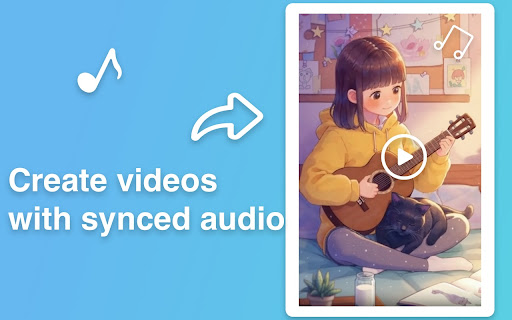
Create cinematic AI videos from text or images with Sora 2. Realistic physics, synced audio, scene control. No filming required. Transform your ideas into captivating, high-quality videos in minutes. Whether you start with text descriptions or static images, Sora 2 brings your vision to life with synchronized audio, lifelike physics, and cinematic quality-no filming, no editing skills, no production crew required. Use the intuitive Storyboard tool to plan multi-scene narratives, refine AI-generated drafts, and specify camera angles, pacing, and transitions through detailed prompts. 🎯 Key Features • 🔊 Synchronized Audio & Video Automatically generates dialogue, sound effects, and ambient music perfectly aligned with on-screen action for immersive viewing experiences. • ⚙️ Advanced Physics Engine Objects move naturally with realistic momentum, turning dynamics, bouncing, and lifelike motion that mirrors the real world. • 🎬 Multi-Shot Sequences & Scene Control Handle complex, multi-scene prompts while maintaining consistent world state, characters, and continuity. Control camera movements, pacing, and smooth transitions between shots. • 🎨 Multiple Visual Styles Choose from realistic, cinematic, or anime aesthetics-all rendered in stunning quality to match your creative vision. • 📝 Text-to-Video & 🖼️ Image-to-Video Describe any scene in words or upload a single image to generate dynamic, related motion and bring static content to life. • 🎵 Intelligent Music Generation Automatically adds background music that fits the mood, pacing, and atmosphere of your scene-no manual audio editing needed. • 📐 Storyboard-Based Creative Control Fine-tune camera angles, scene pacing, lighting, and aspect ratios through the Storyboard editor. Combine multiple clips into unified sequences with narrative flow and seamless scene transitions. • 🏆 Commercial-Ready Quality Professional-grade output suitable for marketing campaigns, product showcases, advertisements, presentations, and client deliverables. 👥 Who It's For • Content Creators & Social Media Teams: scale video production across YouTube, TikTok, Instagram, and all channels without hiring a crew • Marketing Professionals & Agencies: create product demos, promotional teasers, ads, and campaign content at unprecedented speed • E-commerce & Online Sellers: generate engaging product showcase videos that boost conversions and customer engagement • Educators & Presenters: produce compelling lesson introductions, explainer videos, and educational content effortlessly • Entrepreneurs & Startups: create pitch videos, demos, and marketing materials on a lean budget 🚀 Getting Started 1. Install & Sign In: Install the extension, click the icon in your browser toolbar, and sign in to your account. 2. Choose Your Creation Mode: Select "Text-to-Video" to describe your vision in words, or "Image-to-Video" to animate an existing image. 3. Craft Your Prompt: Describe your desired scene with details about subjects, actions, setting, style, and mood. 4. Generate & Review: Click generate and watch as AI brings your vision to life with video and synchronized audio. 5. Save & Export: Save your creation to "My Creations" library for easy access, editing, or downloading. 💡 Pro Prompting Tips • Be Specific & Detailed: Include clear descriptions of subjects, settings, lighting, style preferences, mood, and pacing for best results • Guide Motion & Action: Use dynamic verbs and specify tempo-"slowly pans," "quickly zooms," "gracefully moves"-to control visual flow • Direct the Audio: Specify music genre, emotional tone, and even instruments-"upbeat electronic music," "melancholic piano," "epic orchestral score" • Set the Scene: Describe time of day, weather, environment details, and atmosphere to create richer, more immersive videos • Iterate & Refine: Start with a basic prompt, then add more specific details in subsequent generations to fine-tune your result 🎨 Creative Use Cases • Product Launches: generate eye-catching announcement videos with dramatic reveals • Social Media Content: create scroll-stopping posts and stories that drive engagement • Brand Storytelling: bring your brand narrative to life with cinematic sequences • Testimonial Enhancement: add dynamic visuals to customer quotes and reviews • Educational Content: visualize complex concepts with clear, engaging explanations • Event Promotion: produce compelling teaser videos for conferences, webinars, or launches 🔐 Privacy & Security We respect your privacy. Your prompts and uploads are processed only to generate videos. Projects are saved to your account per your settings and can be deleted anytime. See our website privacy policy for details. 📚 Support & Resources If you have questions or need help, contact support with details and screenshots for faster assistance.

Trupeer - AI Screen Recorder for Video Documentation, SOPs & Screenshots
Create Video & Documentation in minutes with AI. Share polished video and step-by-step guides/SOPs in seconds. Instead of traditional video editing let AI handle your videos & documentation without manually editing and copy/pasting screenshots and text instructions. 90% reduction in video editing & documentation cycles. Whether you are showing a new feature, building a training guide, creating a support article, or recording a walkthrough for customers, create it with Trupeer without cameras, retakes, or complex editing. What people use Trupeer for Teams use Trupeer to: 1. create product demo videos 2. record software tutorials and walkthroughs 3. make training videos for onboarding and sales enablement 4. build knowledge base articles and step-by-step guides 5. create help center content for customer support 6. share product updates with customers and prospects 7. document workflows, SOPs, and process changes If someone on your team has ever said, “This would be easier to explain in a video,” Trupeer is built for that workflow. Start by recording your screen or uploading a video. Trupeer captures your screen, voice, and internal audio, then helps turn that recording into content your team can actually use. From one recording, you can create: 1. polished video walkthrough 2. narrated product demo 3. training or onboarding video 4. structured document with steps and screenshots 5. shareable knowledge base library This is what makes Trupeer useful for teams that need both video and documentation, not just another screen recorder. * Edit with AI, not with complicated timelines. Trupeer helps you clean up and improve recordings without advanced editing skills. You can: 1. turn speech into an editable script 2. rewrite the script with AI 3. trim video using the script 4. remove filler words automatically 5. add or delete pauses 6. delete chunks or skip sections 7. add clips anywhere in the video 8. use AI voiceovers and AI avatars 9. add custom voices, including ElevenLabs voices 10. keep or use the original transcript 11. add captions and chapters 12. adjust timing with timeline controls 13. use zoom effects, crop tools, and aspect ratio changes 14. add intro slides, outro slides, backgrounds, transitions, music, and text These features help teams create cleaner tutorial videos, explainer videos, customer training content, and sales demos much faster. * Build documentation and knowledge base content at the same time Trupeer also works as a documentation generator and knowledge base software. You can create and edit documents with: 1. step-by-step instructions 2. screenshots and external images 3. new steps added manually 4. AI rewrites 5. find and replace 6. rich text formatting 7. document templates 8. image cropping 9. bulk image cropping 10. annotations like blur, arrows, and text This makes Trupeer useful for teams searching for: 1. step-by-step documentation software 2. SOP documentation tools 3. help center content tools 4. product knowledge base software * Create on-brand content for your team- Trupeer supports brand customization so your videos and docs stay consistent across teams. You can use: 1. video templates 2. documentation templates 3. custom avatars 4. custom voices 5. custom backgrounds 6. custom music 7. brand kits 8. custom glossary 9. custom pronunciation settings * Translate for global teams Trupeer helps global teams create multilingual content faster with: 1. video translation 2. document translation 3. support for 65+ languages This is especially useful for customer education, onboarding, support, and internal training across regions. Trupeer makes it easy to publish content as a shareable page and keep improving it over time. You can: 1. share with one link 2. update the content without changing the URL 3. use shared pages for docs and videos 4. track engagement with share page analytics That makes it useful for teams maintaining help centers, training libraries, product docs, and sales collateral. * Built for teams and organizations Trupeer supports team workflows with: 1. organization setup 2. team invites 3. shared assets 4. centralized administration 5. organization analytics Trusted by thousands of teams like Glean, United Health Group, SAP, Adobe, Berkshire Hathaway etc to create product demos, walkthroughs, training videos, onboarding content, documentation, and knowledge base pages faster. What is Trupeer? Trupeer is an AI screen recorder and content creation tool that helps you turn screen recordings into product demos, tutorials, training videos, and step-by-step documentation. Who is Trupeer for? Trupeer is built for product teams, sales teams, customer success teams, support teams, operations teams, and anyone who needs to explain software, workflows, or processes clearly. Can Trupeer create both videos and documentation? Yes. Trupeer can turn one recording into both a polished video and a structured document with steps, screenshots, and annotations. Can I use Trupeer for product demos and software walkthroughs? Yes. Trupeer is designed for product demos, feature walkthroughs, onboarding training, customer education, and tutorial content. Does Trupeer support AI avatars and voiceovers? Yes. Trupeer supports AI avatars, AI voiceovers, and custom voices, including ElevenLabs voice options. Can I edit my video by editing the script? Yes. You can edit the script, rewrite it with AI, trim using the script, remove filler words, add pauses, and clean up sections without traditional video editing complexity. Can I create knowledge base articles and help center content? Yes. Trupeer can create step-by-step documents, guides, SOPs, help center content, and knowledge base pages from your recordings. Does Trupeer support captions, chapters, and translations? Yes. Trupeer supports captions, chapters, video translation, and document translation in 65+ languages. Can I brand my videos and docs? Yes. You can use templates, brand kits, custom avatars, custom voices, custom backgrounds, music, glossary rules, and pronunciation settings. Can teams collaborate in Trupeer? Yes. Trupeer supports organization setup, team invites, shared assets, centralized administration, and analytics for team workflows. For support or feedback, contact hello@trupeer.ai This Screen Recorder Chrome Extension builds on Screenity, originally created by Alyssa X and licensed under the GNU GPLv3, with enhancements developed by the Trupeer team. Source code available https://github.com/trupeer-ai/trupeer-chrome-capture For more information about how to use Trupeer.ai, please visit https://www.trupeer.ai/

Text to Video - AI Video Creator | Pictory
Convert any text or URL into a professional AI-generated video with captions, visuals, and voiceovers — powered by Pictory 🎬 Turn Any URL or Text into a Video Instantly The Text to Video Chrome Extension by Pictory lets you transform any online article, webpage, or script into a complete video, all without leaving your browser. 📋 Paste a URL or text, and our AI automatically extracts the main ideas, writes a script, selects visuals, and adds captions and voiceovers. Whether you’re a marketer, educator, or content creator, you can turn blogs, research papers, or news articles into ready-to-publish videos in minutes. ⚙️ How It Works Step 1 – Capture a URL or Enter Text While browsing any webpage, click the Pictory Chrome Extension. The extension automatically captures the URL. Step 2 – Choose Video Type Select your preferred video style: 💡 Explainer 📣 Marketing 💼 Internal Communication 🎓 Tutorial This helps the AI tailor the tone and flow of your script. Step 3 – Generate Your Script Click “Generate Script.” Pictory AI will summarize the webpage or process your text input to create a concise, editable script optimized for video storytelling. Step 4 – Edit and Customize You’ll be redirected to your Pictory workspace, where you can: • Review and edit the generated script • Adjust visuals, captions, and audio • Apply your brand kit (logo, fonts, colors) • Choose voiceovers and music Step 5 – Generate and Download Video Preview your project and download a high-quality video, ready to share across social platforms, websites, or presentations. ✨ Key Features 🔗 URL to Video: Convert any online article or web page into a summarized AI video. 📝 Text to Video: Paste any text, and Pictory turns it into visuals, captions, and voiceover. 🧩 AI Script Summarizer: Automatically extract key ideas from long-form content. 🎨 Fully Customizable: Edit scenes, captions, visuals, and add your brand kit. 🎙️ Voiceover and Subtitles: Choose professional AI voices and auto-generate subtitles. ⚡ One-Click Workflow: Seamlessly integrated with your browser and Pictory account. 👥 Who It’s For 📈 Content marketers repurposing blogs and news articles into videos. 🎓 Educators turning lessons or research into visual explainers. 🏢 Corporate teams creating internal communication videos. 🎥 Creators and entrepreneurs sharing insights on YouTube, LinkedIn, and TikTok. 💎 Why Choose Pictory Pictory’s award-winning AI video platform powers this extension, enabling effortless text-to-video and URL-to-video conversion. 🌍 Trusted by over one million professionals worldwide, it combines script generation, video editing, and brand management in one seamless workflow. 🔒 Privacy & Permissions This extension requires minimal access: • Reads the active webpage only when you click the extension • No background tracking or data storage • Processes text securely via your authenticated Pictory account

Potion Screen Recorder - Easily Create Personalized AI Videos
Convert screen recordings into personalized AI videos. Create realistic personalized AI videos. Clone your face, voice & gestures. Potion allows you to easily create customized & personalized AI Videos. Potion is a leading AI video software that empowers you to break through the clutter and connect with your audience in deeper way. Who benefits from Potion videos? - Sales & Marketing Professionals: Close more deals and build lasting relationships with personalized video email marketing. - Recruiters: Stand out and attract top talent with engaging video introductions. - Agency Owners: Showcase your expertise and win over clients with impactful video proposals. - Customer Support Executives: Humanize your interactions and resolve issues faster with personalized customer experiences, delivered with video. - Product Managers: Generate excitement for new features with engaging product demos delivered through AI video personalization. - E-commerce Store Owners: Boost conversions and personalize shopping experiences with targeted video messages. - Real Estate Agents: Showcase properties in a whole new light with personalized video tours. Why choose Potion AI? - Craft Powerful, Personalized AI Videos at Scale: Say goodbye to generic text emails and hello to personalized AI videos! Record a single message and let Potion AI's magic take over. It's like mail-merge for videos, but with the power of AI personalization. - Generate Videos From Text: Use our Personal AI avatars to bring the human element to automated communications. It mimics your gestures, facial expressions, and speech patterns. Thus, making the content feel more engaging and relatable. - Effortless Integration with Your Workflow: Streamline your personalized video outreach with Potion AI. Seamlessly integrate with LinkedIn Messenger and Gmail. Create and share personalized videos at scale directly within your existing tools in just a few clicks. - Boost Sales & Marketing Results: Studies show that personalized videos can increase response rates by up to 500%. With Potion AI, you can easily create personalized video sales letters (VSLs), do AI video prospecting, and run personalized video email marketing campaigns that resonate with your audience and drive results. - AI Prospecting Powerhouse: Level up your AI cold outreach with personalized video emails. Potion is one of the most accessible AI video prospecting software. Thus, you can craft personalized videos at scale to build trust and convert leads faster. Get Started with Potion AI in Minutes: 1. Install the Free Chrome Extension: Get up and running quickly with Potion AI's easy-to-use Chrome extension. 2. Create Personalized Video Templates: Log in to your Potion account and record an engaging video base template tailored to your specific audience and goals. 3. Record Once, Personalize for All: Our AI video personalization software transforms your single recording into personalized videos for each recipient. It's like having your own AI video production team working for you. 4. Don’t Wanna Record? Just Type: Once you've trained our video AI, creating videos with your own face and voice is as simple as typing out a script. It’s that easy! Ready to see the magic in action? Try it today and experience the future of AI video creation. 5. Share Your Videos with Ease: Choose from various sharing options, including links, GIFs, and direct email embedding into LinkedIn messages. Benefits of Using Potion AI: - Build Stronger Relationships: Showcase your genuine interest and connect with clients on a deeper level through personalized video communication. - Stand Out from the Crowd: Break through the text-based email fatigue and grab attention with visually engaging and personalized AI videos. - Boost Trust with Your Audience: Demonstrate your commitment and authenticity with personalized video messages, leading to increased trust and conversions. - Drive Sales & Upsells: Deliver compelling video pitches and personalized product demos to close deals faster and nurture existing customer relationships with impactful video messages. Potion is the easiest way to create mass personalized videos. Potion auto-generates personalized videos without having to record individual videos for each recipient. Potion videos work like mail-merge, but for videos. Record for one, personalize for all. You can record and send videos directly from LinkedIn messenger and Gmail. Potion videos can be shared as links, GIFs, or embedded within your LinkedIn direct messages to add some character and some personalization to your written correspondence. You can use personalized videos in your emails to: - Build stronger relationships with your clients - Stand out from other sales people - Increase trust with your prospects - Upsell to existing customers - Deliver powerful sales pitches and demos Visit www.sendpotion.com to learn more and start your free trial.

AI Image Generator - Create, Edit & Transform Any Image from Text or Photo
Turn any text or photo into stunning AI images with AI image generator: text to image, image to image, AI photo editor & download. 🎨 AI Image Generator — create stunning images from text or photo, right in your browser Turn your ideas into professional-grade visuals in seconds. With this AI image generator Chrome extension, anyone can generate image from text or transform a photo into something entirely new. No design skills, no expensive software needed. 🚀 How to get started 1️⃣ Install the AI image generator extension from the Chrome Web Store 2️⃣ Type a text prompt describing the image you want to create 3️⃣ Or upload any photo to transform it with image to image AI 4️⃣ Fine-tune the result with the built-in AI image editor 5️⃣ Download instantly. No watermarks, no hassle ✨ Key features of the AI image generator ➤ Text to image AI generator Describe anything you can imagine and include the style right in your prompt. Write ""a golden retriever in a sunny meadow, photorealistic"" or ""futuristic city skyline at night, digital art"". Our AI image generator tool turns your exact description into a stunning visual. Powered by Nano Banana Pro for top-quality results. ➤ Image to image AI Already have a photo? Upload it and let image to image AI transform the style, mood, or composition while keeping the essence of the original. The image to image generator gives your photos a completely new look in seconds. ➤ AI image editor Fine-tune any generated or uploaded image with the built-in AI image editing tools. Adjust, enhance, and perfect your visuals until they match your exact vision. ➤ Download with no watermarks Save any AI generated image to your device in one click. No watermarks on your exports. 🆓 FREE TO GET STARTED Try this AI image generator for free. No credit card required. Generate your first images today and upgrade when you're ready for more. - Designers who want to prototype ideas and generate assets fast - Marketers who need unique visuals for campaigns and social media in seconds - Content creators who never want to run out of original images for blogs or YouTube - Entrepreneurs building their brand with custom visuals without a design budget - Anyone who has an idea. If you can describe it, you can generate image from it 💡 How to write great prompts for AI image generation ▸ Be specific. Instead of ""a dog"" try ""a golden retriever in a sunny meadow, photorealistic"" ▸ Include the style in your text: ""oil painting"", ""3D render"", ""pencil sketch"", ""anime style"" ▸ Add lighting and mood: ""golden hour light"", ""dramatic shadows"", ""soft pastel tones"" ▸ For image to image: choose photos with clear subjects for best results ▸ Experiment freely. The AI image generator tool handles the rest 📱 Perfect for every use case Our AI image generator supports all major platforms and content needs: - Social media posts and ads for Instagram, Facebook, Twitter - Blog illustrations and YouTube thumbnails - Product mockups and brand visuals - Marketing campaigns and landing pages Whether you need a quick social media graphic or a detailed product visual, this AI image generator online delivers polished results every time. This ai image maker uses state-of-the-art machine learning to understand your prompt, compose the scene, apply the style, and render a complete image automatically. Just type or upload and the AI image generator tool handles the rest. That is the power of modern AI image generation in your browser. 📌 How does the AI image generator work? 💡 Type a text prompt including style, mood, and details, or upload a photo. The AI image generator creates an image using advanced machine learning. The whole process takes just seconds. 📌 How do I set the style of my image? 💡 Include the style in your text prompt. Write ""photorealistic"", ""watercolor"", ""3D render"", ""anime"" or any description you like. The AI image generator tool reads your full prompt and matches your creative vision. 📌 Can I edit an image after generating it? 💡 Yes. The built-in AI image editor lets you fine-tune any generated or uploaded image. Adjust, enhance, and perfect your visuals without leaving the extension. 📌 Does image to image AI preserve my original photo? 💡 The image to image generator keeps the core composition of your photo while applying a new style, mood, or look based on your prompt. 📌 Is there a watermark on generated images? 💡 No watermarks. Every image you create and download is clean and ready to use. 🎉 Start creating AI images today Install the AI image generator extension, type your first prompt, and see your idea turn into a stunning visual in seconds.
