
lickdolffpmcfoakplecofilhkpgagop
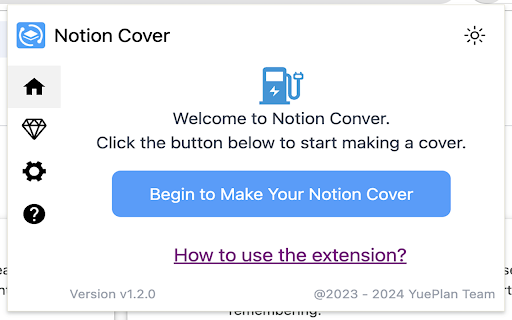

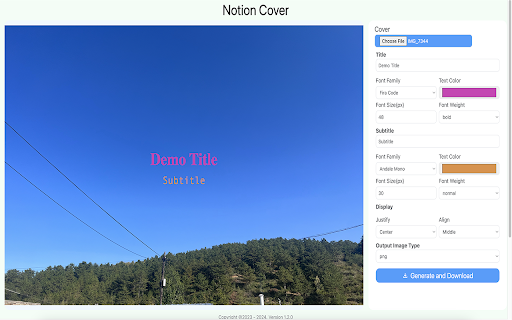
A Notion Cover to generator a cover for Notion note cover or the others cover. - Unlimited generation and download. - Custom background image. - Multiple fonts to choose from, custom font colors, custom font styles and sizes. - Title and subtitle position customization. - Export the synthesized image in “png/jpeg/webp” format to the local. - Click on the Chrome extension app. - Click ‘Begin to Make Your Notion Cover’ Button, open the ‘Make Your Notion Cover’ page. - Select the background image, fill in the title and subheadings, and set relevant parameters. - Click ‘Generate and Download’ button to download image. Indeed, Notion Cover is available for free. You can access the basic features and choose to upgrade for more functionalities. All data processing occurs locally on your computer, and it never traverses our servers.

Copy Notion Table
Copy Notion tables with perfect formatting. Free for everyone with no row limits. Not affiliated with Notion Labs Inc. Copy Notion Tables with Perfect Formatting 📋✨ Seamlessly copy Notion tables while preserving their original formatting and structure. This extension makes it easy to share your Notion tables with perfect formatting in emails, documents, presentations, or any other application. 💪 Key Features: ✔️ One-click table copying with preserved formatting ✔️ Maintains column alignment and cell styling ✔️ Works with all Notion table types ✔️ Copies tables as perfectly formatted HTML ✔️ Clean, professional output ready to paste anywhere ✔️ Works with pages containing a single table Simple to use: 🔸 Open any Notion page with a table 🔸 Click the extension icon 🔸 Click “Copy Table” 🔸 Paste anywhere — formatting is preserved 📌 Note: The extension works exclusively with pages containing a single table. 📪 Contact us: For feedback, feature requests, bug reports, or suggestions, please contact us at 💌 support@copynotiontable.com ⚠️ Disclaimer: This extension is not affiliated with, endorsed by, or connected to Notion Labs Inc.

GoldDust
Ask a question about a company or a person. If the answer is on the internet - our AI agent will locate, synthesize, and display it. Welcome to GoldDust, the Chrome extension that automates the tedious and repetitive research you need to effectively qualify leads, prioritize opportunities, and customize outbound messaging. ⭐ Seamless Integration: Whether you're scrolling through LinkedIn, checking out a company’s website, checking latest news or deep in your CRM, GoldDust is there to enrich your experience without the hassle of switching tabs or tools. ⭐ Rich Info, On Demand: You've got a treasure trove of information, when and where you need it. It’s like magic, but for work. ⭐ Custom Insights: You’re getting the good stuff – customized insights that matter to you. Say goodbye to info overload and hello to insights that make a difference

Vivid Notion - Use custom colors for text in Notion
Transform your text in Notion with personalized colors! Simply input your text, select your desired font, and pick a color using… Transform your text in Notion with personalized colors! Simply input your text, select your desired font, and pick a color using our intuitive color picker. Our extension will then generate the corresponding KaTeX code for you to easily copy and paste into your Notion page.

Notion Colorizer
This extension adds colors to Notion tables based on the tags you specify.
