
liahjgfmodjgeakahommamnmbjgicpmh


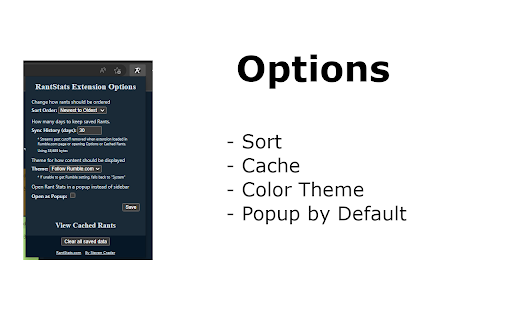
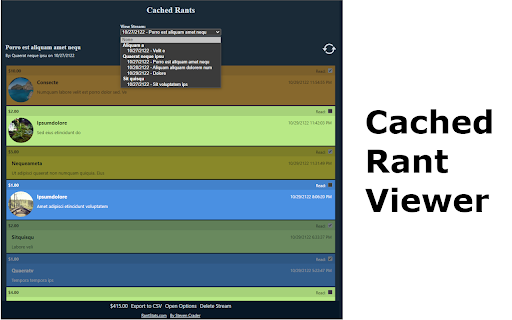
Add support for capturing paid Rumble Rants for Rumble.com livestreams. Add support for capturing the paid Rumble Rants for Rumble.com live streams. Rants are shown past their normal expiration date in the chat. Also tracks gifted subscriptions and incoming raids! Rants can be shown as a sidebar on the stream page or in a separate window. After a stream ends, cached data can be viewed by loading the stream page again. If no Rants were captured during the stream, the sidebar or separate window will note this. Open the sidebar (or popup) by clicking the "View Rants" button in the chat area of a stream that is currently live or the "Open Cached Rants" link on a stream archive page. Additionally, there is a context menu "Open Rant Stats" that attempts to open the sidebar (or popup) for the current video. Additionally, all cached data can be viewed and managed from the Cached Rants page.

rule5
Extension for sales teams to learn about their prospective customers and key people to engage with. rule5 is where go-to-market teams go for sales intelligence. 👋 Know everything about your customer: ⮕ Learn about your customers, their strategic priorities, initiatives, business challenges, trends (financial, industry and technology) and much more. 👋 Generative AI powered account intelligence, personalized email creation, strategic sales asset creation and more: ⮕ Ask questions and get answers to deeply understand your prospect. Draft context specific emails to a prospect, create strategic sales assets including executive summary, POV slides, RFP responses, security questionnaires and more. 👋 Intelligence that goes where you go in Salesforce and on the web: ⮕ Access account and people intelligence while in Salesforce or from your prospect’s website 👋 Identify the best path to decision makers with rule5 teamConnect: ⮕ Share critical relationships that exist within your ecosystem of partners, board members, advisors, and customer advocates so your sales teams can see the direct path to the key stakeholders they need to engage.

Buy Local Sunshine Coast
Boost your LinkedIn outreach with this tool. Initiate quality connections, track chats, and expand your network seamlessly. With an overwhelming number of LinkedIn connections and the rise of spam, bots, and fake profiles, business professionals on the Sunshine Coast struggle to cultivate authentic relationships. The time and effort spent sifting through superficial interactions is exhausting and unproductive. As the digital realm becomes increasingly impersonal, professionals miss out on genuine business opportunities. The core essence of networking—trust, reliability, and human connection—becomes lost amidst the noise. Without genuine connections, your business loses potential collaborations, client opportunities, and essential growth avenues. The B2B Sunshine Coast Chrome extension, in collaboration with My Most Trusted Network, is the answer. It’s tailor-made to filter out the noise and focus on what truly matters: authentic connections. Designed to bring together your trusted business community, it allows you to tap into each other’s networks, request referrals, and foster genuine collaborations. Say goodbye to spam and bots and welcome meaningful, human-centred business relationships.

Michael's Upgrade for TrakED
Upgraded features for TrakED in the THS. (This extension is not an official product of the THS or Intersystems TrakCare software.) Upgraded features for Trak ED in the LGH. Features: - Re-enable spell check in the triage page - Use the enter key when logging in - Handover sheet for ED Main Floor and EMU - ED Main Floor filters and persistent sort - Triage Summary print out - Filter and count results of an enquiry - Count patients currently breaching length of stay targets -- This extension is not an official product of the LGH or InterSystems Trak software.

Unsubscriby for Rumble
An easy way to unsubscribe all your Rumble Channels How it works: - First, install this extension. - Next, click on the gray rumble icon next to your URL bar. Don't see the icon? Click on the puzzle piece, and then click on the pin to move it to your URL bar. - Click on "Unsubscribe!" buton to start the process. - The extension will navigate to your subs list, click "OK" to the popup message to confirm and start to unsubscribe. (If the popup doesn't show up, please refresh the tab until it does). - Wait until it finishes. - If you are using Free Version, when it finishes, just refresh the page to continue. - If you want to stop the process while it is running, click on the gray rumble icon next to your URL bar, then click on "Stop!" button. Not working? Comment or email me so that I can address the issue.
