
lggohfbfkbnpgofmflaeboonadahfnim
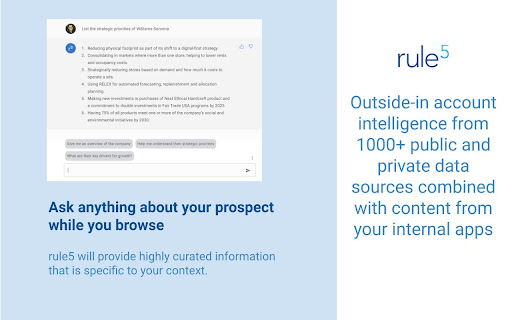

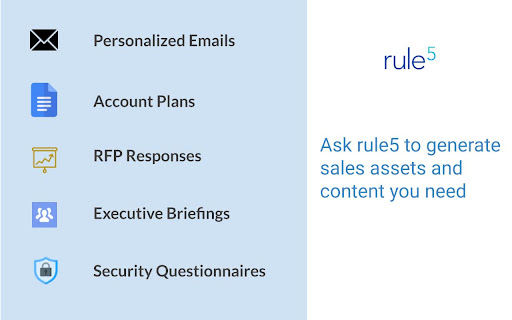
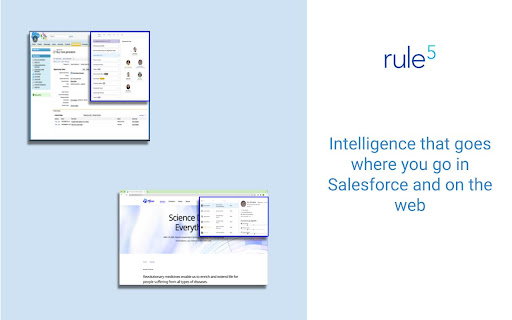
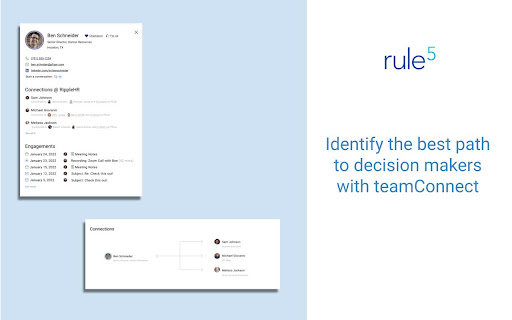
Extension for sales teams to learn about their prospective customers and key people to engage with. rule5 is where go-to-market teams go for sales intelligence. 👋 Know everything about your customer: ⮕ Learn about your customers, their strategic priorities, initiatives, business challenges, trends (financial, industry and technology) and much more. 👋 Generative AI powered account intelligence, personalized email creation, strategic sales asset creation and more: ⮕ Ask questions and get answers to deeply understand your prospect. Draft context specific emails to a prospect, create strategic sales assets including executive summary, POV slides, RFP responses, security questionnaires and more. 👋 Intelligence that goes where you go in Salesforce and on the web: ⮕ Access account and people intelligence while in Salesforce or from your prospect’s website 👋 Identify the best path to decision makers with rule5 teamConnect: ⮕ Share critical relationships that exist within your ecosystem of partners, board members, advisors, and customer advocates so your sales teams can see the direct path to the key stakeholders they need to engage.

Congree Web Interface
Write according to your company's Style Guide This extension helps you to integrate your company's Congree Authoring Server into specific websites. Research Meets Practice Content optimization solutions based on scientific insight and long-standing industry experience Higher text quality with less effort Apart from the reuse of sentences and consistent use of terminology, Congree offers a comprehensive Language Check that covers 98 percent of the English and German languages. The Congree Authoring Server is scalable and thus supports the editorial work in small, medium-sized, and large enterprises. Rule-Based Language Check Apart from the spelling, grammar, and terminology, the rule-based Language Check also checks the style. Predefined rule sets cover most application cases; additional company-specific rules can be added as needed. Authoring Memory The Authoring Memory serves as a sentence repository, which shows all text segments that are similar to your text and that were written and approved in the past. You can apply these text segments with a click. New sentences are included in the Authoring Memory after they are checked and approved. Congree Data Grooming can help to maintain and improve the quality of your Authoring Memory. Terminology Component The connection of third-party terminology software enables access to a wide range of information on terminology hits. The terminology component in Congree delivers definitions and usage information on specialized terms – including preferred terms, admitted terms, and deprecated terms.

Stop It Grandpa
NOW AUTOMATICALLY UPDATES! Boomer parents becoming increasingly radical over time? Got a friend who's starting down the path of white supremacy? Thinking your friends are sneaking in that direction and it's freaking you out? No problem! Just get this app onto their browser and they'll be redirected from their favorite propaganda to more rational news sources. It's like child block for the elderly!

The Big Gift List
Easily add items to your 'The Big Gift List' lists Help friends and family take the guesswork out of buying you gifts with The Big Gift List. When it comes to a birthday, Christmas, wedding or any other special occasion, with your gift list you can show your friends and family what you really want, so they don't need to guess. Use the official browser extension to add items to your gift lists directly from any website.

Faro
Save pages with highlighted taglines - Bookmark manager ⨯ web highlighter Chaos in your bookmarks? Can't find what you want? They end up gathering dust? Or you don't even try and end up with 100s of open tabs? Faro is made to fix that! It's the simplest way to save & keep track of pages. With it, even thousands of saves don't get overwhelming. When saving, you highlight a sentence to act as a tagline. It helps you remember what the page is about and why you saved it. If unsure - just save whatever sentence you're reading. All saves appear on your dashboard. They come most-recent-first by default, so you don't forget what you recently saved. You can pick up your reading where you left off - no need for a separate reading list. You can also pin & archive to further arrange it. Organize them with tags. Since you're reminded what you saved and why, you can do it later. It makes your saves much easier to manage than bookmarks. Faro supports nested tags (eg: recipes/vegan), so combines the best of tags and folders. Clicking a save takes you right back to your highlight - especially useful for longer articles. Also: ➣ export to bookmarks to keep them if you uninstall Faro ➣ copy links to highlights and share them or paste into Notion, Obsidian, etc. ℹ️ About your data: When installing you can read: "it can read and change all your data on all websites" The only information that ever gets uploaded (when signed in) when you use it to save: ➣ Open page address ➣ Saved highlight/quote - what's visible in the sidebar ➣ Timestamp ➣ Debug info e.g. errors The extension also keeps track the currently open tab for each window - to update the sidebar as you navigate - but doesn't save or upload that data.
