
lhpofielobneckeahghgpnabhgjhfljh
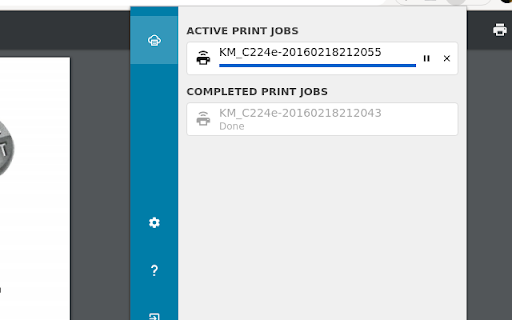
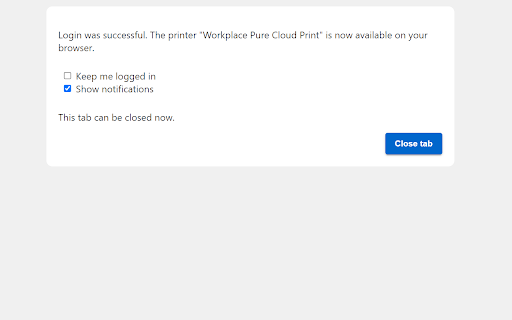
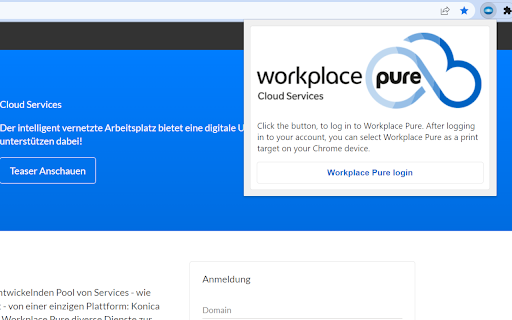

Print from your Chrome devices to Workplace Pure Konica Minolta Cloud Print allows you to experience the easiest and most comfortable way of printing. Choose from various options and print directly from the application, via browser from your smartphone and tablet or simply print from the Google environment. Print jobs will be send to the Workplace Pure platform and can be released via a secure follow-me authentication on any multifunctional system that is connected to Workplace Pure. Print options such as duplex printing or colour printing can still be individually adapted at the multifunctional system. This is the Workplace Pure Browser Extension. Use the Cloud Print of Workplace Pure directly from your Google Chrome browser.

Random User Agent
Generate random user agent with chrome extension. Switch browser agents to any device or browser. Perfect for testing and privacy This powerful tool allows you to get random useragent strings with just a single click. It helps to protect websites tracking your browsing habits. Additionally, tool allows you to test any website across different browsers without actually installing them. 🤔 What is a UserAgent? A useragent is a string of text that your browser sends to websites you visit, revealing information about: 1. Your browser type and version - Chrome, Firefox, Safari, Edge etc. 2. Operating system - Windows, MacOS, Linux, iOS, Android etc. 3. Device specifications, rendering engine 💯 Why you need to use random user agent switcher Websites collect your device information to track your online activities. Our tool helps you maintain anonymity by regularly changing your device's identity. Privacy concerns have never been more relevant than today. – Enhanced privacy protection – Bypass geo-restrictions – Test websites across multiple platforms – Avoid browser fingerprinting – Access to region-specific content ⚙️ How Random User Agent works Extension works like a useragent converter that edits native identity to random user agent string seamlessly in the background. Once installed, you can set it to automatically switch user string at intervals or manually select from a comprehensive list of strings. Our privacy tool maintains a database of thousands of different browser agent strings, ensuring you always have fresh options to choose from. Whether you need to switch useragent in Chrome for development or privacy purposes, this extension handles it efficiently. 🔥 Features that set random user-agent extension apart Generate random useragent strings with unparalleled flexibility! Our tool comes packed with features designed to satisfy both casual users and professionals. 🔺 One-click random agent generator (generate browser strings for your purpose) 🔺 Scheduled rotation (for example, change it every 10 minutes) 🔺 Custom profiles (spoof desktop or mobile) 🔺 Useragent switcher with predefined categories (specific OS, devices, browsers) 🔺 Detailed UA information display (answers the question "what is my user agent?") 📊 Use cases for extension The user agetn randomizer for chrome serves numerous practical purposes. Developers particularly appreciate this agent switcher and manager when testing cross-browser compatibility. Privacy-conscious persons rely on this browser spoofer chrome extension to minimize tracking. 1️⃣ Web developers testing responsive designs 2️⃣ Privacy-focused individuals avoiding tracking 3️⃣ Marketers checking geo-targeted content 4️⃣ Bypassing simple site restrictions 5️⃣ Accessing region-specific offers or content 📱 Compatible with all your devices Whether you're using Chrome on Windows, macOS, Linux, the random user agents extension works flawlessly across platforms. The user identity string can be changed with a single click, making it the perfect browser switcher for all your devices. 🔒 Privacy first approach This extension prioritizes your privacy. It doesn't collect your data or track your browsing habits. This tool generates fake user agents follows strict privacy guidelines, ensuring your browsing remains truly private. ⚡ Advanced options of extension For those who need more control, the random useragent generator offers advanced configuration options. Set chrome useragent strings based on specific websites, create rotation patterns, or define custom browser identities with the useer-agent random generator functionality. 🔹 Rotation patterns and schedules 🔹 Custom user agent creation (with random option) 💻 Perfect for developers and testers Web developes love the switcher user agent chrome capabilities for testing responsive designs across multiple virtual devices. Instead of maintaining several physical devices, use this extension to simulate different environment or spoof browser. The user agent check feature allows you to verify your current identity string, while the agent randomizer ensures you're always testing with fresh configurations. This makes random user-agent extension an indispensable tool in any developer's toolkit. 🚀 How to get started 1. Install our extension from the Chrome Web Store 2. Click the extension icon to access the switcher 3. Turn on random generation mode 4. Customize settings based on your preferences 5. Enjoy enhanced privacy and testing capabilities

BrowserGrow
BrowserGrow Chrome Extension Connect BrowserGrow to Your Browser and Get Real Work Done The BrowserGrow Chrome Extension connects the AI agent directly to your browser, allowing it to complete everyday tasks using your own browsing context. BrowserGrow works securely within the tab you choose, helping you automate tasks that require access to your logged-in accounts and personal workspace — without ever sharing your passwords. What You Can Do with BrowserGrow Work Inside Your Accounts Let your agent handle tasks in Gmail, Google Calendar, Notion, and other web apps you’re already signed into — safely and seamlessly. Use Your Real Browsing Context BrowserGrow allows the agent to interact with websites exactly as you would, accessing information and taking action within your live browser session. Stay Fully in Control You explicitly approve each session. The agent only operates in the tab you assign, and you can stop it at any time by simply closing the tab. Install the BrowserGrow Chrome Extension to unlock AI assistance that works directly inside your real online environment — securely, transparently, and under your control. Let your browser do more.

My Jobscore
My Jobscore Chrome Extension The My Jobscore chrome extension is created for jobseekers to help them determine which jobs they are most suited for. The jobseeker using the extension, visits a job posting on the internet using their chrome browser, launches the extension and gets a score in a few seconds. Here are the steps to register and signup: 1. The user downloads and installs the chrome extension 2. The user will launch the My Jobscore extension over a job posting 3. The user will share their resume, email and zipcode. The user of the My Jobscore extension can then visit a job posting on the internet using the chrome browser, launch the extension over a job posting, and obtain their score for a job. Our service can calculate and deliver a validated job score, in seconds. The jobseeker can then determine which jobs they are most suited for. If the user chooses, they can use the extension to download the score, as a pdf, and submit it, with their resume, when they apply for the job.

Astalty For Chrome
Astalty's Browser Extension Astalty For Chrome 💻 Astalty For Chrome is a multipurpose tool for people working within the NDIS. Its purpose is to streamline the search for support items and give you quick calculations and breakdowns of budgets and sub categories. Our initial product is a simplified version of the NDIS Price Guide. It allows users to easily search for NDIS Support Items directly from their browser. Prices are up to date with the most recent NDIS Price Guide. You can switch between Price Guides in the settings page. Our second release is a budget building tool, that allows you to quickly calculate budgets and work out funding levels for your Participants. Whether you're a Support Coordinator breaking down a plan or an Administration Officer building a service agreement, you'll definitely find value in Astalty For Chrome. We've recently added the ability to get breakdowns of support hours, simply add in your budget, select your line item and you will know exactly hour many hours you can receive with the remaining funding. 📍 Don't Forget, for easy access to Astalty For Chrome, complete the following; 2️⃣ Click the “Extensions” button (jig-saw icon) beside your profile pic. 3️⃣ The drop-down will list the Chrome extensions installed and enabled. 4️⃣ Beside each extension, you'll see a pushpin icon. 5️⃣ Now you can click and drag the icons to the order you wish. After adding the extension as a pushpin, you will be able to select line items with a few clicks of a button. We plan to implement many more features and improvements 📈
