
lhkgfieifpbhhcoemgchgknchfojiibn
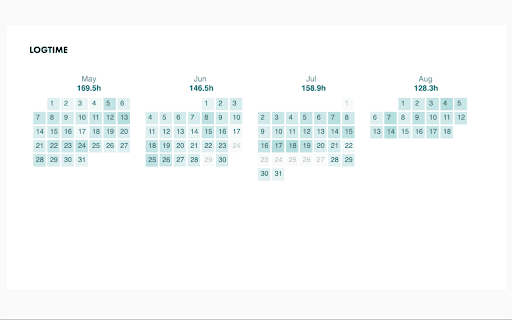
See your 42 intra log hours per month Some students specially scholarship holders want to have a track of their log hours per month. 42hours is an extension that shows the amount of log time per each month on the 42 network intra profile of the user.

42 time
42 Time Tracker: Effortlessly Monitor and Manage Your 42 School Study Hours! Tired of constantly checking the 42 School website to track your study time? The 42 Time Tracker Chrome extension makes it simple to monitor and manage your learning hours with ease! Profile v3 Support: Fully compatible with the latest 42 profile v3 for accurate and up-to-date information. Personal Goal Setting & Tracking: Set individual study hour goals and track your progress towards completion in real-time. This helps boost your motivation and keeps you on track! Install & Go Simplicity: No complicated setup required! Simply install the extension, and it works automatically in the background once you're logged into your 42 School account. Peer Comparison for Motivation: Get an extra push by comparing your study hours with your peers. See how you stack up and stay motivated!

42 time
42 This is an extension to check learning hours that can reflect the maximum daily recognized hours according to Gyeongsan's subsidy payment policy.

ft_blackhole
Shows how many days you have left before you get absorbed by the Blackhole. A simple extension that shows how many days a user has left until the date of the deadline (Blackhole) on https://intra.42.fr and shows it in right under the date in the "Black Hole absorption" section of their profile. For any feature requests or problems, feel free to open an issue on the GitHub repository, or create a pull request. Source code on GitHub: https://github.com/mohamedhaddi/ft_blackhole

Improved Intra 42
The ultimate browser extension for 42's Intranet, adding many improvements, such as dark mode, customizable profiles and much more! A small list of well-liked and highly requested features added by this extension: - Dark Theme! Finally, your eyes can rest when working at night. - Customizable user profiles! Now you can show a bit of your personality through your user page: add a custom banner image to your profile, visible to everyone with the extension installed, or add a link to your GitHub-page and personal website. - Stars next to projects rated "Outstanding" during evaluations! Finally, having an "Outstanding Project" flag means something. - An option to use the old Black Hole countdown instead of showing one's absorption date. - Removal of the broadcasts button, which is unused by most campuses. - Sort finished projects on user profiles alphabetically, or by completion date. - A beautiful settings page where you can select which options you wish to enable, with previews of what each feature can do. - Omnibox search: write "intra " in the URL bar, add a login and surf to their profile directly. Please note that Improved Intra is not fully compatible with Intra v3. This extension's code is open sourced on GitHub. In case you find something that does not appear to be working correctly (like light spots in dark mode), create an issue in the GitHub repository, or, even better; modify the code yourself and create a pull request. A guide on how to do this is available in the repository. Campuses may also add their own functionality, limited to their students.
