
lgdhflflkpgfhhpgnpeocbfmmkijcckn
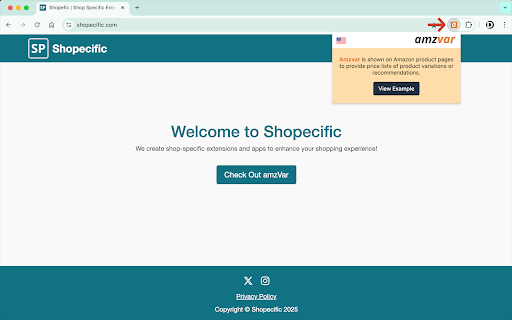


Shopping assistant for finding the lowest prices, price history, and filtering product variations on Amazon. 🎉 AmzVar: Amazon Variation Price Checker V1.0.2 is Here! ✅ Backend upgrade to Amazon Creators API (Offers V2) for improved offer accuracy and stability. ✅ Better availability messaging: “Currently unavailable” replaces $0.00 for missing prices. V1.0.0 is Here! AmzVar is back in 2025 with restored core functionality and revamped features to enhance your Amazon shopping experience. ✨ Core Features: • 🛒 Compare Prices: View product variations sorted by price. • 🔍 Filter Options: Narrow results by size or other attributes. • 🔗 Quick Links: Check shipping prices and explore offers from other sellers. • 📉 Price History: Explore historical prices to make informed decisions. • 🎯 Customizable Floating Action Icon: Click, hold, and drag the floating icon to reposition it if it blocks any page elements. 🛠️ Version 1.0.1 (1/16/2025) 1. Hotfix - Resolved the issue where the scrollbar kept appearing and disappearing. 🚀 Version 1.0.0 (1/10/2025) 1. Core functionality restored – variations are now sorted by price. 2. Renamed to Amazon Variation Price Checker to reflect its key purpose. 3. Support for Amazon.com (USA) only. 4. Explore products on Walmart, Target, eBay, and Google Shopping. 🔄 Version 0.5.0 (9/3/2022) 1 Renamed to Amazon Shopping Assistant. (Core Functionality Disabled) 2 New tools for price history, seller comparisons, and exploring alternatives. 🇨🇦 Version 0.4.0 (3/26/2018) 1. Renamed to Price Checker. 2. Support for Amazon.ca (Canada). 3. Added “Rate Us” icon for feedback. 🛠️ Version 0.3.4 (3/19/2018) 1 Minor fixes for toggle icons. ⏱️ Version 0.2.7 (2/7/2018) 1. Consistent behavior across pages. 2. Reduced delay for auto popover to 0.5 sec. 📚 How It Works: AmzVar simplifies shopping for products with variations like size and color. No more clicking through endless options—let AmzVar find the best price for you. 💡 Tip: Double-check shipping and tax before checkout. ✨ Before you buy, let’s do some research…

Keepa™ - Amazon Price Tracker
Adds price history charts and the option to be alerted on price drops to all supported Amazon sites. ✦ Never Overpay on Amazon Again ✦ Stop guessing if a "sale" is actually a discount. Keepa adds price history charts directly to Amazon product pages, allowing you to track prices, analyze trends, and make informed purchase decisions on over 6 billion products. ✓ Price History Charts View interactive price history charts directly on the Amazon product page. ✓ Price Drop & Availability Alerts Set up price watches to get notified when a product drops below your target price or returns to stock. Includes tracking for Lightning Deals. ✓ International Price Comparison Compare and track prices across all Amazon locales to find the best international deals. ✓ Supports Multiple Amazon Marketplaces Compatible with Amazon domains: .com, .co.uk, .de, .co.jp, .fr, .ca, .it, .es, .in, .mx. → Zero-Click Integration: No account required to start tracking. Keepa integrates directly into the Amazon UI without cluttering your browser with unnecessary buttons. Strict Privacy & Minimal Permissions We engineer for privacy, utilizing Chrome's strict minimum permissions policy. The extension only requests what is necessary to function: * keepa.com & Amazon Domains: Required to bridge our database with your browsing session, injecting the charts seamlessly onto the page. * declarativeNetRequestWithHostAccess & Cookies: Powers the extraction algorithms that reveal hidden MAPs and third-party merchant stock counts. * Storage: Caches your configuration settings locally in your browser. * ContextMenus (Disabled by default): An optional toggle allowing you to batch-open multiple Amazon products on Keepa.com. When you click an eBay link in the Keepa Box, it’s routed through the eBay affiliate program.

Amazon Price Tracker Extension
Use an amazon price tracker extension to get alerts on your favorite products with amazon price monitor and amazon price tracker. 🛒 Discover the Ultimate Tool for Smart Shopping! Tired of checking for deals constantly? Imagine having a personal assistant that monitors rates for you. Our amazon price tracker is designed to make your shopping experience smarter and more affordable. ⚠️ Note! As an Amazon Associate, we earn from qualifying purchases. This extension may use affiliate links when redirecting to Amazon product pages. If you purchase through these links, we may earn a commission at no additional cost to you. 🚀 Why This Extension is Essential Shopping online can be overwhelming, especially with fluctuating rates. Without the right tools, you might miss out on the best deals. This is where our amazon item price tracker comes in, ensuring you never overpay again. How It Works Using our price tracker amazon extension is simple: 1️⃣ Install: Add it to your Chrome browser with just a few clicks. 2️⃣ Follow: Browse and select items. The extension starts tracking instantly to track item price on amazon. 3️⃣ Get Alerts: The tracker notifies you when the rate drops. 🛍️ Key Features. Our extension offers: Get alerts when an item drops to your desired rate. Pursue multiple items, ensuring you never miss a deal. Amazon Price Monitor: View historical data and track amazon item price effectively. Custom Alerts: Set notifications based on your preferences. Multi-Platform Support: Monitor rates across devices. ✅ Maximize Your Savings Our tool offers several key advantages to help you save money effortlessly. 💰 Rate Drop Alerts: Get notified instantly by amazon price tracker plugin when your favorite items go on sale. 💰 Multi-Device Sync: Seamlessly monitor your deals across all your devices. 💰 Notifications: Tailor alerts to your preferences, so you only receive relevant updates. 📱Benefits of Using This Tool. With our tracker, you can: • Save Money: Buy at the lowest rate. • Save Time: No more manual rate checks. • Smart Purchases: Make informed decisions with app. • Stay Informed: Be the first to know about rate drops with . 📊 Effortless Shopping Experience using amazon price tracker extension – Elevate your online shopping with features designed for ease and convenience: – Quick Setup: Start monitoring deals with just a few clicks. – Cross-Browser Compatibility: Works on all major browsers to keep you updated wherever you are. – User-Centric Design: A clean, intuitive interface that makes navigation a breeze. – Comprehensive Insights: Access detailed information on item rates at a glance. – Real-Time Updates: Stay ahead of the curve with instant rate change notifications. 🏦 How It Stands Out While tools like keepa and camel camel camel are popular, our offers unique benefits: ➤ All-in-One Solution: Comprehensive tracking within your browser. ➤ Real-Time Alerts: Instant notifications ensure you never miss a deal. ➤ User-Friendly Interface: Accessible even for beginners. ➤ Customizable Alerts: Set your preferences easily. 📉 Why Choose amazon price drop plugin? User-Friendly: Simple navigation, even for beginners. Accurate Monitoring: Get the best deals with our app. Lightweight: Doesn’t slow down your browser. 🔄 How to set up. Tracking is easy: 1. Install our tracker on Chrome. 2. Browse and select items to track amazon prices. 3. Add them to your watchlist. 4. Set your target rate and wait for notifications from the app. 5. Buy when the rate hits your target with amazon price tracker app. 🎯 Trusted by Thousands Thousands of users trust our tracker to watch rates and save money. Whether you're a casual shopper or a deal hunter, this tool meets your needs. ⚙️ Compatible with Major Browsers Our app works not only on Chrome but also on other major browsers, ensuring that you can track rates on any platform. 🔍 Frequently Asked Questions Q: How accurate is amazon price checker? A: Our tracker provides real-time updates, ensuring accurate information. Q: Can I follow multiple items at once? A: Yes, manage all your favorite products in one place. Q: Is there a limit to how many items I can track? A: There is no limit. Track as many items as you like with price monitoring amazon. 💼 Conclusion 🔗 Stop overpaying and start using our plugin today. Whether you're using keepa chrome extension or camel camel, our tracker enhances your shopping experience. 🔗 Our system includes features allow you enabling to effectively track rate changes. Stay updated on the latest information for all the products you're interested in. 🔗 Don’t miss out on the best deals — install our app now and change the way you shop! Your shopping will never be the same. Track rates with our powerful tool and enjoy features like amazon price watch. 🔗 Even if you use tools like keepa amazon or keppa, our extension offers unmatched convenience. Start saving today with our solution. Plus, with camelcamelcamel and keepa extension, you’ll stay informed about the best deals.

SellerSprite - Amazon Research Tool
Join over a million sellers using SellerSprite to research, analyze, and optimize smarter — directly from your browser. Built on powerful data and AI, SellerSprite's Chrome Extension mirrors 80% of the full web app’s functionality. From product research to keyword analysis and competitor tracking, streamline your Amazon FBA business with real-time insights —all without leaving the Amazon page. In a single view, you can instantly spot high-potential products, analyze top competitors, uncover hidden keywords, and filter by sales, ratings, BSR, and more — without ever switching tabs. Key Features 📊 Deep Market Insights - Analyze subcategories with 16+ data points: demand, competition, supply/demand ratio to instantly spot high-potential niches and blue-ocean markets - Access granular BSR analytics with Top 400 rankings—track performance by parent and child ASINs, analyze variant-level sales distribution, and identify underexploited long-tail demand with precision - Customize your own product lists to batch-research trends, volume, and seasonality 🔑 Smart Keyword Tools - Discover high-converting long-tail keywords and build optimized listings - Track organic & sponsored keyword rankings in realtime - Reverse-search competitor ASINs to uncover hidden keyword strategies 🎯 Competitor Intelligence - Track BSR and sales across global sites - Detect brand infringement risks and benchmark strategies - Analyze reviews with AI and generate optimization suggestions ⚙️ Bulk Efficiency Tools - Download images, reviews, and selling points in one click - Collect ASINs and invite reviews in batches - Save hours with automation and smart scraping 💡 Why Sellers Choose SellerSprite - Feature-rich extension with 80% of full functionality — built into your browser - Real-time insights directly on Amazon pages - Trusted by over 1,400,000 Amazon sellers worldwide - Works with all major Amazon marketplaces ✅ Free to install — start exploring today! 1. Install the Extension • Download the SellerSprite Chrome Extension from the Chrome Web Store. 2. Create a Free Account • Sign up or log in. • New users get a 3 day-free trial of premium services. 3. Start Researching • Visit any Amazon product page to activate the extension. • Uncover competitor strategies, analyze product performance, and explore market trends. • Access in-depth historical data on pricing, sales, and keyword rankings to make informed decisions.

Amazon Product Finder - AMZScout PRO Extension
Find a profitable product and start selling on Amazon quickly! Amazon product research made easy! See sales estimates and FBA fees. How to check sales data for any product: 1. Install the AMZScout PRO Chrome Extension. Begin your FREE trial by entering your details with a quick sign-up. 2. Access Amazon and search for any items you want to analyze. 3. Open the extension. 4. Review the product and niche information. You can review sales history for both the product and the niche, as well as estimated net margin, sales, and revenue. You can also use a built-in FBA calculator to help you identify profitable products, and much more! What can you use the AMZScout PRO Extension for? • Evaluate niche potential • Check niche and product trends • Calculate potential product profitability • Check product and niche sales, price, and rank history • Evaluate competition in the niche • Estimate FBA costs • Find reliable suppliers • Monitor your competitors' sales, pricing, and keywords ✅ More than 300,000 users already trust AMZScout’s product analysis tools, keyword search, and much more. AMZScout PRO is simple to use and navigate. Here are some hacks for anyone who’s interested in become a seller: [Quickly assess the potential of your niche and product] AMZScout Product Finder provides a niche score rating and a product score for both the private label and reselling business models. With this tool, you can immediately determine if the product is worth considering without having to look deeper into detailed product analytics. [Find the best supplier] Find things to sell on Amazon, or any other marketplaces, to scale your business. Save time by filtering suppliers according to country and price range. [Improve your ranking] Export niche and product keywords to improve product listings and use them in your PPC campaigns. Help your listing rank higher in organic searches and get more sales. This smart product research tool is often considered to be the most accurate tool by sellers. It helps you find unsaturated opportunities, get sourcing options, monitor your competitors, and even improve your keyword research. Base your product choice on concrete data to protect your investment. Find a product to launch with FBA that will bring you $5,000/month or more! The AMZScout Chrome Extension works in the United States in addition to these other Amazon marketplaces: the UK, Germany, France, Italy, Spain, Canada, Mexico, India, Japan, UAE, Saudi Arabia, Australia, and Brazil. You can research 15 niches for free with the trial version. No credit card information is required. Download the PRO Extension and give this fantastic software a try! Q: How are the estimated values calculated? A: These values are calculated using formula-based, top-level categories (for example, Home & Garden or Books) and rank in one of these categories. Q: What does the “LQS” column mean? A: “LQS” is Listing Quality Score. AMZScout analyzes a variety of product description criteria and computes a score for it. A higher score indicates a higher position in the search results. To see details, place your cursor on any LQS value. Q: What does the “RPR” column mean? A: “RPR” means Revenue Per Review. A higher RPR means a better selling opportunity. Q: Can I also get help with how to start selling on Amazon? A: Of course, the AMZScout team publishes useful articles and videos every month that you can find on our blog. You can also participate in an AMZScout Seller's Course and free webinars. Q: If I have any other questions or problems with AMZScout, where can I get support? A: The fastest way to get support is by emailing your question to support@amzscout.net.
