
lfbpllmokmhinnopfchemobgglipfini
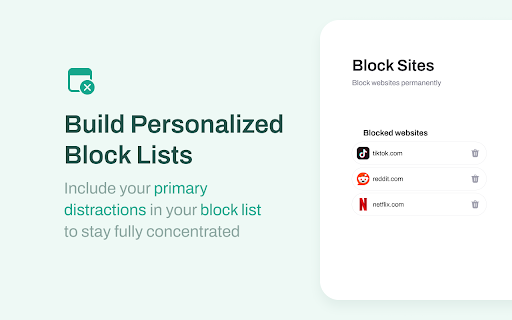


Boost productivity by features: scheduled site blocking, password protection and custom blocklist. Maintain concentration and minimize distractions using a site blocker! Take advantage of personalized blocklists and password security to manage your internet usage. If you frequently find yourself getting absorbed in the endless depths of the internet, employing a site blocker can offer an ideal remedy. Establish a specific time limit for distracting websites, and once that limit is reached, the site blocker will step in and prevent you from squandering any more time. Tailored to enhance productivity and eliminate diversions, a site blocker will effectively eradicate all time-consuming websites from your life, enabling you to dedicate your attention to studying, learning, and working. Why do you need Block Site extension? 🚫 Block sites by URL: Add any specific website URLs that you want to block. This will prevent you from accessing those websites and help you stay focused. 🔤 Block sites by words: Block specific words that appear in the website's URL. ⏰ Schedule blocking: Schedule website blocking at specific times. You can set up a schedule to block certain websites during work hours and then unblock them during your break time. 🔐 Password protection: With password protection, you can keep yourself focused by protecting the settings and blocked pages you create with a password. This prevents you from being tempted to lose your productivity and focus by easily accessing blocked websites without authorization. 🔞Adult content: Ever wanted to block adult content? With the extension you can do so easily. Our adult blocker removes all adult sites by default making sure that you don’t see any inappropriate or unwanted content. Block website stands out as one of the top productivity tools available, empowering you to minimize procrastination, enhance productivity, and realize your life goals. With a site blocker at your disposal, you can bid farewell to distractions and stay focused with ease! Your suggestions can make Site block and Focus mode even better. Share your ideas through feedback on extension web store.

Block Site
Blocks access to distracting websites to improve your productivity. Block Site is a simple Chrome extension that improves your productivity by blocking access to distracting websites as you specify. To configure, click on the B icon in the toolbar.

Block Site
Protect your time and experience by blocking waste websites. Block unwanted or malicious web sites permanently or on a schedule. Save your time and protect against visiting unwanted web resources. Block Site hides unwanted websites from you and protects your children from visiting them. Configure the application to block domains permanently or on a schedule. Choose working days and hours when you do not want to visit any domain or working days and hours for all blocked domains. Block Site is an advanced application for blocking inappropriate content. Useful features of the application: - Blocking sites for one or more domain names - Blocking sites by keywords - Setting a schedule for blocking content - Create a white list of domains

Block Websites on Chrome - Website Blocker & Focus Timer
Use Block Websites on Chrome - Website Blocker & Focus Timer: Block sites, stay focused with a pomodoro timer and productivity tools Tired of distractions? This is the most powerful website blocker and focus timer you need. Whether you want to manage your browsing, use the focus moder, or improve your daily routine with productivity tools, this extension does it all in one clean package. If you ever asked yourself how to block websites on chrome, the answer is simple. Install this blocksite chrome extension, click the icon, and press the green button. Done. No complicated setup, no confusing menus. ⭐ KEY FEATURES 🚫 Complete Site Blocker This website blocker gives you full control over blocking websites on chrome: • Remove access to any domain (e.g. YouTube, Facebook, Reddit) • Restrict specific URLs with wildcards (e.g. youtube.com/shorts/*) • Filter by keywords - automatically catches pages containing specific words • One-click control from the popup • Toggle any entry on or off instantly How do you block websites on chrome? Just open the popup, see the current page, and hit the green button. That is how to block a website on chrome in under 3 seconds. 📂 Categories Stop wasting time on entire groups of distracting pages: 1️⃣ Social Media - Facebook, Instagram, TikTok, X and more 2️⃣ Games - 14 popular gaming domains restricted with one toggle 3️⃣ News - stop the endless scrolling 4️⃣ Video - streaming platforms covered 5️⃣ Shopping - remove temptations You can also create custom categories with any domains you want. The best blocksite chrome tool for organized management. ⏰ Schedule - Smart Time Management Set time-based rules for your browsing: ➤ Restrict sites from 9 AM to 6 PM on weekdays ➤ Choose specific days of the week ➤ Add multiple time intervals ➤ Use quick presets: Workday, Evening, Always Stay focused during work hours and relax after. Smart time management built into your site blocker. 🎯 Focus Timer This is not just a website blocker. It is a full pomodoro timer app inside your browser: ▸ Built-in pomodoro timer with Focus and Break sessions ▸ Restrict specific domains only during focus sessions ▸ Track your streaks and completed cycles ▸ Presets: Pomodoro technique 25/5, Short 15/3, Long 50/10 The pomodoro timer online works directly from the popup. Start a session, stay focused, take a break. No separate pomodoro timer app needed. 🔒 Password Protection Prevent bypassing in a moment of weakness: - Set a password (minimum 8 characters) - Recovery code for reset - Great for parental controls - Keeps your restricted list safe from changes ✅ Tasks - Built-in To-Do List Combine restrictions with productivity tools: - Create tasks with categories: Personal, Work, Daily - Add up to 3 custom categories - Track completed tasks alongside focus sessions - Filter by All, Active, or Completed 📊 Statistics & Progress Tracking See how your site blocker helps you stay focused: - Restricted pages today and this week - Top restricted domains - Focus sessions completed and total focus minutes - Tasks completed - Share your progress 🔧 HOW TO BLOCK A WEBSITE ON CHROME 1️⃣ Install the extension and pin it to your toolbar 2️⃣ Click the icon on any page you want to restrict 3️⃣ Press the button - the domain is now added to your list 4️⃣ Open Settings for Schedule, Categories, Focus Timer and more That is the fastest way of blocking websites on chrome. Block sites on chrome in seconds, not minutes. 💡 WHO IS THIS FOR • 📈 Professionals - eliminate distractions during work. Use the focus timer to stay productive • 👨👩👧 Parents - password-protect the list and manage access by category for your children • 🎓 Students - use the pomodoro timer to study without distractions. Block YouTube and social media • 🏠 Remote workers - use Schedule to restrict access during work hours • 🧘 Anyone who wants better time management and needs to stay focused ❓ FAQ Q: How to block websites on chrome? A: Install the extension, click the icon on any page, press the green button. Done. Q: How do you block websites on chrome by category? A: Open Settings, go to Categories, toggle on Social Media, Games, News, Video or Shopping. Create custom categories too. Q: Can I block a website on chrome only during certain hours? A: Yes. Use Schedule to set days and time ranges. Q: Does it have a pomodoro timer? A: Yes. Full pomodoro timer app with customizable sessions. Supports the pomodoro technique with presets. Q: Can I block YouTube? A: Absolutely. One click or add it to a category. Use the focus timer to restrict it only during focus sessions. Q: Can I set a password? A: Yes. Go to Settings and enable Password Protection. 🔑 PERMISSIONS This blocksite chrome extension requires minimal permissions: • Access to page content - to redirect restricted domains • Storage - to save your settings and lists • We do NOT collect or sell your personal data Block website distractions, stay focused, boost productivity. The only website blocker and focus timer you need. Block site access now and take control of your browsing.

Block Site
A customizable, password-protected website blocker and redirector. *** Block Site is now on the safer manifest v3. Please report the compatibility bugs you are experiencing. You can export the current rules to a JSON file and send it to me to investigate. *** This extension will block access to websites of your choosing. A master password controls all customization options, as well as access to any blocked site. It's also possible to redirect navigation from one specific website to another. Features: 1. Block unwanted domains. 2. Prevent access to a range of websites using wildcard matching or regular expression matching. 3. Reverse mode allows access to only some hostnames and blocks access to all others. 4. Custom redirection; you can redirect a single blocked hostname to a new destination. 5. Display a custom message on blocked pages. 6. Time and date-based blocking. Only block access to the websites at specified times and dates. This feature can be configured per hostname. 7. Protect data leakage. This extension prevents certain hostnames from gathering network activity from your computer since blocking occurs before any network request is emitted to the server. 8. Auto-closes blocked tabs after some time. 10. Closes annoying pop-ups as soon as the opening request is received. 11. Pause and resume blocking from the right-click context menu of the toolbar button. 12. Support overwriting configurations by managed storage 13. Block cached page load with service worker 14. Block dynamic page change with history push method For the FAQs and general feature suggestions please use: https://webextension.org/listing/block-site.html For technical bug reports use: https://github.com/ray-lothian/Block-Site/issues
