
lepccdjicogieagnblakpemnhcghhlob

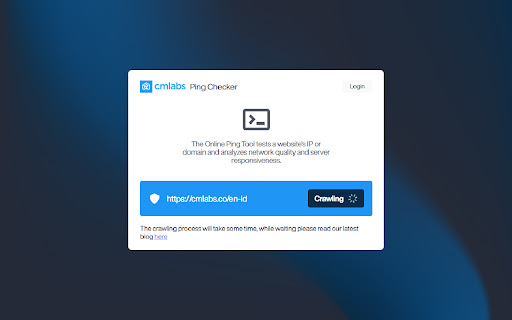


Ping Tool helps you test the existence of a website's IP address/domain and analyzes its quality and responsiveness. Introducing the Online Ping Tool, a versatile network utility meticulously crafted to empower users in evaluating the presence and performance of a website's IP address or domain. With the Ping Tool by cmlabs, you gain access to vital insights into the reliability and efficiency of your network connection. By pinpointing potential latency issues and identifying areas of concern, you can proactively address network vulnerabilities and enhance overall connectivity. Download and try now! Here are some of the key benefits of this tool: - Network Connectivity Testing: This tool allows you to quickly test and verify network connectivity. By sending out a “PING” request to a target device or server, users can confirm whether or not the destination is reachable. - Latency Measurement: It also provides a simple and effective way to measure latency, helping users assess the responsiveness of their network connections. This information is crucial for ensuring smooth and lag-free experiences in various online activities. - Troubleshooting Network Problems: By analyzing ping statistics, administrators can identify high latency or inconsistent response times. - Performance Monitoring: This tool helps you to monitor the network devices and servers since administrators can track changes in response times or detect potential degradation in network performance. - Remote Server Status Checking: It offers a quick way to assess the availability and responsiveness of particular IP addresses or URLs. 1. Open the Ping Tool Open the Ping Tool to start checking your network management. 2. Input URL or IP Address To initiate the assessment, input the IP address or URL as illustrated in the provided example within the blue-boxed area. You can either input https://www.example.com or 192.168.32.1, the decision is yours! 3. Select Value Type After entering the IP address or URL, now you should click the button “Select Value Type” and choose the type of input in correspondence to the previously entered data (choose URL for URL entries and choose IP Address if you input IP Address). 4. Now, Ping! Subsequently, kickstart the process by directly clicking the "Ping" button situated in the upper right corner. Allow a brief pause for the scanning procedure to reach completion. 5. Analyze the Outcomes Once it is finalized, you will be presented with outcomes featuring an array of specifics detailing the internet network's status and accessibility. In essence, the scan outcomes will showcase: 6. Monitor Usage History Finally, you can also view a list of Technology Lookup usage history. In the list, you will see a list of website URLs that you have monitored. We value your feedback! If you have any suggestions for improving the Ping Tool or encounter any issues while using the tool, please don't hesitate to let us know. Our support team is here to help. Reach us by email at:

DNS Checker - SEO and Domain Analysis
SEO and Domain Analysis Tool by DNS Checker. Provides SEO Report, Meta Redirects and 404s, Client IP, Domain IP & Geo Location, etc DNS Checker is a well-equipped source that offers you an ultimate DNS tools package. From Domain DNS Check to Public DNS Checker and Global DNS Checker, from IP Lookup to IP Blacklist check, from Networking tools to SEO-based tools. It provides a single platform for your every concern. DNSChecker's free Google Chrome DNS, SEO, and Domain Analysis extension helps you carry your online errands and get an edge to increase the chances of your website ranking. It analyzes your competitors' websites and provides in-depth information about their weaknesses. The extension also provides SEO and Domain DNS analysis reports with a detailed description that helps you better understand the competitors and rank your website consequently. Along with DNS Checker’s IP location lookup, DNS propagation checker, DNS record lookup, and other online tools, DNS SEO and Domain Analysis extension help you get a comprehensive SEO report, error 404, Website's Geo location, and IP address. The other benefits you get include; - Geo-location and IP address of any domain - Website's traffic ratio - Upgraded SEO Analysis of webpages - Number of links internal and external links - HTML (images and tags) analysis - Ranked keywords summary - Headings from H1 to H6 (tags and text) - Do-follow and No-Follow links summary - Additional Alt tags attribute analysis - Redirection and page ranking status - Website or webpage response time and speed results DNS Check SEO and Domain Analysis Features: Where optimizing your content on the site is the utmost in deciding whether your website will hit the SERPs high ranking or not, the optimization of your domains is also necessary. Consequently, DNS checker offers both analyses along with other features that help you optimize your web pages and analyze and explore gaps in your competitor's website and domains. DNS Domain analysis helps you understand your competitor's website status in-depth. For instance, you can find a competitor's domain ranking, rating, position, and hold in the respective market using DNS Domain check. Skimming through the DNS checker domain report, you can make better and more effective decisions regarding your website domain name purchasing. Consequently, you can find the following things using DNS Domain analysis; - Domain Geo-Information - Internet Protocol (IP) Geo-Information - Analyze the HTML state DNS SERP preview lets you gain better insights into your competitor's website. You can also use a DNS-free SEO tool to use the information to develop a strategy for your website's successful launch. By analyzing your content and website domain status using DNS analyze the webpages tool, you can easily optimize the On-page SEO of your content to ensure higher ranking, more traffic on the website, and expanded reach. With DNS Checker On-Page SEO Analysis, you can; - Check Broken Links - Check Headings - Check Meta Title and Description - Link Redirection check - Analyze On-page SEO - Canonical tag check In this section, the DNS Chrome extension provides a quick summary of the respective website, including; - GEO status (Domain name, IP Address, City, State, latitude, and longitude) - Traffic rank (Ranked position and State) - SEO Analysis (Meta title and description characters, and number of headings) - Your IP address and Country name SEO report analyzes the following website ranking factors to help you develop a content strategy to ensure your high ranking; - Meta title - Meta description - Used keywords - Heading tags - Word cloud - Alt Attribute - External and internal links (with their anchor texts) With the DNS link Redirection checker, you can easily find the ratio of redirect links on the site you're analyzing. It shows the website's raw headers with; - IP address - Site status - Date - Content-type - Server - Cache-control - And other useful information Domain Geo Report: DNS checker also serves you by providing your competitor's websites; - IP address - Geo information - City - State, - Country - Latitude - Longitude - ISP - ASN - Country and postal code IP Geo-Information: DNS checker IP location tool works parallel with SEO and Domain Analysis to provide your current; Lastly, DNS checker provides the following free tools to help you find all your solutions under one roof. DNS Tools include; - Domain DNS validation and DMARC lookup check DNS status according to the standards. - Reverse DNS Lookup offers IP to hostname details. - DNS Lookup converts domain or hostnames into IP addresses for better search results. - NS and MX Lookup maintain records of your searched domains. - Flush DNS deletes all the stored information in the cache. - You can check your domain health status with Domain DNS Health Checker. - TCP and UDP, and port scanners identify ports available for the public. - Mac Address Lookup and ASN Whois Lookup check vendor and ASN owner, respectively. DNS IP Tools consist of; - IP address and location lookup that gives location information. - Trace email tool tracks the locations of email senders. - IP to decimal converter simply converts the given IP address into a decimal number. - IP Blacklist checker searches for blocked IPs. Webmaster Tools include; - Website Link Analyzer checks both external and internal links. - Check Google Page Rank tool allows you to find the rank of any website page in Google. - Downloading tools include Vimeo and Facebook video downloaders that download videos from respective platforms.

Analysis SEO & Website Checker - PR-CY
Check your website on technical, seo content and popularity aspects. PR-CY SEO Analyzer Toolkit – Boost your website's visibility with this comprehensive set of tools for site analysis and optimization, available as a Google Chrome extension. Key features of the extension: ✔ Details: Analyzes essential SEO elements on the current page, such as meta title, meta description, canonical URL, and header structure (H1-H6). Get a quick overview of the main aspects of the page for optimization and improved visibility. ✔ Social: Checks microdata and structured data for social networks, such as Open Graph and Twitter Card and Schema.org. Ensure your site displays correctly when sharing links on social platforms. ✔ Images: Analyzes image attributes (alt and title) to enhance accessibility and SEO. Use this data for optimizing images and increasing traffic from search engines. ✔ Links: Gathers and analyzes all links on the page, including external and internal links. Use this information to improve your site's structure and search visibility. ✔ Tools: Collection of additional tools for working with the current webpage, such as highlighting headers, displaying alt-tags for images, showing noindex blocks and nofollow links, and providing links to other helpful tools for analysis and optimization. Elevate your website's search visibility and increase organic traffic with our Google Chrome extension, the PR-CY SEO Analyzer Toolkit.

Malware & URL Scanner
Malware & URL Scanner Chrome extension helps to scan websites or domain, IP for malware, phishing, and spam content. The URL & Malware Scanner - Stay protected from malicious, phishing, scam websites when visit or redirect to suspicious URL and malware from infecting your windows or mac by using this extension. Now, this extension available on all major browsers Chrome, Firefox and Microsoft Edge. Note: This extension is built with freely available resources so it comes with restricted usage per day basis. We are working on to come up with upgraded version soon. You can consider supporting me with a dime to continue to develop and enhance extension features and maintenance. If you would like to support, please visit Buy Me A Coffee https://www.buymeacoffee.com/d09r to donate. I would like to hear your valuable feedback or requirements to consider in upcoming features, if you have any such feature request or come across any usage issues and would like to contribute to improve the user experience, then please provide a rating and leave a comment on the Chrome Web Store review page. Features: - URL lookup & File scan with Malware datasets or Antivirus (VirusTotal, Google Safe Browsing, PhishTank, WOT, McAfee, Norton, Trend Micro) - Whois lookup - Website's SSL certificate lookup - Geolocation IP lookup - Reverse IP lookup - DNS & Reverse DNS lookup - Reverse Google Analytics lookup - Website historical screenshots lookup - Live HTTP headers and website extract URLs - Google's cache & Internet Archive Wayback Machine cache lookup - Website category & subdomains lookup - Website passive DNS replication lookup - Using Google dork search queries to gather info for an URL investigation Upcoming features: -- Security News -- Copy or download scan report -- urlscan.io lookup -- Multilingual support -- Beta release for Safari browser >> Mozilla Firefox This extension also available for Firefox browser (Desktop and Android smartphones): https://addons.mozilla.org/firefox/addon/malware-url-scanner/ >> Microsoft Edge This extension also available for Microsoft Edge browser: https://addons.mozilla.org/firefox/addon/malware-url-scanner/ For Chrome: https://chrome.google.com/webstore/search/d09r?_category=extensions For Firefox: https://addons.mozilla.org/firefox/user/D09r/ For Microsoft Edge: https://microsoftedge.microsoft.com/addons/search/d09r

SEO Spider Tools
SpiderNow's Technical SEO and Web Audit tools are designed to help website owners discover and improve On-Page SEO issues. Our SEO tools are a free extension for Google Chrome browser. It will help you discover SEO issues, fix errors, and improve your search engine rankings. This free extension is like having an SEO sidekick right in your browser. It will help you analyze all of your pages for SEO and help you discover ways to boost your rankings in the search engines. It quickly captures every element of your website in real-time and then highlights issues and errors that need attention. This can range from meta, link, css, scripts tags, poor optimization, page speed, performance and other unknown factors within seconds. Now daily SEO tasks can be easier to manage so install our free extension today! USE OUR TOOLS TO CHECK FOR: Meta Robots & Directives: - Discover blocked URLs blocked by robot.txt protocol, noindex, follow, nofollow, noarchive, nosnippet - Show blocked resources in rendering mode Inlinks & Outlinks: - Display all pages that the URL links to - Display all of the pages linking to a URL - Scans for anchor text and if the link is a follow or a nofollow Page Status: - Displays if page is broken such as a 404 - Displays Server Default Port - Displays Server Type - Shows if page is secure with SSL or non-SSL - Displays URL Response Time and Code - Server Errors such as no responses, 4XX client & 5XX server errors - Display issues with on ASCII characters, underscores, uppercase characters, parameters, or long URLs - Show file size of URLs and Images - Display Page Speed and Load Time HTML Elements: - Displays the number of each html elements occurring on the page Images: - Scans for Alt tags under 100 Characters - Scans Current Page & Site for duplicates Images - Displays Broken Images - Discover Missing Alt Tags - Scans Current Page & Site for duplicates Alt Tags - Shows issues with Multiple Alt Tags CSS: - Scans for Broken CSS Links - Scans for Current Page & Site Duplicates CSS - Displays External CSS Javascript: - Scans for Broken Javascript Links - Scans for Current Page & Site Duplicates Javascript - Displays External Javascript Hreflang: - Scans for Duplicate Hreflang - Displays Broken links - Discover Redirect 301, 302, etc. - Scans for Broken hreflang tag attribute - Displays missing hreflang links - Displays incorrect languages codes Hyperlinks: - Displays hyperlinks on the scanned page and connected pages that are broken - Scans for Current Page & Site Duplicates - Display redirect chains and loops - Discover Redirect 301, 302, etc. such as permanent, temporary, JavaScript redirects and meta refreshes - Displays External Links, status codes and source pages - Display links from other pages that point to the scanned page - Shows what Hypertext are used for the Hyperlinks for internal and external links Canonical Tags: - Scans for Missing Canonical Tag - Scans to see if Canonical Tag does or does not match the page’s URL - Scans for Current Page & Site Duplicates of Canonical Tag PageSpeed Insights: - Scans for scores for Core Web Vitals metrics of mobile and desktop devices Download Htaccess: - Generates custom file for high-level configuration of your website - 301 Redirect File or Directory - Rewrite to www - Caching Javascript, CSS, and Images - Prevent Hotlinking - Custom Error Pages (400, 404, 500, etc) - Change default directory page Crawl Depth: - Displays the crawl depth for each page Content: - Scans for the Word Count that are less than
