
legopflakafagikcpiapgnbokgkbejlk
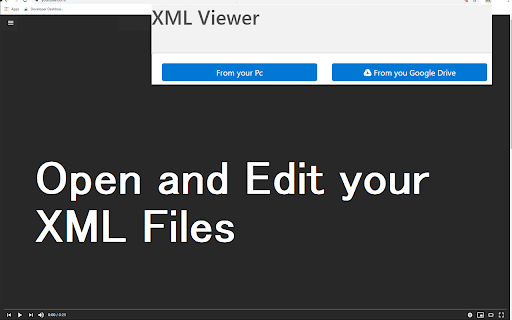

Open the XML file quickly and for free Open the XML file quickly and for free inside the Google Chrome browser. Open and edit your XML files instantly for free using this software. You can open and edit your XML files directly on the Google Chrome Browser and save these changes directly onto your desktop. The software also allows you to save the edited XML file into your Google Drive as well. Once you have made the necessary edits to your XML file, simply save the XML file to your PC/Google Drive View and Edit XML files for free using XML Viewer! Disclaimer: Please note this extension is NOT made by Google and is made by an independent development team. All copyrights belong to their respective owners. Google doesn’t endorse or sponsor this Chrome extension. XML Viewer is not owned by, is not licensed by and is not a subsidiary of Google Inc.

Night XML - dark mode XML viewer
Night XML enables dark mode on all XML web pages. A lightweight and free Chrome Extension that enables dark mode for XML web pages. FREE FOREVER Night XML is completely FREE extension that is developed by the team behind one of the best dark mode extensions - Night Eye More details can be found at http://nighteye.app WE CARE ABOUT PRIVACY Instead of simply pointing you to our privacy policy. We would like to address this topic in the most understandable language here. This extension is serverless - no requests are being made. The only data it collects and stores locally (on your computer) is what type of font have you chosen and the preferred source code view. FOLLOW US: Facebook - https://facebook.com/night.eye.extension/ Twitter - https://twitter.com/nighteye_ext Pinterest - https://pinterest.com/nighteyeextension/

Pretty HTML | CSS | XML
A simple way to format your HTML, CSS, or XML code for easier reading! A utility to format (pretty print) HTML, XML, or CSS source code. Ideal if you want a quick way to tidy up your content for easier reading. Just type or paste your source and see the formatted version appear in a separate panel. This utility attempts to auto-detect the format of your source content and format it appropriately. Your source is remembered so that when you open the extension again your source will still be available. A copy button allows you to copy your formatted content to the clipboard. You can Replace your source content with the formatted version with a button click. Paste and Append buttons allow you to paste into the source text area.

QNB eSolutions İmza İşlemleri Yardımcı Eklentisi
QNB eSolutions imza işlemleri için yardımcı Chrome eklentisi Google Chrome internet tarayıcısının 45. versiyonu ile birlikte Java desteğinin sona ermesi nedeni ile Java tabanlı bir teknoloji olan e-İmza, Google Chrome internet tarayıcısı ile kullanılamamaktadır. Ancak QNB eSolutions tarafından geliştirilen e-İmza uygulamasını bilgisayarınıza kurmanız durumunda Google Chrome tarayıcısı ile QNB eSolutions Portal’e e-İmza ile girip, e-Defter ve KEP (Kayıtlı Elektronik Posta) işlemlerini gerçekleştirebilmeniz mümkündür. Uygulamayı kullanabilmek için https://www.qnbesolutions.com/programlar/ adresini ziyaret edip QNB eSolutions e-İmza Uygulamasını indirmeniz gerekmektedir.

XML Validator
Quickly validate your XML and show the problem if there is any. Check your XML code for any syntax errors using our software today. Simply paste in your XML code and our extension will check the XML code for simple syntax errors etc to ensure your code works before you upload the XML files.
