
ldpochfccmkkmhdbclfhpagapcfdljkj
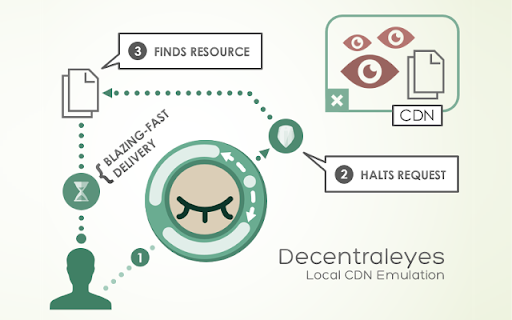


Protects you against tracking through "free", centralized, content delivery. It prevents a lot of requests from reaching networks like Google Hosted Libraries, and serves local files to keep sites from breaking. Complements regular content blockers. Websites have increasingly begun to rely much more on large third-parties for content delivery. Canceling requests for ads or trackers is usually without issue, however blocking actual content, not unexpectedly, breaks pages. The aim of this add-on is to cut out the middleman by providing lightning speed delivery of local (bundled) files to improve online privacy. • Protects privacy by evading large delivery networks that claim to offer free services. • Complements regular blockers such as uBlock Origin (recommended), Adblock Plus, et al. • Works directly out of the box; absolutely no prior configuration required. Note: Decentraleyes is no silver bullet, but it does prevent a lot of websites from making you send these kinds of requests. Ultimately, you can make Decentraleyes block requests for any missing CDN resources, too.

AudioContext Fingerprint Defender
AudioContext Fingerprint Defender is an extension that let you easily hide your real audiocontext fingerprint by reporting a random fake value and protecting your privacy. This addon does NOT block AudioContext or any other web audio API methods, instead, it simply adds a small noise to the actual fingerprint and "renews" it every time you visit a website or reload a page. It is important to note that, this addon does not have any settings or options to adjust. Simply add it to your browser and start surfacing the internet. If you want to test this addon, please visit a website that shows your fingerprint (i.e. audiofingerprint.openwpm). Every time you reload the page, you will see a new fake fingerprint. Note: depending on your browser and platform, you may need to (Shift+Refresh) a web page to renew the AudioContext fingerprint. To report bugs, please visit the addon's homepage (https://mybrowseraddon.com/audiocontext-defender.html) and fill out the bug report form.

Disconnect — Tracker Protection
Block the tracking of your personal data that feeds AI-powered attacks. Faster, more private browsing. Your data has been collected for years. Now AI weaponizes it. Criminals and bad actors steal and buy personal data at scale. AI transforms this data into precise, hyper-targeted attacks. Disconnect blocks the trackers that feed these systems, stopping surveillance at the source. We help power privacy for over 350 million users through integrations with Edge, Firefox, and other major platforms. - **Block trackers** across advertising, analytics, social, and fingerprinting categories - **Load pages faster** with up to 44% faster page loads and 39% less bandwidth - **See what's hidden** and visualize the invisible network of trackers on every site you visit - **Per-site control** to toggle protection on or off for any site Trusted by the New York Times, BBC, Washington Post, and NBC News to expose what others can't find. Named best privacy tool by the New York Times and Innovation Award winner at South by Southwest. Open source. Pay what you want. **Using Disconnect with other content blockers:** For best results, install Disconnect before adding other filtering extensions.

I still don't care about cookies
Community version of the extension `I don't care about cookies` (no Avast) This is a community updated version of a popular extension that got acquired by Avast with the source code on https://github.com/OhMyGuus/I-Dont-Care-About-Cookies ------- This extension removes cookie warnings/pop-ups from almost all websites! The EU regulations require that any website using tracking cookies must get user's permission before installing them. Imagine how irritating that becomes when you surf anonymously or if you delete cookies automatically every time you close the browser. In most cases, it just blocks or hides cookie related pop-ups. When it's needed for the website to work properly, it will automatically accept the cookie policy for you (sometimes it will accept all and sometimes only necessary cookie categories, depending on what's easier to do). It doesn't delete cookies.

NoScript
Maximum protection for your browser: NoScript allows active content only for trusted domains of your choice to prevent exploitation. NoScript 13 (20th anniversary): finally a cross-browser NoScript for Chromium (also MV3!) and Firefox-based web clients. Please report any issue at https://noscript.net/forum in the Support section with [Chrome] in the subject. For the more technical inclined, bug reports and/or contributions at https://github.com/hackademix/noscript/ (source code repository). Winner of the "PC World World Class Award", bundled with the Tor Browser but available on most Chromium and Firefox based browsers, NoScript gives you with the best available protection on the web. It allows JavaScript, embedded objects, media and other active content to run only from trusted domains of your choice, e.g. your home-banking site, mitigating remotely exploitable vulnerabilities including Spectre and Meltdown, and provide a wide range of additional protections. Such a preemptive approach prevents exploitation of security vulnerabilities (known and even unknown!) with no loss of functionality where you need it. Experts do agree: your browser is really safer with NoScript!
