
lcollpogenmgdokchggaeoencofjkogj
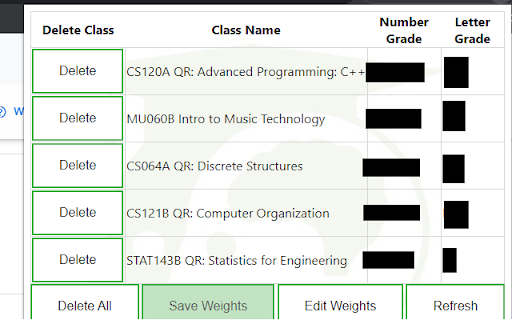
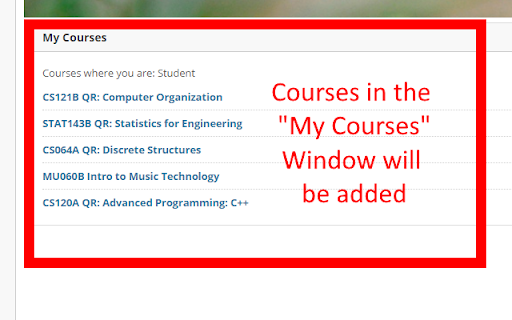
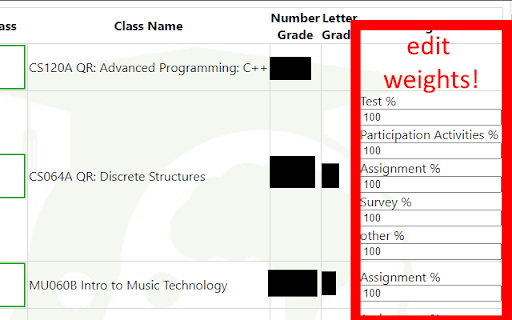
If UVM students know anything about struggle, it's probably Blackboard. And while we can't do Blackboard's job for them, we figured we could make things a little easier for UVM students... Introducing Blackboard Grades UVM, a new way to view your grades! You no longer need to do those tedious calculations yourself when you can't see your final grade. this extension will get all of your grade information and do the calculations for you! Just login to blackboard, click the extension, edit and save your weights (first time only), and you're good to go! 1. log in to blackboard 2. click the extension to load and view classes 3. fill in the assignment types with the weights from your syllabus (first time Only, saves automatically) 4. Enjoy! A: Click the extension icon in the top right corner of your browser A: the extension could not pull the grade info for various reasons. Either your class did not create a grade page or there are no grades entered. if this occurs and neither are the case, report a bug. Do keep in mind that the format of blackboard grades across classes is very different, it's impossible for the extension to account for all of these differences. A: click "report a bug" in the extension and fill out the form with your issue.

Easeenet For Web Browsers
Make using the internet easy and secure by using the official Easeenet web browser extension. Make “forgot my password” and “what’s that website again?” a thing of the past, and keep your loved ones from getting locked out of your online accounts if anything happens! Easeenet makes your online life easy to see, for you today and your loved ones tomorrow. Easeenet combines a simple, secure password manager, designed for non-techy users, with a digital vault, to effortlessly organize and preserve your online life, and seamlessly pass on your digital estate to your next of kin if anything happens to you. Our extension is available for Chrome, Firefox, and Edge, and will automatically recognize when you put in your login credentials for a website, and prompt you to store and categorize them in your Easeenet dashboard. Next time you visit that site, either by navigating directly to the site or clicking on your vault from your Easeenet dashboard, your credentials will autofill for you. Your Easeenet account also has a place to securely store and share documents, capture your memories and stories, and log the critical details that your next of kin will need if anything happens to you.

TerpCal
Sync up your UMD schedule with your Google Calendar Enhance your academic experience with TerpCal, a Chrome extension designed to streamline your schedule management. Directly from your Testudo portal, effortlessly add, update, and delete your schedule into Google Calendar with just a click.

Homework Helper
Right Click on highlighted text, to automatically search for answers from Quizlet. Homework Helper automatically searches for answers of Highlighted text using Quizlet. The answers are then stored in a list of cards, sorted by the highest percentage match, to the lowest match. Users can scroll through this list of answers, copy the answer, or even launch the Quizlet page the answer was found on. Users also have the ability to change the number of answers fetched, window size, and more!

Odoo Aliexpress Importer
This extension is used to import product from aliexpress to odoo store. It is used to import product from aliexpress to odoo store and it can be used with webkul odoo aliexpress dropshipping module. Odoo Aliexpress Importer will import products from Aliexpress.com to your odoo store and you can start selling products of Aliexpress within your own store very easily.
